135
A
DDITIONAL FEATURES SHARED CALL APPEARANCE (SCA) CALL BRIDGING
4. Click Save Settings.
Shared Call Appearance (SCA) Call Bridging
Shared Call Appearance (SCA) is when incoming calls are presented to multiple phones simultaneously.
For example, it is the ability to assign the boss' extension to a key on the secretary's phone. Calls can be
transferred between two phones with the same extension key by simply putting the call on hold at one
phone and picking it up on the other. Status LEDs light and flash in unison, allowing all people sharing the
extension to see the status at a glance.
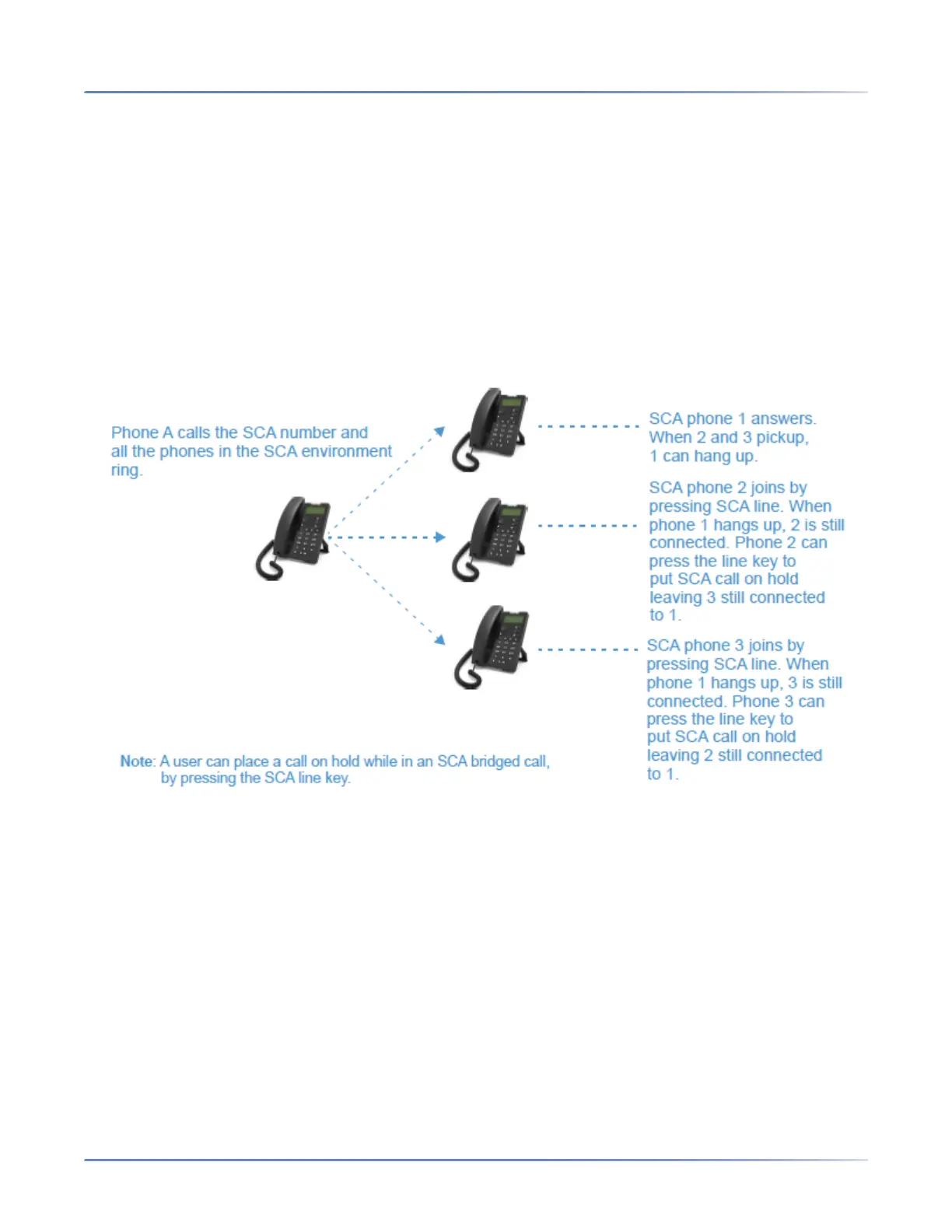
The phones include an enhanced SCA for the servers that support call bridging and allows two or more
SCA users to be connected in a call with a third party. Refer to the following example:
Using the example above, when a call comes into Phone 1, Phone 2 and Phone 3 can pickup the same
call by pressing the SCA line key. Phone 2 and 3 display the call they are bridging into on the LCD of the
phones. Existing SCA parties in a bridge or one-to-one call hear an audible beep when another party has
joined the call.
NOTE: our Administrator must enable/disable the beep on the server-side.
If a phone is configured for SCA bridging and it attempts to join a call, but the account on the server does
not have this functionality enabled, an error message displays to the LCD on the phone.
The SCA call bridging feature is disabled by default on all phones. Your Administrator can enable/disable
this feature if required. Contact your System Administrator for more information.
Keys States and LED Behavior
There are two call states on the phones that support SCA bridging:
• Bridge-active - A bridged call is in progress.
• Bridge-held - The 3rd-party (i.e., non-SCA party) in the bridge is on hold.



 To Next Page