98
M
ANAGING CALLS CALLERS LIST
3. (Optional) Using the dialpad keys input the first letter of the contact’s name to initialize the search func-
tion.
4. Use the keys to highlight the contact you want to copy.
5. Press the # Copy key to copy the contact to your Local Directory.
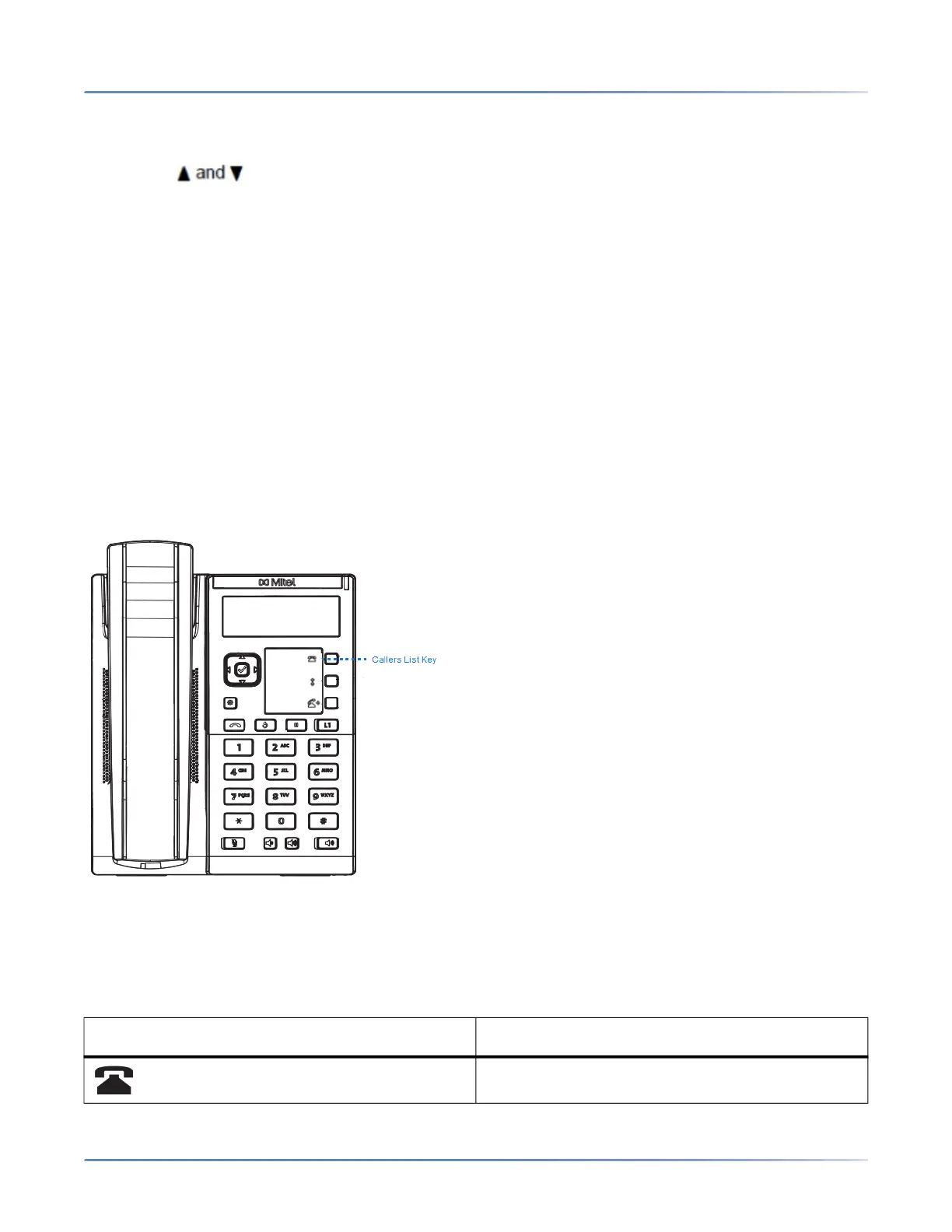
Callers List
NOTE: Callers List information in this User Guide describes the phone’s native Callers List. In some envi-
ronments, the Callers List key may bring up a Callers List provided by the call manager; therefore,
depending on your call manager, the Callers List on your phone may function and behave differently then
what is documented in this User Guide. If this is the case, contact your System Administrator for more
information regarding your specific Callers List.
The Callers List is a stored log of your incoming calls. The 6905 IP phone stores information for up to 200
incoming calls in the Callers List. Your phone logs the number and name (if available) of the caller, when
they last called, and the number of times they tried to reach you.
You can view, scroll, and delete line items in the Callers List from the IP phone UI. You can also directly
dial from a displayed line item in the Callers List.
NOTE:
1. When the Callers List is full, the oldest call records are deleted to accommodate the information of
new callers.
2. If the telephone number of an incoming or outgoing call matches a number that you have programmed
with a name in the Directory, the Callers List display the same name and number.
Icon Description
Indicates an unanswered call in the Callers list.



 To Next Page