86
H
ANDLING CALLS TRANSFERRING CALLS
Blind Transfer
A blind transfer is when you transfer a call directly to another extension without consulting with the person
receiving the call. To do this, simply complete the transfer immediately after you have entered the number.
The call goes directly to the extension or outside line you transferred to. If the party you are transferring
the call to does not answer, the transferred call rings back to your extension.
Consultative Transfer
You also have the option to consult with the person you are transferring the call to, before you complete
the transfer. To do this, remain on the line until the receiving party answers the call. After consulting with
the receiving party, you can either complete the transfer or cancel the transfer to go back to the original
call.
Direct Transfer
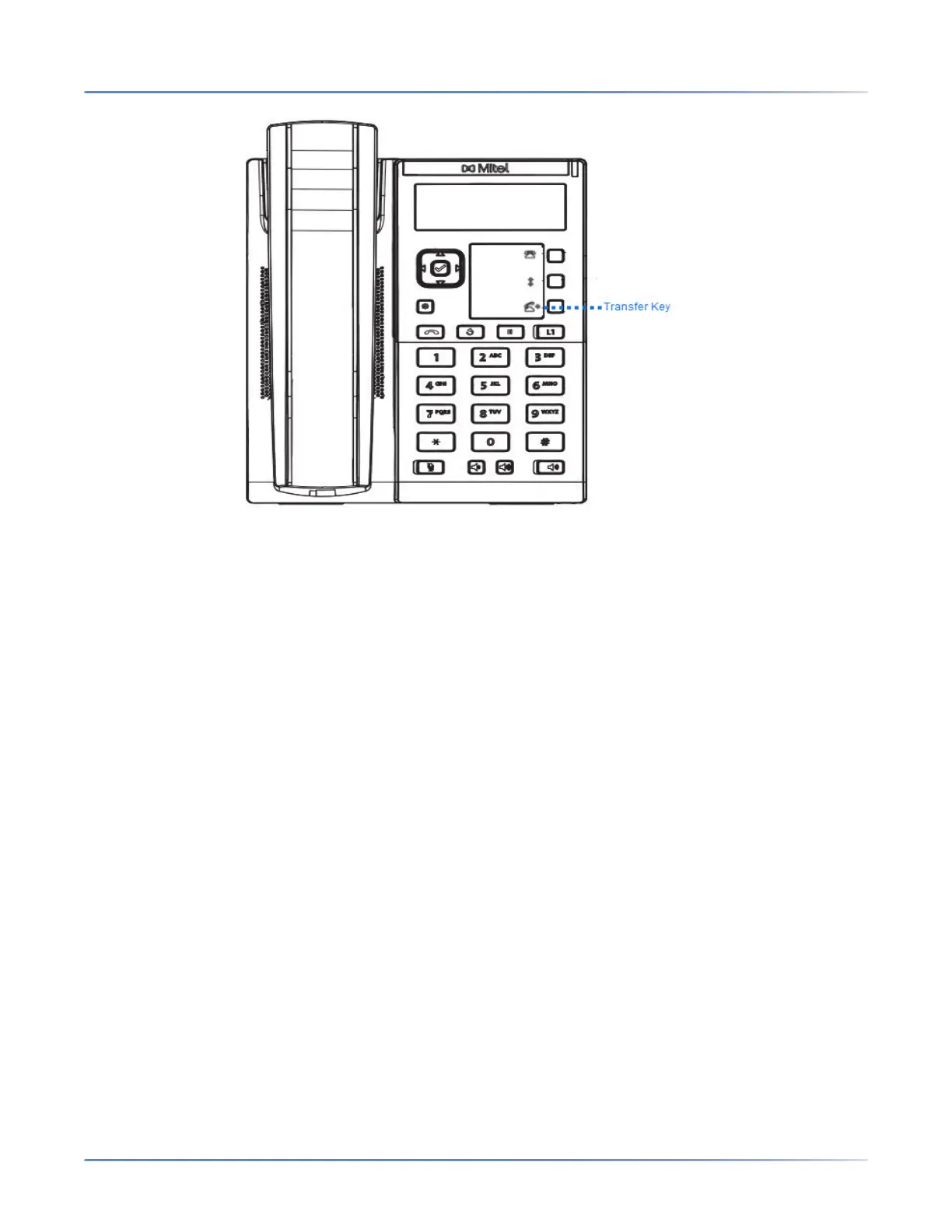
The 6905 IP phone provides a convenient direct method of transferring an existing call to another existing
call. If you have the transfer recipient on hold on another line, you can simply navigate to the recipient and
press the Transfer key and the direct transfer will be performed.
Transferring Calls
Use the following procedure to transfer a call to another extension.
IP Phone UI
1. Connect to Party 1 (if not already connected). Party 1 is the party you want to transfer.
2. Press the programmed Transfer key.



 To Next Page