126
A
DDITIONAL FEATURES CALL HOLD REMINDER (ON SINGLE HOLD)
Configuring Call Hold Reminder During Active Calls
Mitel Web UI
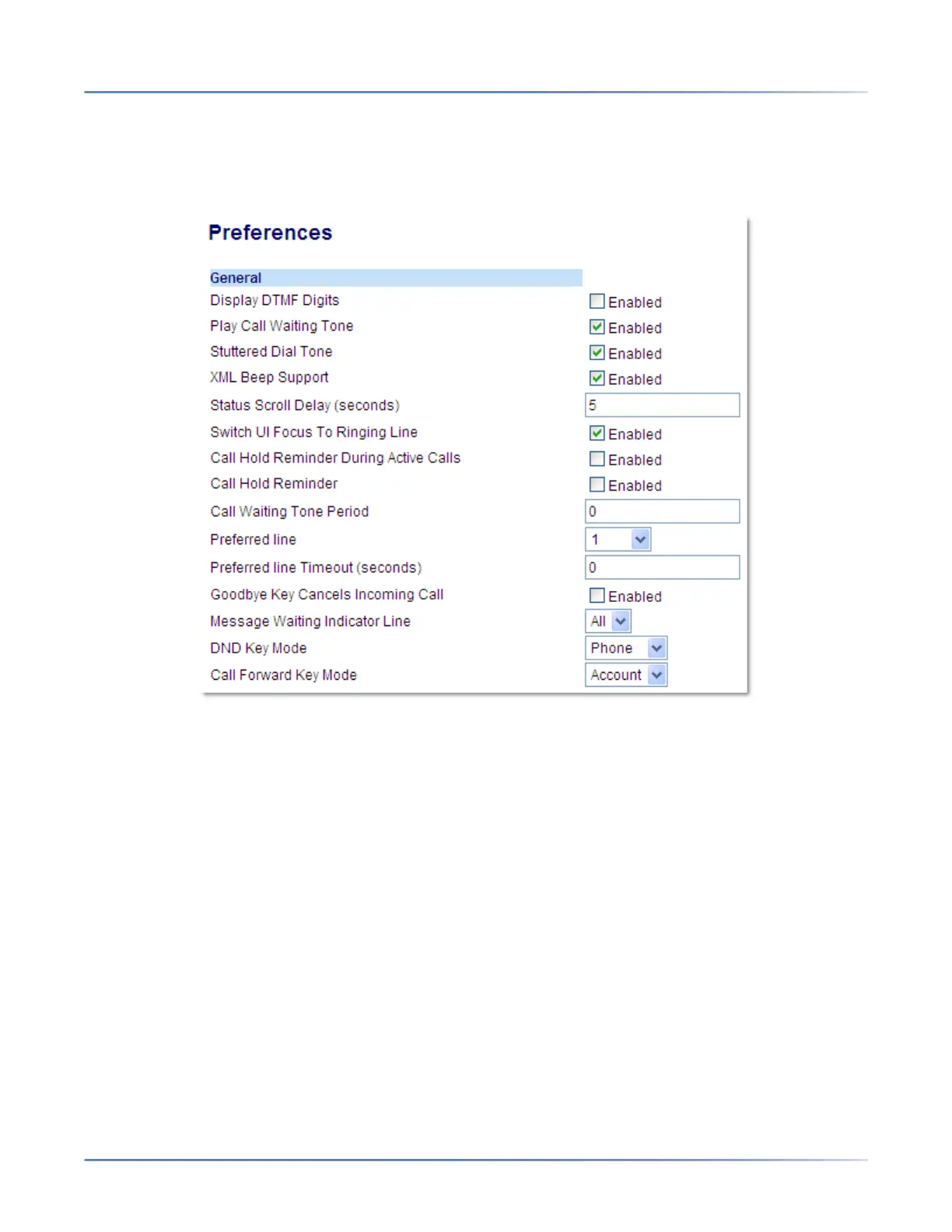
1. Click on Basic Settings > Preferences > General
2. The Call Hold Reminder During Active Calls field is disabled by default. To enabled this field, check
the box.
3. When this feature is enabled, a reminder tone is heard on the active call when another call is on hold.
When disabled, a ring splash is heard when the active call hangs up and there is still a call on hold.
4. Click Save Settings.
Call Hold Reminder (on single hold)
On the 6905 IP phone, you can enable or disable a feature that will start the reminder ring splash timer
as soon as you put a call on hold (even when no other calls are active on the phone). When enabled, the
phone initiates a reminder ring splash periodically for the single call on hold. When disabled, no reminder
ring splash is audible.
You can enable or disable this feature using the Call Hold Reminder parameter in the Mitel Web UI.



 To Next Page