139
ADDITIONAL FEATURES CALL HOLD REMINDER DURING ACTIVE CALLS
CONFIGURING SWITCH FOCUS TO RINGING LINE USING THE MITEL WEB
UI
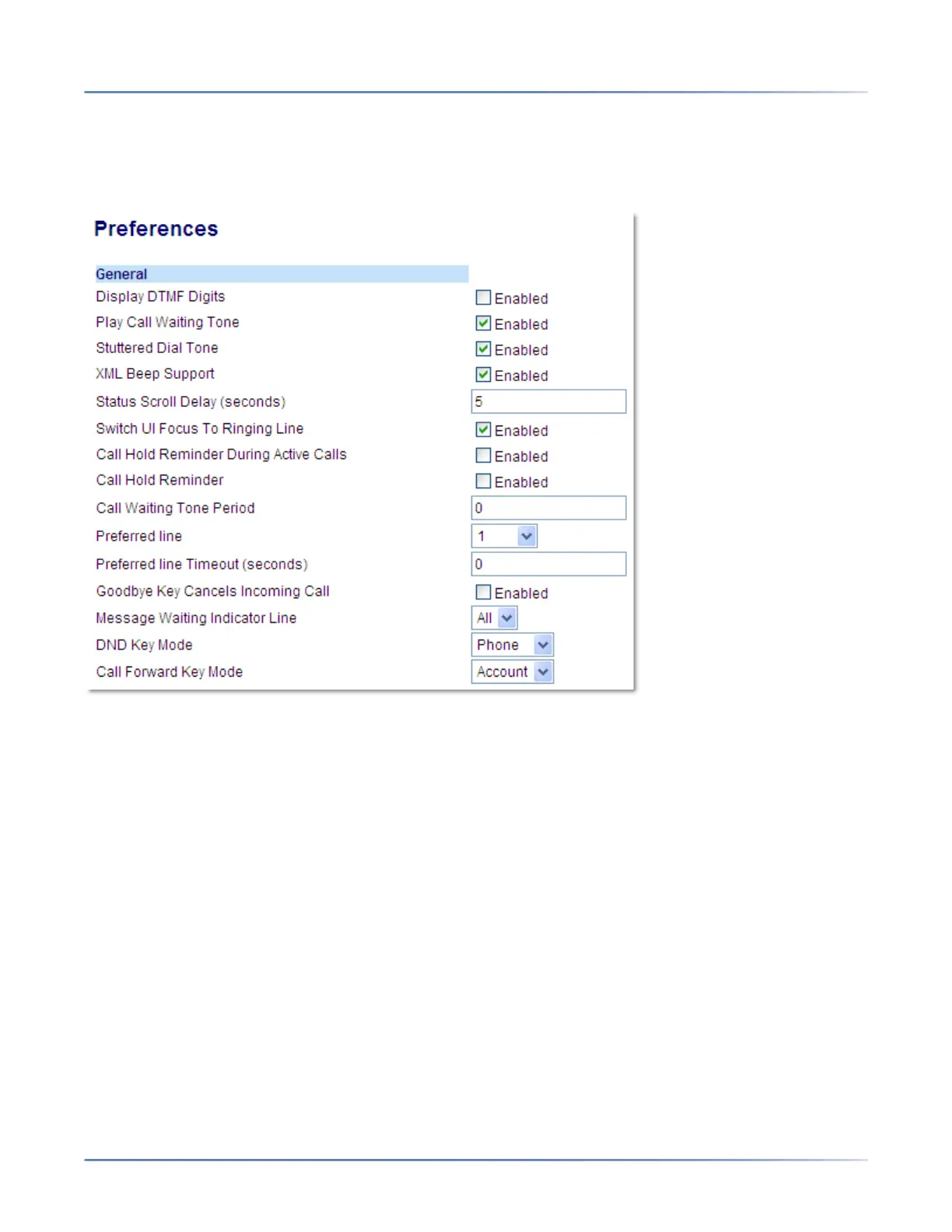
1. Click on Basic Settings > Preferences > General.
2. The Switch Focus to Ringing Line field is enabled by default. To disable this field, uncheck the box.
3. Click Save Settings.
CALL HOLD REMINDER DURING ACTIVE CALLS
The IP phones allow you to enable or disable the ability for the phone to initiate a continuous reminder
tone on the active call when another call is on hold. For example, when this feature is enabled, and the
call on Line 1 is on hold, and then the you answer a call on Line 2 and stay on that line, a reminder tone
is played in the active audio path on Line 2 to remind you that there is still a call on hold on Line 1.
When this feature is disabled, a ring splash is heard when the active call hangs up and there is still a call
on hold.
You can enable or disable this feature using the Call Hold Reminder During Active Calls parameter in
the Mitel Web UI.



 To Next Page