142
ADDITIONAL FEATURES PREFERRED LINE AND PREFERRED LINE TIMEOUT
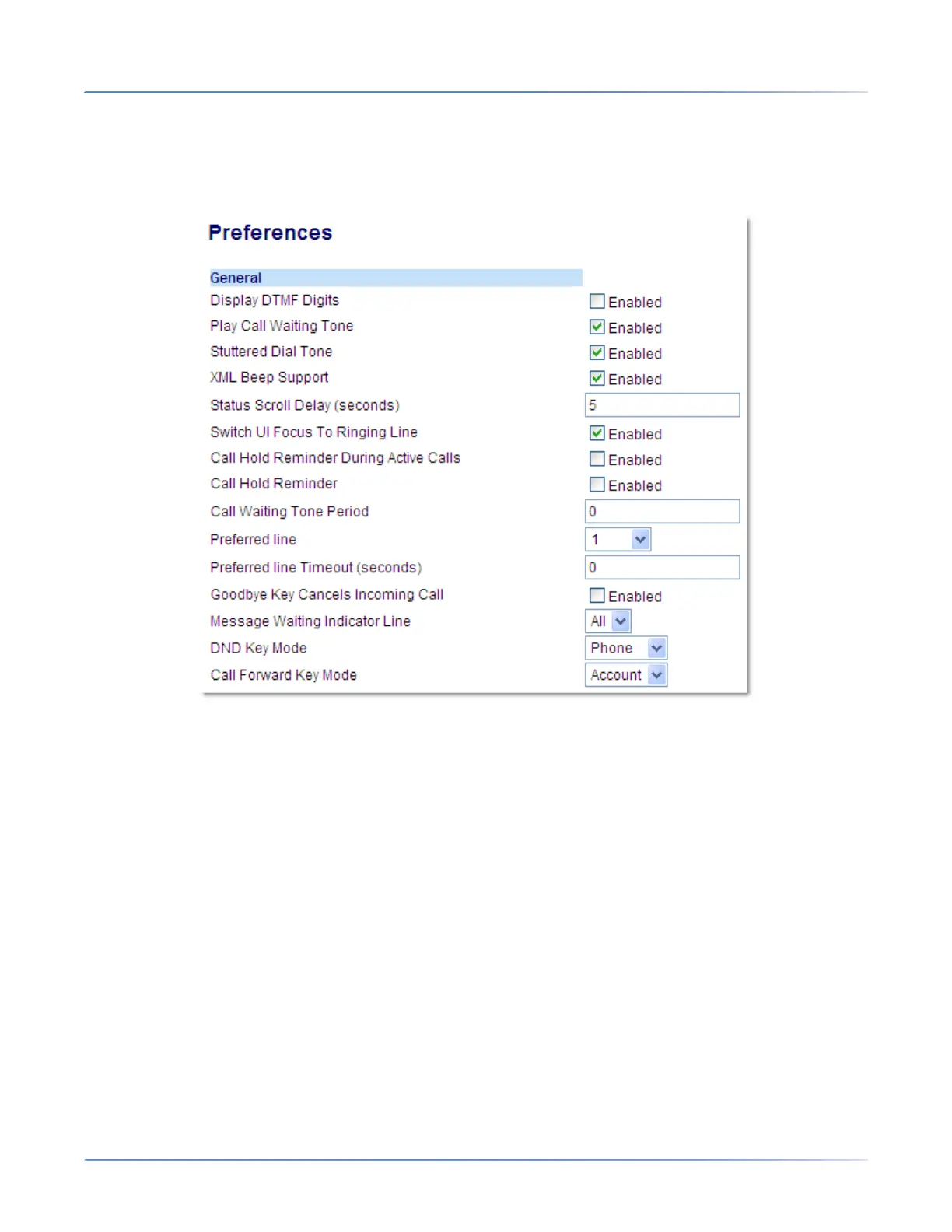
CONFIGURING CALL WAITING TONE PERIOD
Mitel Web UI
1. Click on Basic Settings > ;Preferences > General.
2. In the Call Waiting Tone Period ;field, enter a time period, in seconds, that the call waiting tone will
be audible on an active call when another call comes in. Default is 0 seconds. When enabled, the call
waiting tone plays at regular intervals for the amount of time set for this parameter. For example, if set
to 30 the call waiting tone plays every 30 seconds. When set to 0, the call waiting tone is audible only
once on the active call.
3. Click Save Settings.
PREFERRED LINE AND PREFERRED LINE TIMEOUT
The 6910 has two parameters preferred line and preferred line timeout. If you enable the preferred line
parameter on your phone, after a call ends (incoming or outgoing), the display switches back to the
preferred line. Next time you go off-hook to make another call, you pickup on the preferred line. You can
enable the Preferred Line parameter using the Mitel Web UI at the location, Basic Settings > Preferences
> General. You can also set a Preferred Line Timeout parameter that specifies the number of seconds
it takes for the phone to switch back to the preferred line.
The following table provides the behavior of the preferred line focus feature with other features on the
phone:



 To Next Page