64
LINE KEYS AND PROGRAMMABLE KEYS XML KEY
CONFIGURING AN XML KEY
MITEL WEB UI
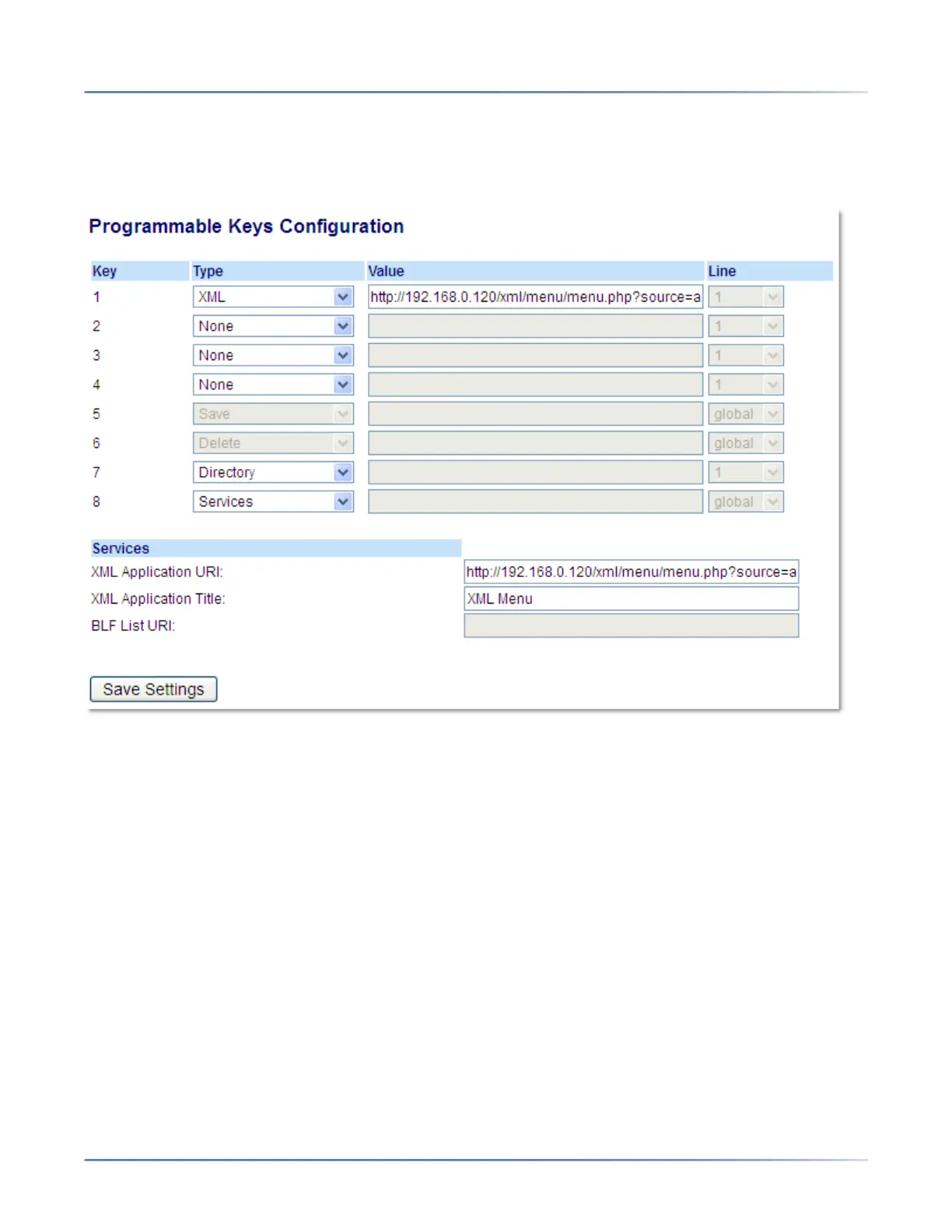
1. Click on Operation > Programmable Keys.
Programmable Keys
2. Select from Key 1 through Key 8.
3. In the Type field, select XML to apply to the key.
4. In the Value field, enter a URI(s) to apply to this key.
NOTE:
a. Contact your System Administrator for the appropriate value to enter in the Value field.
b. If you specify multiple URIs in the Value field, a list of XML applications appears for selection
after pressing the XML key.
5. To access XML services through the Services menu, in the XML Application URI field, enter the XML
application URI provided by your System Administrator.
6. In the XML Application Title field, enter the XML application title that you want to display as the
Services menu title on your phone.
7. Click Save Settings.



 To Next Page