82
LINE KEYS AND PROGRAMMABLE KEYS PHONE LOCK KEY
CONFIGURING A SERVICES KEY
MITEL WEB UI
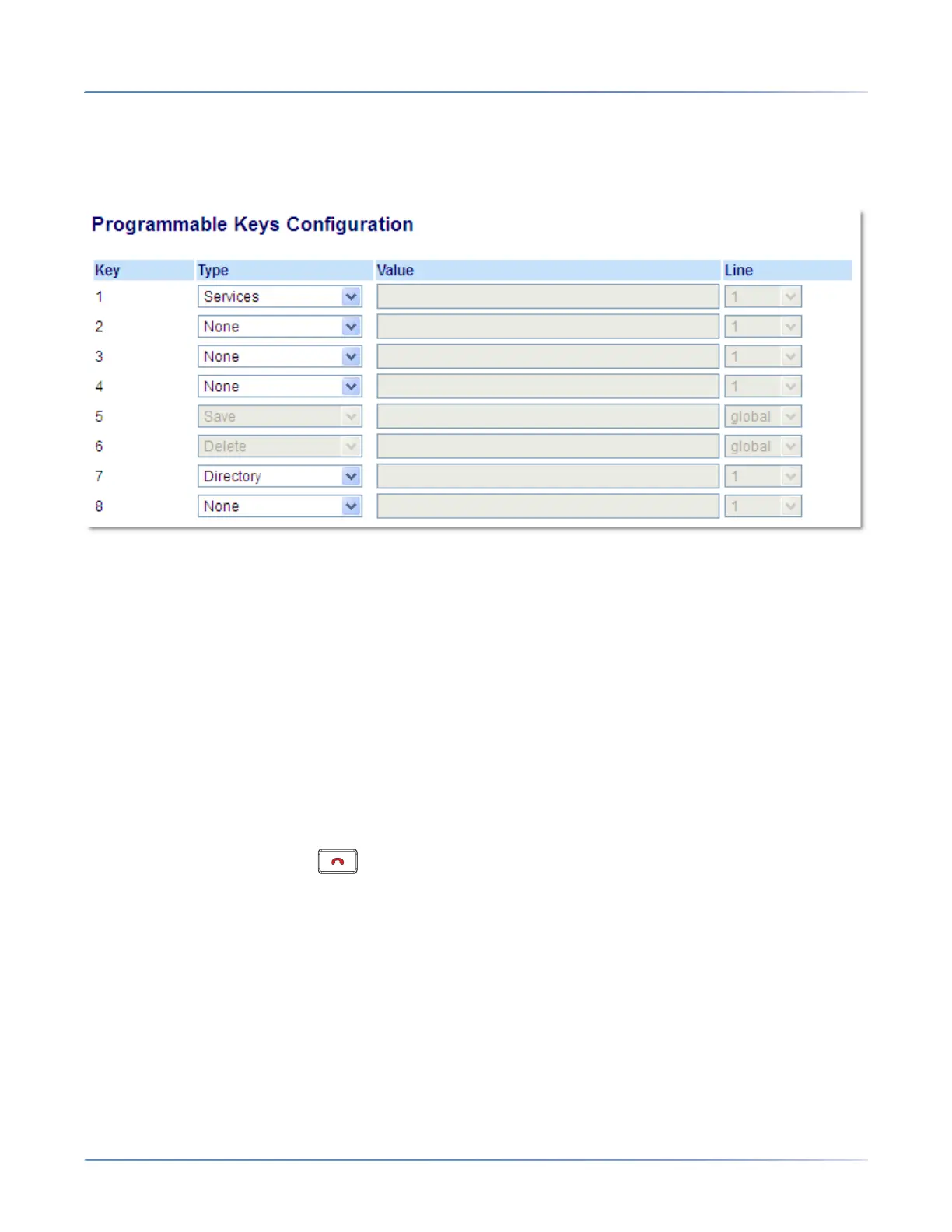
1. Click on Operation > Programmable Keys.
Programmable Keys
2. Select from Key 1 through Key 8.
3. In the Type field, select Services.
4. Click Save Settings.
USING THE SERVICES KEY
IP PHONE UI
1. Press the Services key.
NOTE: Additional options may display in the Services Menu if setup by your System Administrator.
Contact your Administrator for more information.
2. Select an option from the Services Menu.
3. To cancel a Service, press .
PHONE LOCK KEY
You can configure a programmable key on the phone to use as a lock/unlock key. You assign the function
of the key as Phone Lock.



 To Next Page