154
ADDITIONAL FEATURES BROADSOFT BROADWORKS EXECUTIVE AND ASSISTANT SERVICES
• In such scenarios, addresses will not need to be manually entered and the phone will automatically
initiate the call to the target phone on behalf of the Executive.
NOTE:
a. Contact your System Administrator if you require assistance with regards to configuring the
Speeddial key with the Initiate Call functionality.
b. The Speeddial key type can be utilized for additional functions related to the Executive and
Assistant Services feature that rely on FAC calls (i.e. opting in to an Executive’s filtered call pool,
opting out of an Executive’s filtered call pool, etc...). Contact your System Administrator for
further details.
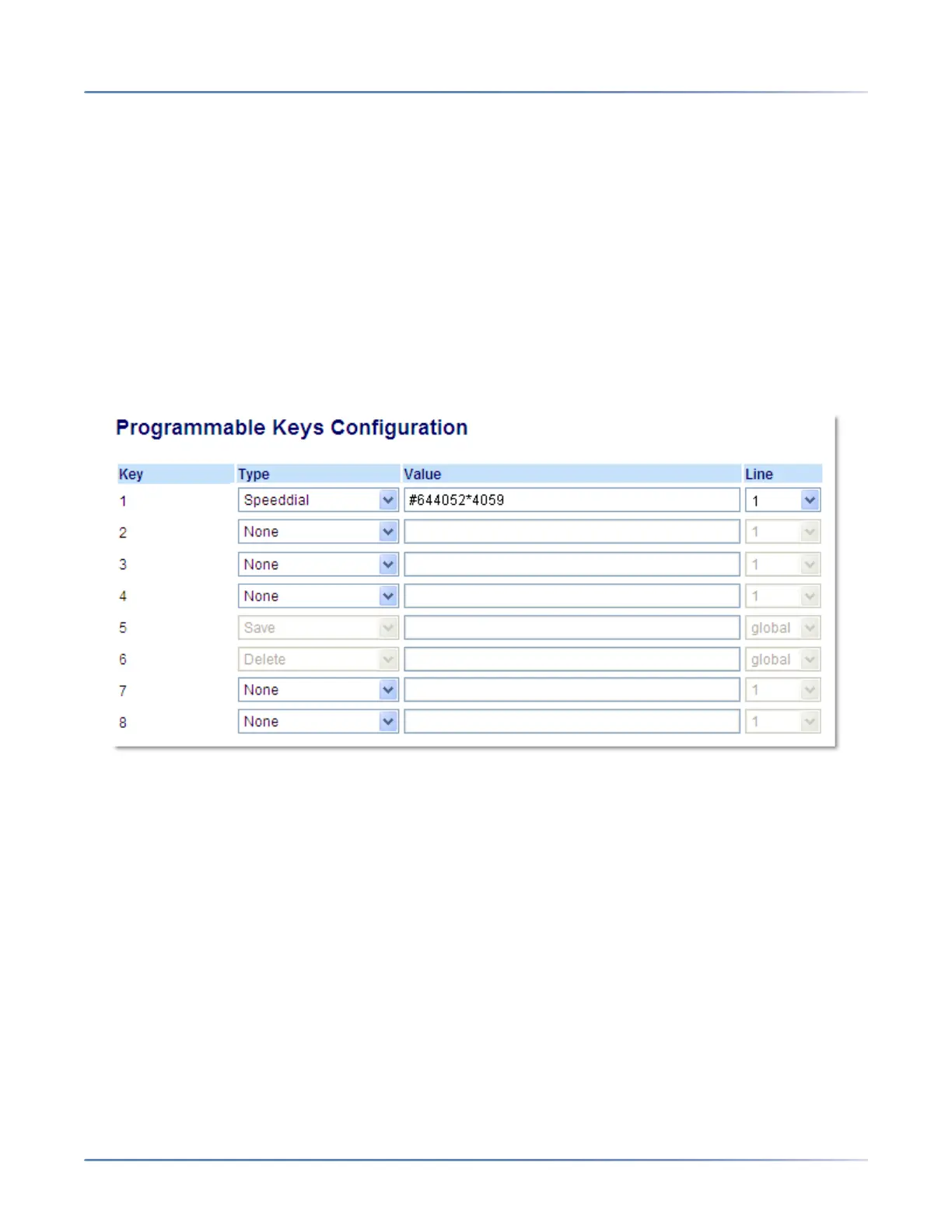
Configuring the Initiate Call Key on an Assistant’s Phone Using the Mitel Web UI
Use the following procedure to configure the Initiate Call Key on an Assistant’s phone using the Mitel Web
UI:
1. Click on Operation-> Programmable Keys.
2. Select a key that you want to use as an Initiate Call key.
3. In the " Type" field, select " Speeddial".
4. In the " Value" field, enter the Initiate Call FAC (e.g. #64) or In the " Value" field, enter the Initiate Call
FAC, followed by the Executive’s Address (e.g. #644052) or In the "Value " field, enter the Initiate Call
FAC, the Executive’s Address, followed by an asterisk, and then the Destination Address (e.g.
#644052*4059)
5. In the “ Line” field, select the line for which you want to use the key functionality.
6. Click Save Settings to save your settings.
EXECUTIVE PHONE FEATURES
Users with phones assigned with the Executive role are able to:
• Activate and deactivate the Executive Call Filtering service from the phone
• Intercept or ignore filtered calls before they are transferred to the Assistant



 To Next Page