153
ADDITIONAL FEATURES BROADSOFT BROADWORKS EXECUTIVE AND ASSISTANT SERVICES
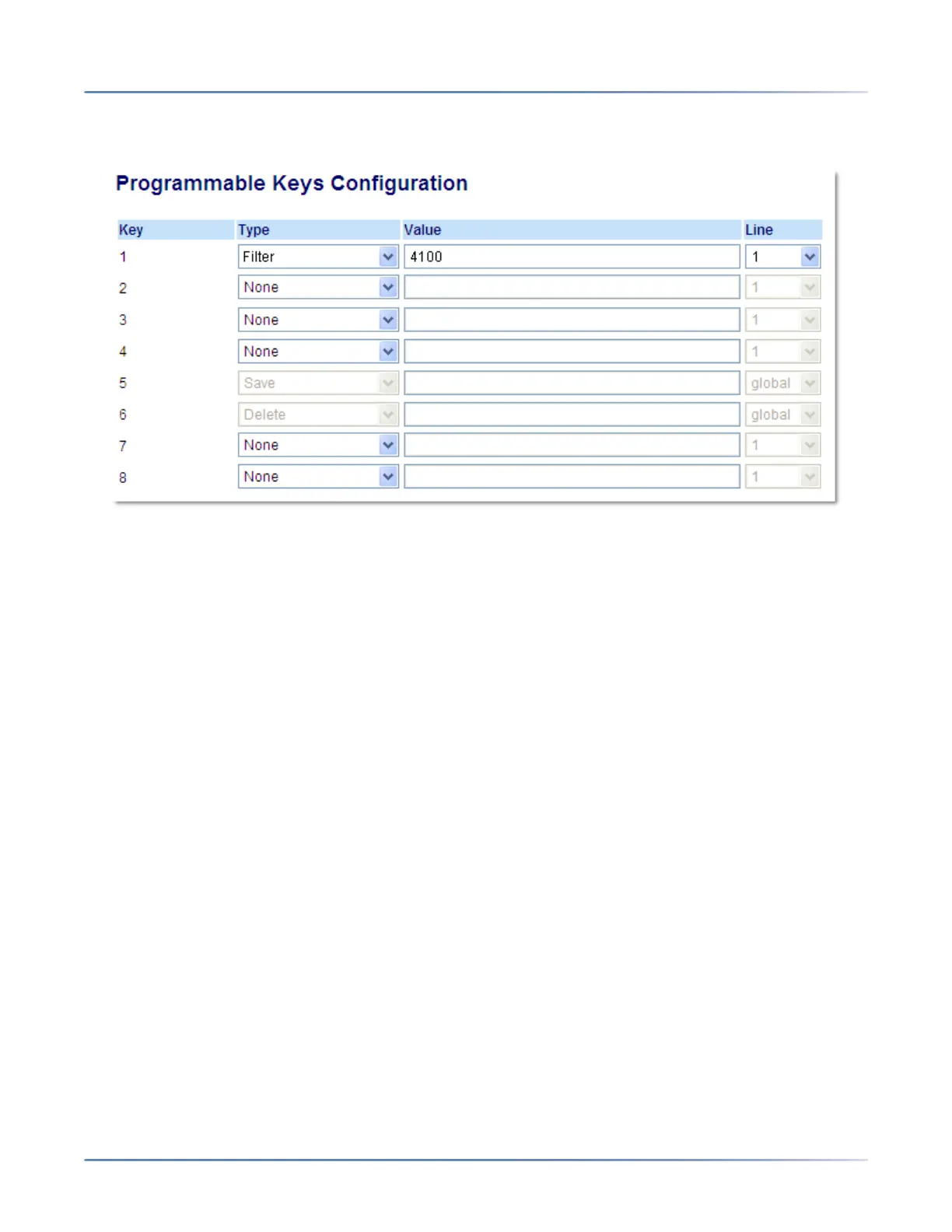
Use the following procedure to configure the Filter key on the Assistant’s phone using the Mitel Web UI:
1. Click on Operation-> Programmable Keys .
2. Select a key that you want to use as a Filter activate/deactivate key.
3. In the " Type" field, select " Filter".
NOTE: o utilize a single Filter key without a defined key value (so that you can manually activate and
deactivate Executive Call Filtering through the phone’s UI) skip to Step 6.
4. (Optional) In the " Value" field, enter the Executive Call Filtering Activation FAC (e.g. #61) or both the
Executive Call Filtering Activation and Deactivation FACs followed by a semi-co-lon (e.g. #61;*61).
5. In the “ Line” field, select the line for which you want to use the key functionality.
6. Repeat Steps 2 to 5 for each respective Executive for whom you would like to assign a Filter key.
7. Click Save Settings to save your settings.
SPEEDDIAL KEY WITH INITIATE CALL FUNCTIONALITY (ASSISTANTS
ONLY)
Speeddial keys can be configured to efficiently utilize the Executive-Assistant Initiate Call function. With
a Speeddial key configured for this feature, Assistants can initiate a call on behalf of an Executive,
whereby the call will appear to the target as one originated by the Executive himself/herself. The Speed-
dial key’s value can be defined using the following syntax:
• Executive-Assistant Initiate Call FAC (e.g. #64):
• In such scenarios, the call manager will play an audible prompt asking you to enter the Executive’s
Address and Destination Address manually using the keypad.
• Executive-Assistant Initiate Call FAC followed by the Executive’s Address (e.g. #644052):
• In such scenarios, only the Destination Address will need to be manually entered using the keypad.
• Executive-Assistant Initiate Call FAC, followed by the Executive’s Address, an asterisk, and then the
Destination Address (e.g. #644052*4059):



 To Next Page