65
LINE KEYS AND PROGRAMMABLE KEYS FLASH KEY
ACCESSING THE XML APPLICATION
After XML applications have been saved to your IP phone, and after a key has been configured to access
the XML application(s), the customized service is ready for you to use.
IP PHONE UI
1. Press the key configured for XML on the 6910 phone.
2. Use the to scroll through the XML applications.
3. For menu and directory services, select a service to display the information for that customized
service. Message services display to the screen after pressing the key. For user input services, follow
the prompts as appropriate.
4. To exit from the XML screen, press the key.
FLASH KEY
You can set a programmable key to generate a flash event when it is pressed on the 6910. You do this
by setting the key to Flash. The IP phone generates flash events only when a call is connected and there
is an active RTP stream (for example, when the call is not on hold).
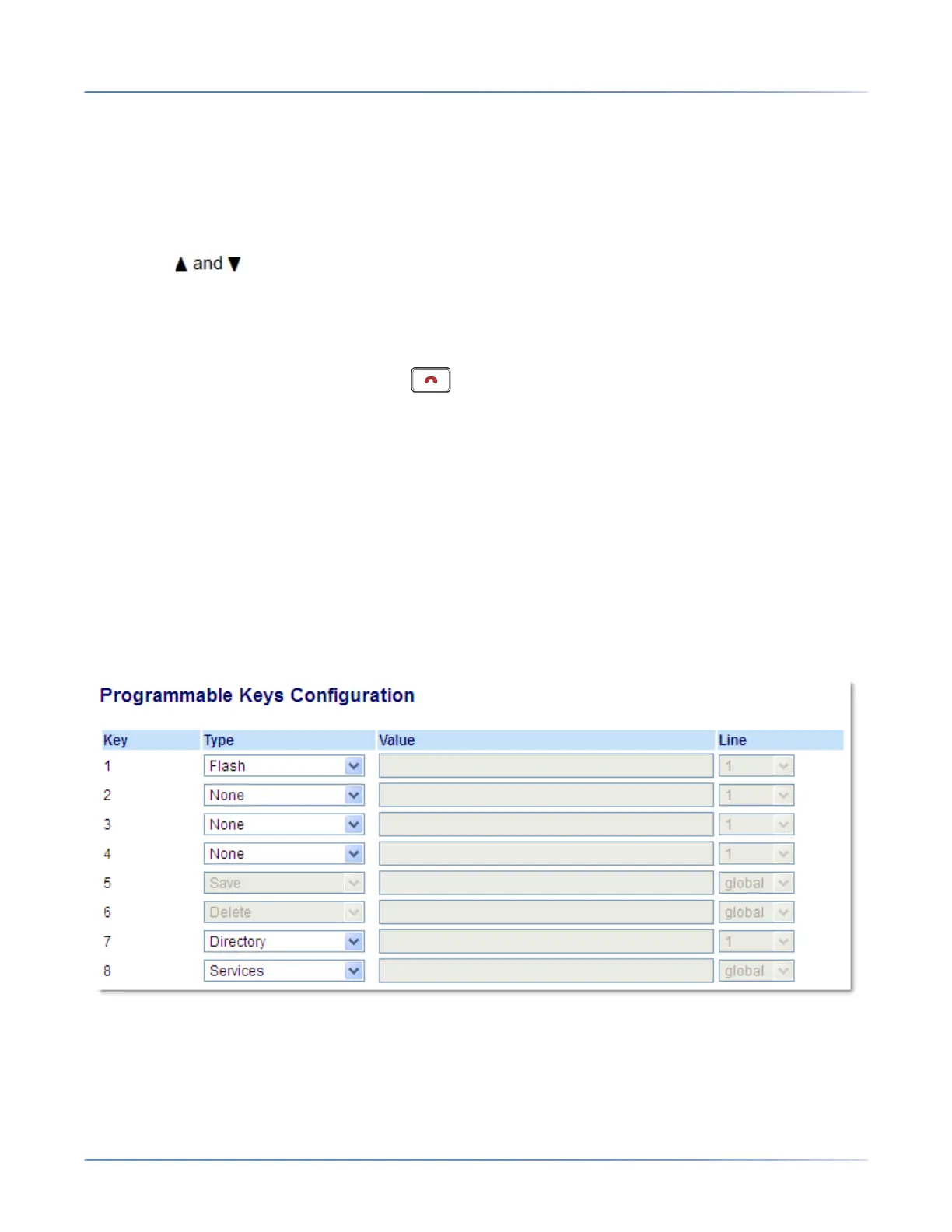
CONFIGURING A FLASH KEY
MITEL WEB UI
1. Click on Operation > Programmable Keys.
Programmable Keys
2. Select from Key 1 through Key 8.
3. In the Type field, select Flash.
4. Click Save Settings.



 To Next Page