5
IP PHONE KEYS KEY DESCRIPTION
KEY DESCRIPTION
The following table identifies the keys on the key panel of your 6910 IP phone that you can use for
handling calls.
t Hold Key g Redial Key
y Navigation/Select Keys h Voicemail Key
u Transfer Key j Speaker/Headset Key
i Conference Key k LCD Screen
o Options Key l Programmable Keys
p Directory Key
KEY DESCRIPTION
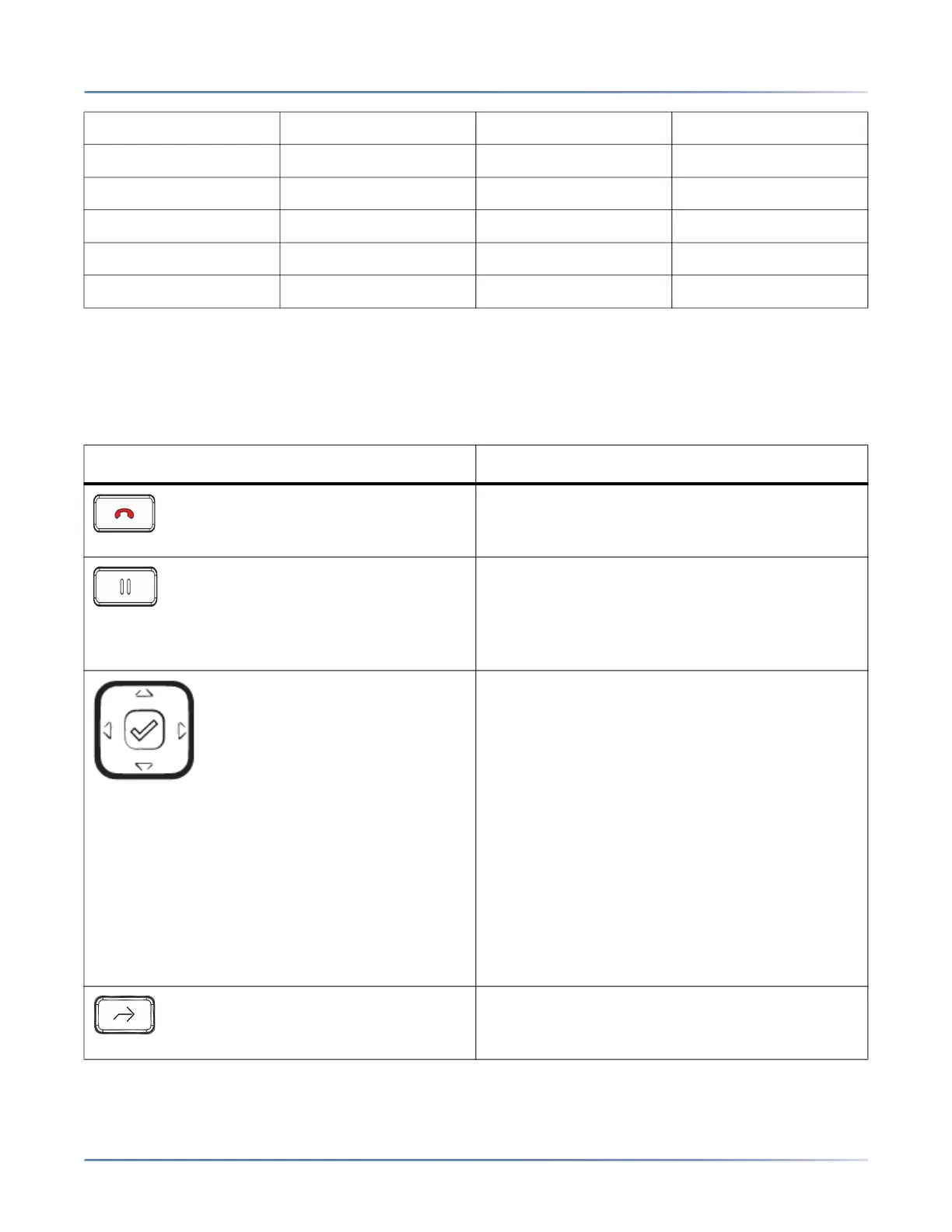
Goodbye Key - Ends an active call. The
Goodbye key also exits an open list, such as the
Options List, without saving changes.
Hold Key- Places an active call on hold. To
retrieve a held call, press the call appearance
button beside the light that is flashing.
For more information, see “Placing a Call on
Hold”.
Navigation/Select Keys - Pressing the UP and
DOWN keys lets you view different status and
text messages on the LCD display (if there is
more than 1 line of status/text messages). These
buttons also let you scroll through menu
selections, such as the Options List.
Pressing the LEFT and RIGHT keys lets you view
the different line/call appearances. While in the
Options List, these keys allow you to exit or enter
the current option. When you are editing entries
on the display, pressing the LEFT key erases the
character on the left; pressing the RIGHT key
sets the option. Alternatively, pressing the center
Select key sets the option as well on specific
screens.
Transfer Key - Transfers the active call to
another number.
For more information, see "Transferring Calls".



 To Next Page