6
IP PHONE KEYS KEY DESCRIPTION
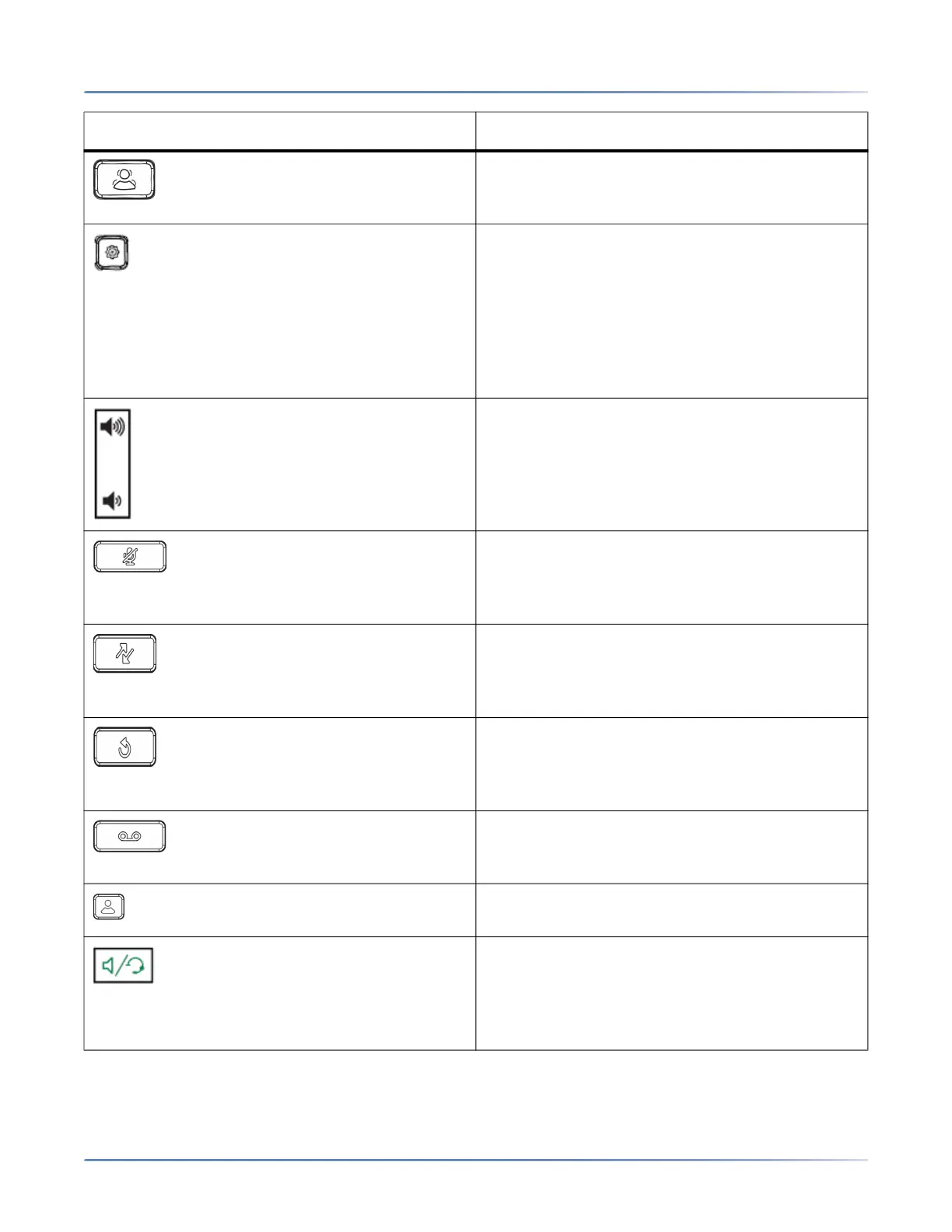
Conference Key - Begins a conference call with
the active call.
For more information, see “Conferencing Calls”.
Options Key - Accesses services and options to
customize your phone. Your System
Administrator may have already customized
some of your settings. Check with your System
Administrator before changing the
administrator-only options.
For more information, see “Phone Options via the
IP Phone UI”.
Volume Controls - Adjusts the volume for the
handset, ringer, and handsfree speaker.
Mute Key - Mutes the microphone so that your
caller cannot hear you (the light indicator flashes
when the microphone is on mute).
For more information, see “Mute”.
Call History Key - Call History key displays All
folder list which includes the list of your missed,
outgoing, and received calls.
For more information, see “Callers List”.
Redial Key - Accesses a list of the last 100
previously dialed numbers. Pressing the Redial
key twice redials the last dialed number.
For more information, see “Redial”.
Voicemail Key - Provides access to your
voicemail service (if configured).
For more information, see "Voicemail".
Directory key - Displays a list of your contacts.
For more information, see "Directory".
Speaker/Headset Key - Transfers the active call
to the speaker or headset, allowinghandsfree use
of the phone.
For more information, see “Using Handsfree
Speakerphone” and “Using a Headset".
KEY DESCRIPTION



 To Next Page