66
LINE KEYS AND PROGRAMMABLE KEYS SPRECODE KEY
SPRECODE KEY
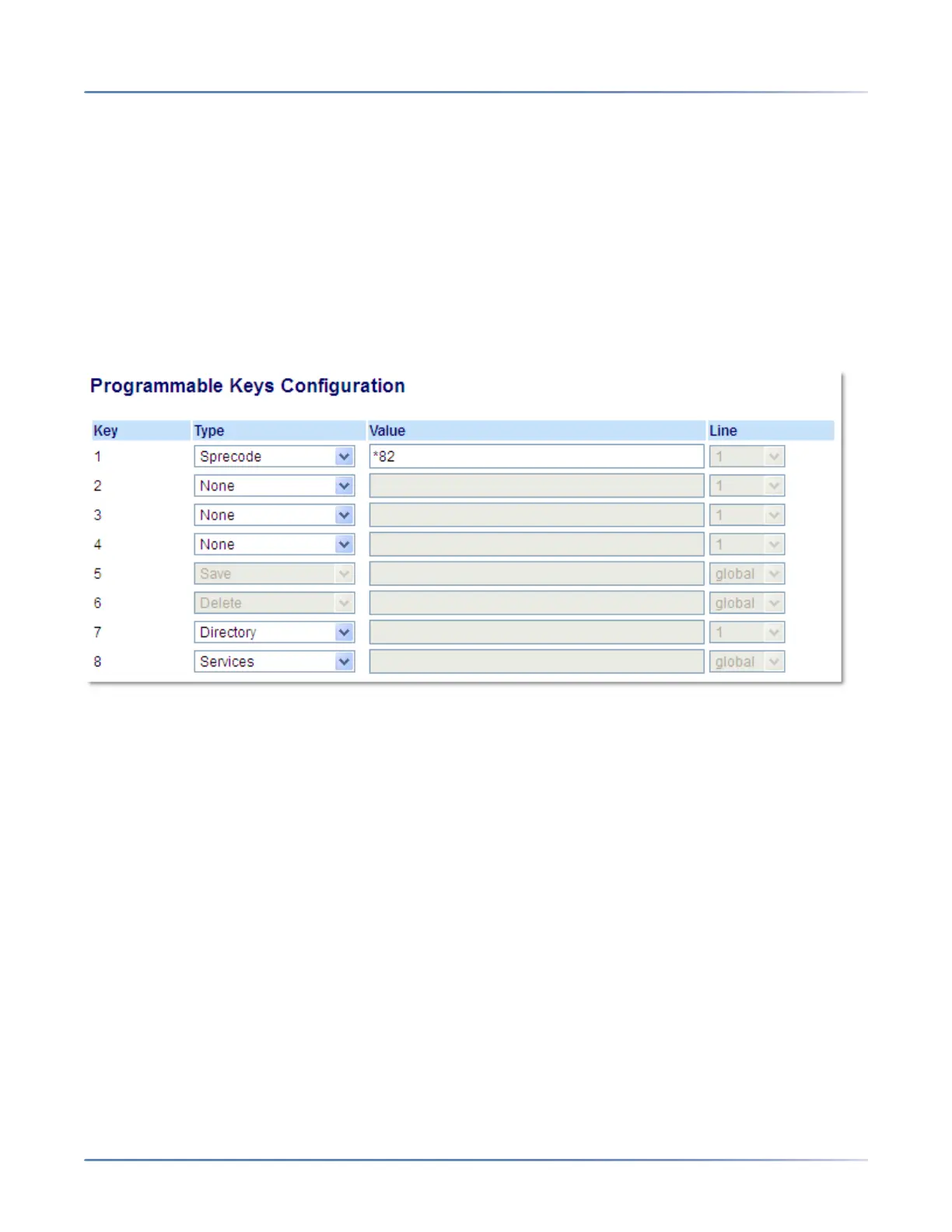
You can set a programmable key to automatically activate specific services offered by the server. For
example, if the sprecode value of *82 is configured, then by pressing the Sprecode key, *82 automatically
activates a service provided by the server. Contact your System Administrator for information about avail-
able services.
CONFIGURING A SPRECODE KEY
MITEL WEB UI
1. Click on Operation > Programmable Keys.
Programmable Keys
2. Select from Key 1 through Key 8.
3. In the Type field, select Sprecode.
4. In the Value field, enter the appropriate value for accessing specific services from the server.
NOTE: For values to enter in this field, contact your System Administrator.
5. Click Save Settings.
PARK/PICKUP KEYS
The 6910 phone has a park and pickup call feature that allows you to park a call and pickup a call when
required. The IP phones support the Park/Pickup feature on the Asterisk, BroadWorks, Sylantro, and ININ
call managers.
The park/pickup feature performs as follows:
• When a call comes in and you pickup the handset, you can press the applicable Park key to park the
call.



 To Next Page