61
LINE KEYS AND PROGRAMMABLE KEYS AUTOMATIC CALL DISTRIBUTION (ACD) KEY (FOR SYLANTRO CALL
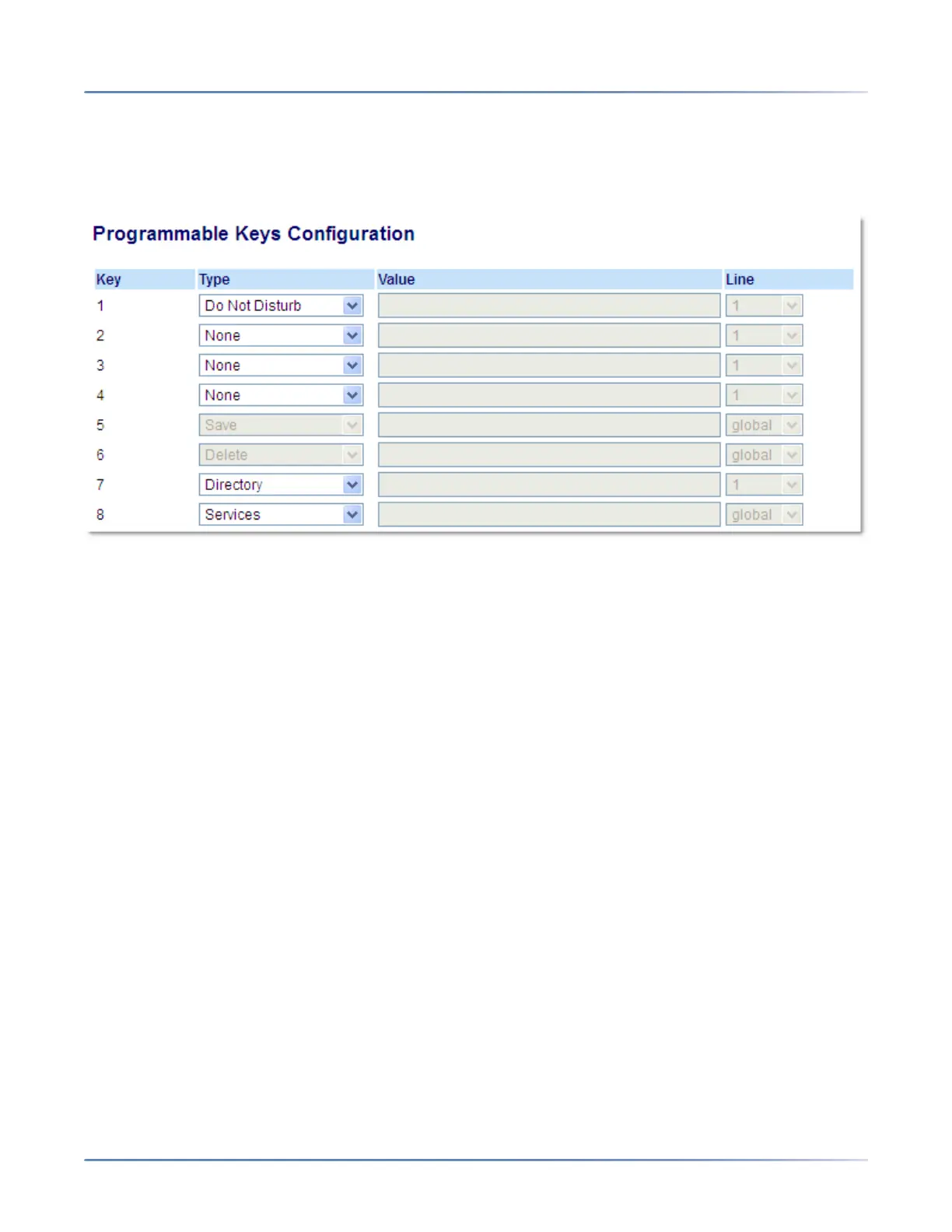
CONFIGURING A DND KEY
MITEL WEB UI
1. Click on Operation > Programmable Keys.
Programmable Keys
2. Select from Key 1 through Key 8.
3. In the Type field, select Do Not Disturb.
4. Click Save Settings to save the DND key setting.
AUTOMATIC CALL DISTRIBUTION (ACD) KEY (FOR
SYLANTRO CALL MANAGERS)
The 6910 supports Automatic Call Distribution (ACD) for Sylantro call managers. The ACD feature allows
the Sylantro call manager to distribute calls from a queue to registered IP phone users (agents).
To use the ACD feature on an IP phone, you must first configure an ACD key. When you want to subscribe
to a queue (in order to receive incoming calls), you press the ACD key and the IP phone UI prompts you
to log in. An Avail key displays allowing you to make your phone available to accept these calls.
When you are on an active call, or you miss a call, the server automatically changes the phone’s status
to unavailable. The server updates its database with this new information and no longer distributes calls
to the phone. The phone remains in this unavailable state until:
• You make yourself available again by pressing the Avail key
• An ACD timer expires (set by your System Administrator).
You can also choose to manually change the phone status to unavailable by pressing the Unavail key on
the phone.



 To Next Page