12
GETTING STARTED V
OICE SERVICES
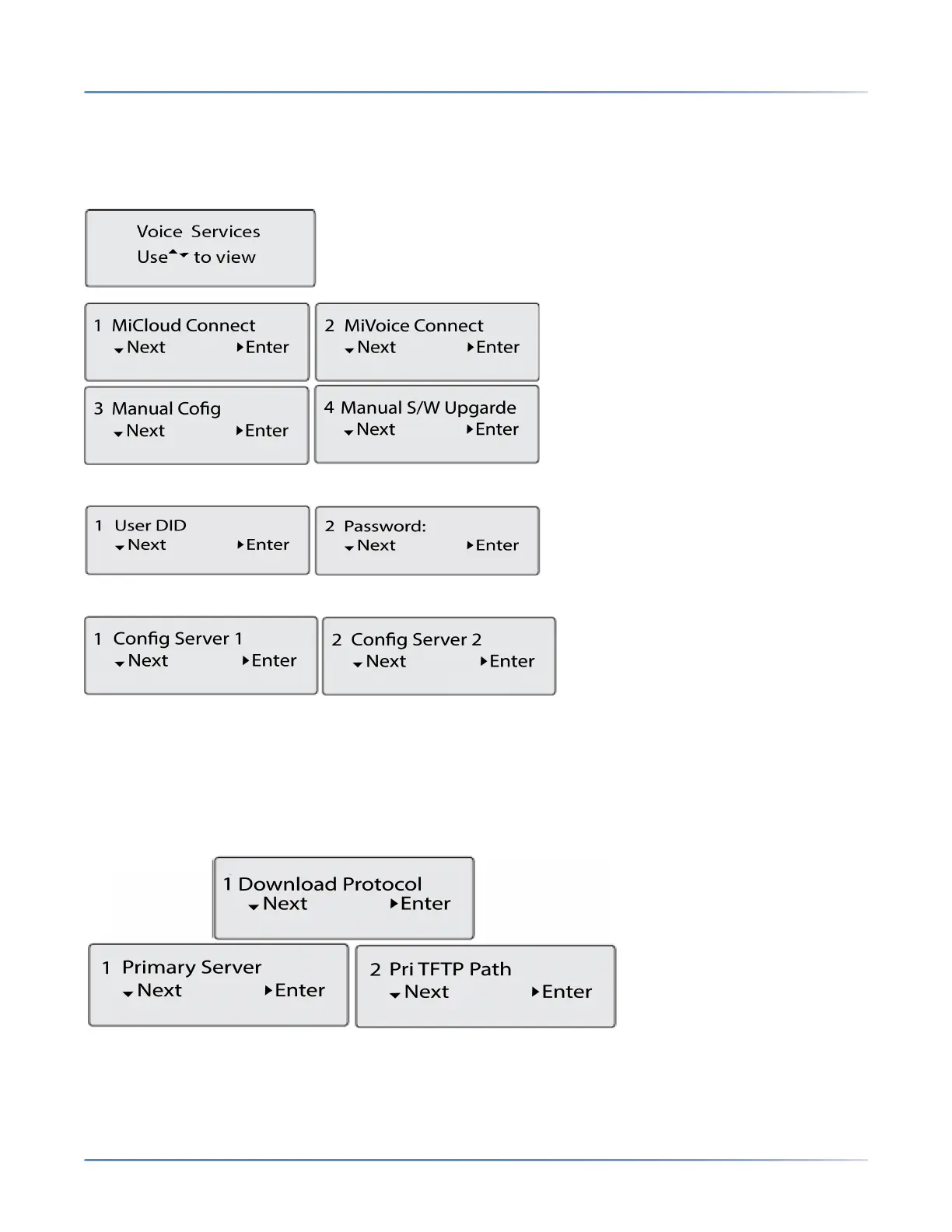
• MiCloud Connect
• MiVoice Connect
• Manual Configuration
• Manual Software Upgrade
• For MiCloud Connect, enter User DID and Password.
• For MiVoice Connect in the Config. Server field, enter the MiVoice Connect Server IP address.
Or, edit the existing MiVoice Connect Configuration Server address.
• For Manual Configuration, enter information in the following fields:
– In the Download Protocol field, select the protocol for downloading firmware from the server.
– In the Primary Server field, enter the domain name or the IP address of the server.
– In the Primary TFTP Path field, enter the name of the folders where the firmware you want to install
must be stored.
• For Manual Software Upgrade, enter information in the following fields:
– In the Download Protocol field, select the protocol for downloading firmware from the server
– In the Server field, enter the domain name or the IP address of the server.



 To Next Page