22/128
T25 System Manual Part 2: Overview of Application Scenarios
© MOBOTIX AG • Security-Vision-Systems • Made in Germany
www.mobotix.com • sales@mobotix.com
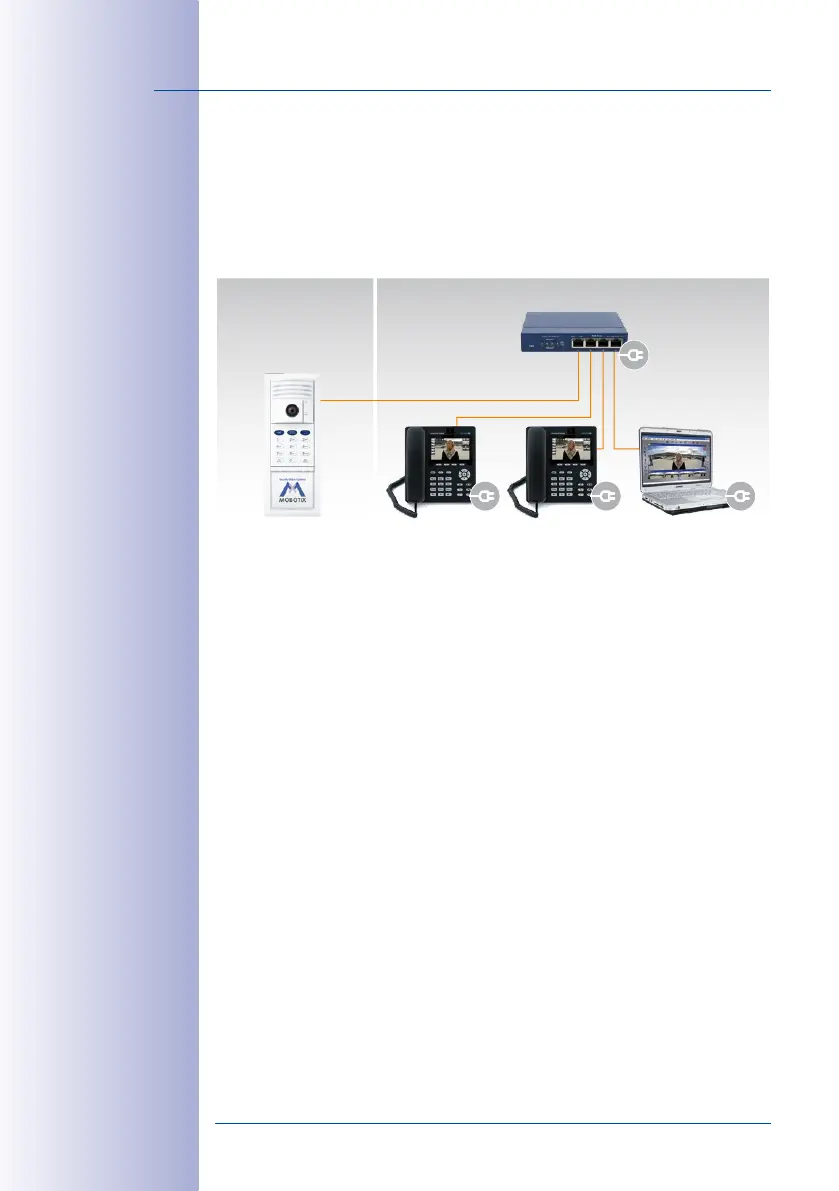
1.3.3 Network without DHCP Server (Static IP Addresses)
If you are using a network with a static IP address and no DHCP server, you must manu-
ally set up all devices connected to the network. You must also configure these devices
so that they are assigned to static IP addresses within the same range of addresses. This
will enable the devices to communicate with one another.
You will need a computer with MxEasy and a LAN connection in order to carry out the
setup. We describe the basic process of configuring one or more IP Video Door Station
devices in networks with static IP addresses in
Section 5.2
. With this configuration, you
can only startup the system using a computer with MxEasy. It is not possible to operate
the system by pressing the bell button on the camera module.
Outdoors Indoors
Master door station (*201)
10.8.0.30
PoE switch
Computer
10.8.0.20
Video phone (*102)
10.8.0.11
Video phone (*101)
10.8.0.10



 To Next Page