41/128
Step2: Set Up the BellRFID Access Module
© MOBOTIX AG • Security-Vision-Systems • Made in Germany
www.mobotix.com • sales@mobotix.com
2.3 Step2: Set Up the BellRFID Access Module
All actions described in the following apply to the BellRFID module of the outdoor station.
If this door station does not have an access module, proceed with
Section 2.4, «Step3:
Configure the System Using a Video Phone»
.
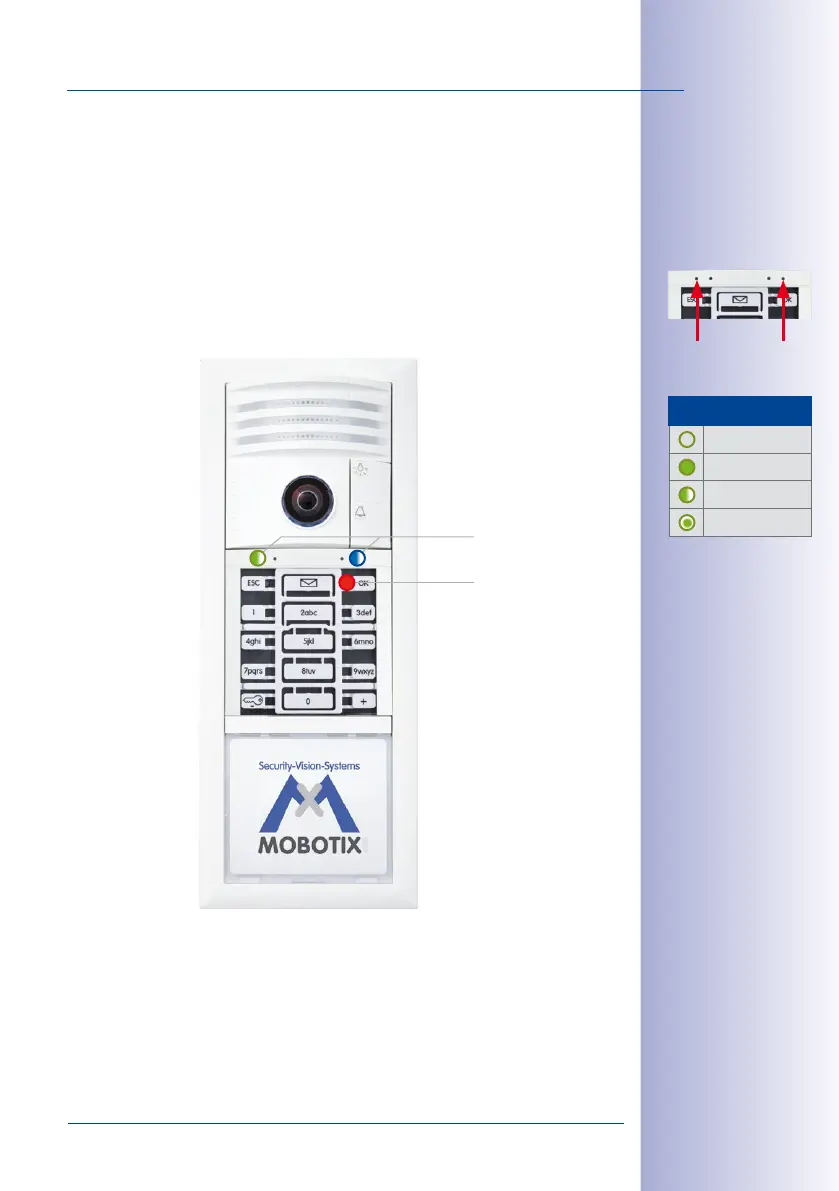
Once the autoconfiguration has been completed, the BellRFID module shows the follow
-
ing
• Both LEDs (green and blue) are flashing.
• The top right LED of the keypad insert (OK button) lights up in red.
You will now enter the Super PIN and add the admin card.
While adding the user cards is not mandatory, it is recommended since it constitutes a
part of the basic configuration (MOBOTIX recommendation).
Status LED
Feedback
LED
LED Patterns
O
Lights up
Blinking
Flashing
LED lights up
LEDs are flashing



 To Next Page