50/128
T25 System Manual Part 2: Initial Setup without a Computer
© MOBOTIX AG • Security-Vision-Systems • Made in Germany
www.mobotix.com • sales@mobotix.com
2.4.2 Opening the Admin Setup
To go to the Admin Setup menu, you require the Super PIN that you previously entered on
the KeypadRFID (see
Section 2.2.1
).
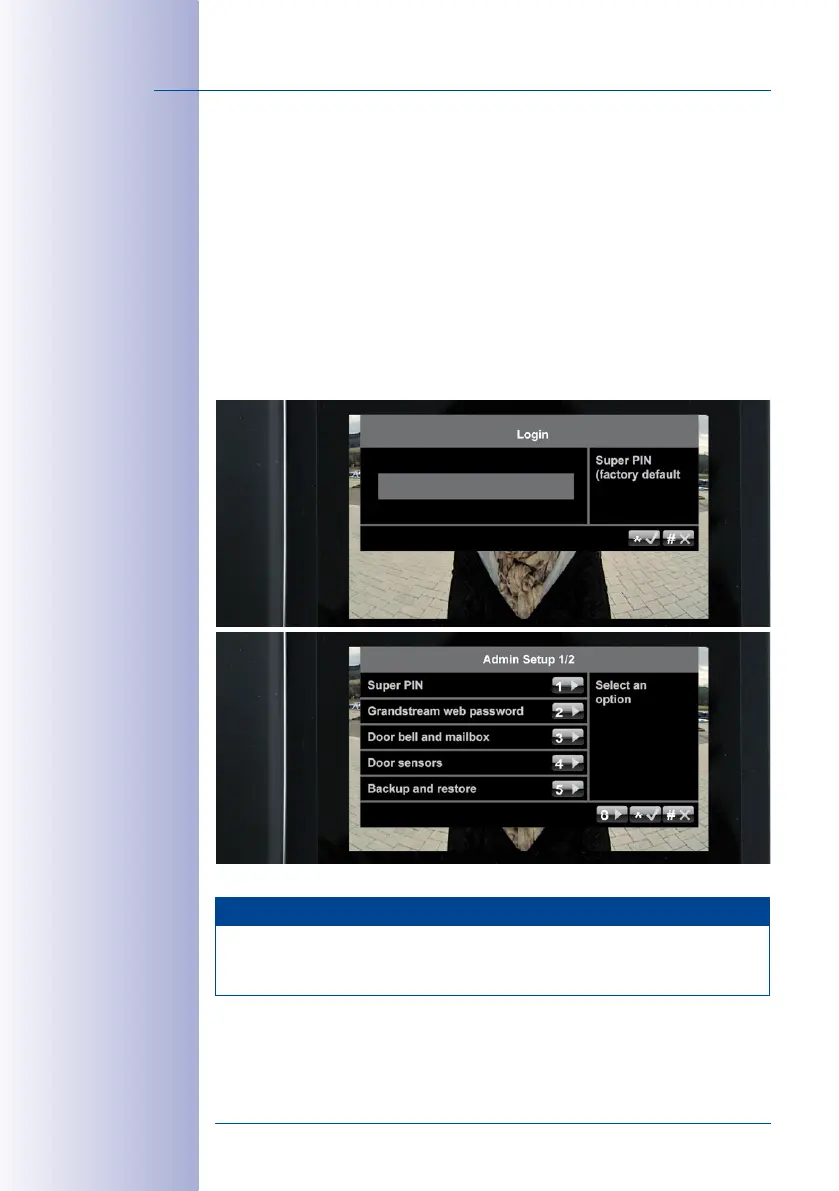
Activate Admin Setup:
1. On the Setup menu, press 4 to select the Admin Setup menu item.
2. Enter your Super PIN and press the “*“ button (appears after a few seconds) to
confirm. If the Super PIN you entered is correct, the Admin Setup menu will open.
If your door station does not have a KeypadRFID, you would not have been able
to enter a Super PIN during the initial setup. Thus this prompt will not appear. Remain
on this menu and continue with
Section 2.4.4, «Setting the Door Status Display»
.
Note
If you enter your Super PIN incorrectly three times, you will be returned to the main
menu. You will not be able to re-enter your Super PIN for up to 30 minutes (the time for
the next possible PIN entry is displayed).



 To Next Page