28/128
T25 System Manual Part 2: Initial Setup without a Computer
© MOBOTIX AG • Security-Vision-Systems • Made in Germany
www.mobotix.com • sales@mobotix.com
2.1.3 Starting the Auto Configuration
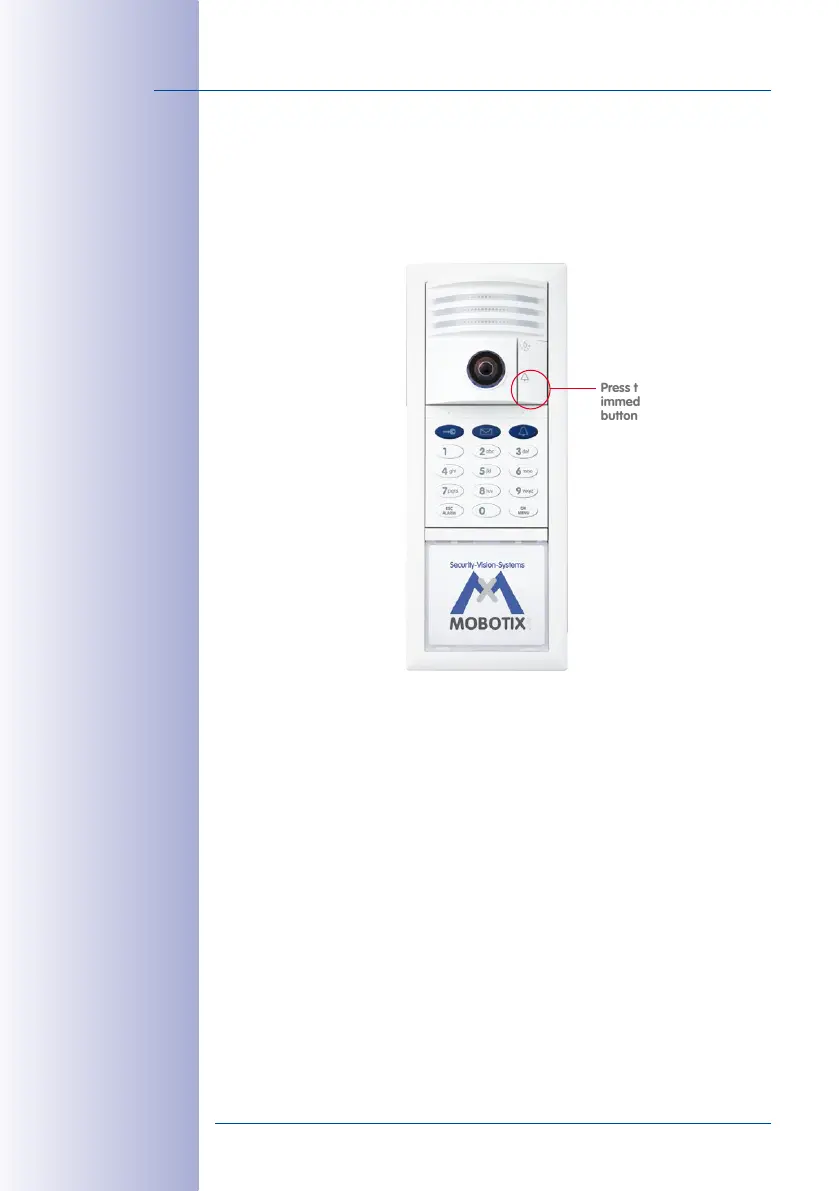
The light and bell buttons on the camera module begin to light up white while rebooting.
Within four seconds of the buttons lighting up on reboot, press the doorbell button on
the camera module (lower button) until the two buttons start to flash briefly.
This Starts the Auto Configuration Process and the Following Happens:
• The lights on the camera module start to flash as the T25 starts up.
• The current T25 IP address and network data are announced automatically.
• Each Grandstream video phone is contacted and configured by the T25.
•
Each Grandstream video phone is restarted automatically each time the configuration
is updated.
•
Each Grandstream video phone displays its newly assigned IP address (for example,
192.168.0.20) and SIP quick dial number (for example, MX_SIP *101) on the
display.
• The SIP quick dial number for the first video phone is *101 and the T25 uses *201.
The Auto Configuration process is complete when the camera LEDs light up, all the
KeypadRFID* number buttons start to flash, the ESC/ALARM button flashes red and the
OK/MENU button flashes blue.
Press the bell button
immediately after the
buttons light up
* if present in
the system



 To Next Page