86/128
T25 System Manual Part 2: BellRFID Access Configuration
© MOBOTIX AG • Security-Vision-Systems • Made in Germany
www.mobotix.com • sales@mobotix.com
4 BELLRFID ACCESS CONFIGURATION
4.1 Managing Transponders
4.1.1 Adding User Cards
The blue user cards are used by the inhabitants to open the
door without using a key and to listen to mailbox messages
directly at the IP Video Door Station. If the blue function
button at the top has not been installed, make sure that
you pay attention to the corresponding key position for
the LED patterns described in the following.
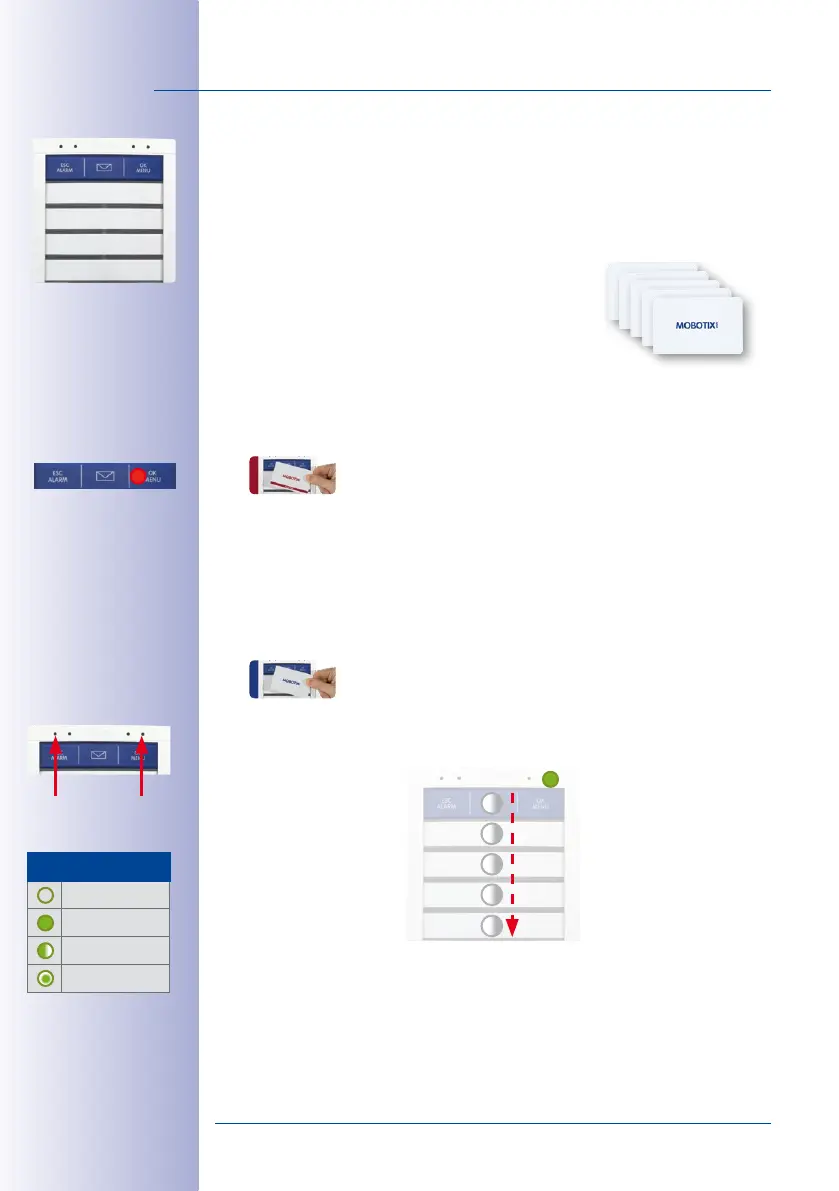
1. Hold a trained admin card in front of the BellRFID module. The OK/MENU button at
the top right position lights up red.
2. If you would like to use the keyless entry features and listen to mailbox messages at
the door, press the bell button of the party to which you would like to assign the user
card. The selected button flashes white. If you want to use this card only for opening
the door (i.e., for the nursing service) make sure that you do not press any button now.
3. Hold the user card in front of the BellRFID module for 5seconds until the module
plays a sound.
The LEDs light up in a sequence to confirm that the card has been trained and the
feedback LED of the module briefly lights up green.v
If you want to train additional user cards, repeat the steps listed in this section.
Test the trained cards by holding them in front of the BellRFID module one by one. The
electrical door opener should open the door with each card.
Cindy Jones
Thomas Jones
The Jones Family
Dr. Jones, MD
Cindy Jones
Thomas Jones
The Jones Family
Dr. Jones, MD
Status LED
Feedback
LED
LED Patterns
O
Lights up
Blinking
Flashing
Kurt Mellert
Joe Weller
Serafin Sourdogan
Walter Mattes
4
5
3
2
1
LED Seaeunce



 To Next Page