42/128
T25 System Manual Part 2: Initial Setup without a Computer
© MOBOTIX AG • Security-Vision-Systems • Made in Germany
www.mobotix.com • sales@mobotix.com
2.3.1 Entering the Super PIN at a BellRFID Module
The Super PIN is used to protect the system against misuse and also replaces the factory
default password (“meinsm) as the new admin password. The password is also used when
adding the door station to the MOBOTIX App or MxEasy, for example (user name is admin,
new password is the current <Super PIN>). Select a Super PIN that has a minimum of 8
and a maximum of 16 digits (more and dierent digits make it more secure). It must never
be only zeros and should never be easy to guess by potential intruders.
Make sure that you write down your personal Super PIN in the T25 Product Pass (see
Section 3.2.2
). The Super PIN is required in Step3 of the initial setup for authentication at
the video phone (see
Section 2.4.2
).
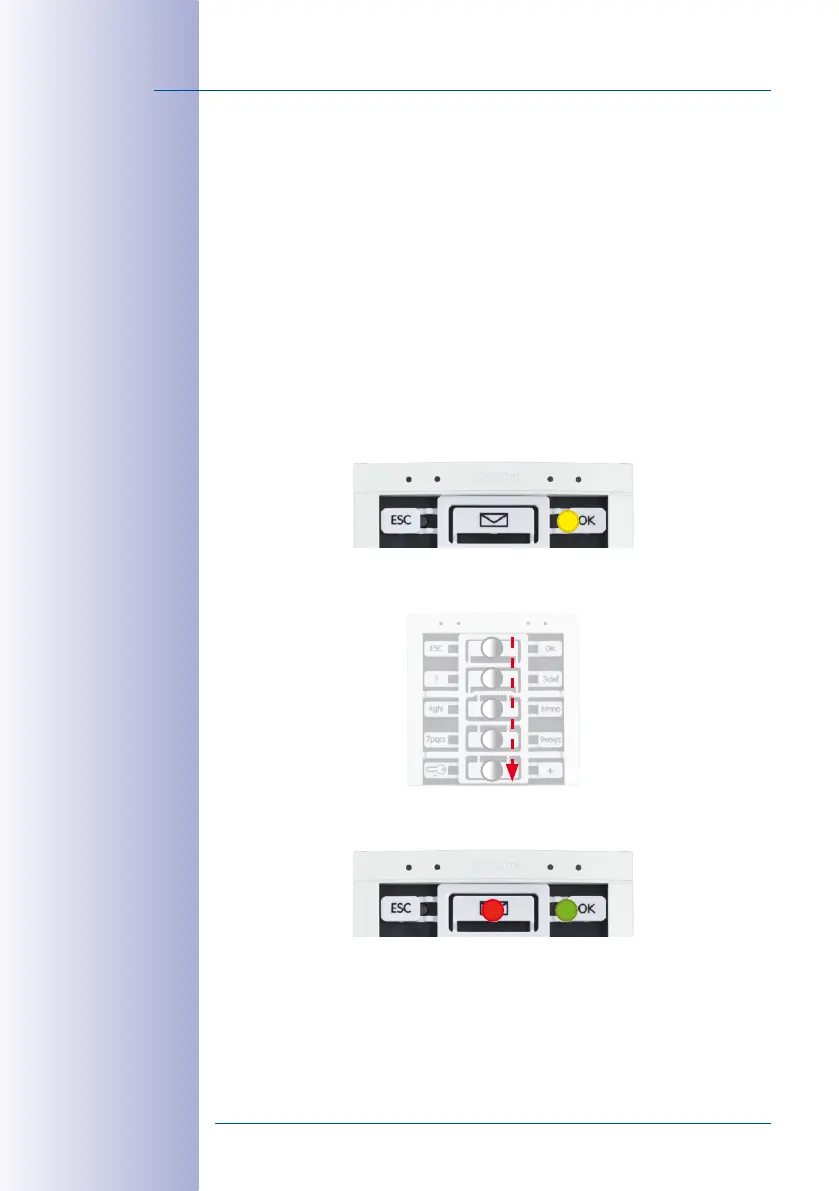
Entering the Super PIN
Enter your personal Super PIN on the keypad insert, then press the OK button in the top
right corner. This button is now highlighted yellow.
Enter the Super PIN again, then confirm by pressing the OK button. If the two PINs are
identical, the LEDs in the center are flashing repeatedly in a sequence from top to bottom.
Next, the top right button (OK) lights up green and the button at the center (Letter) lights
up red.
4
5
3
2
1
LED Sequence



 To Next Page