59/128
Step4: Protect the System Using a Video Phone
© MOBOTIX AG • Security-Vision-Systems • Made in Germany
www.mobotix.com • sales@mobotix.com
2.5.2 Disabling Auto Configuration
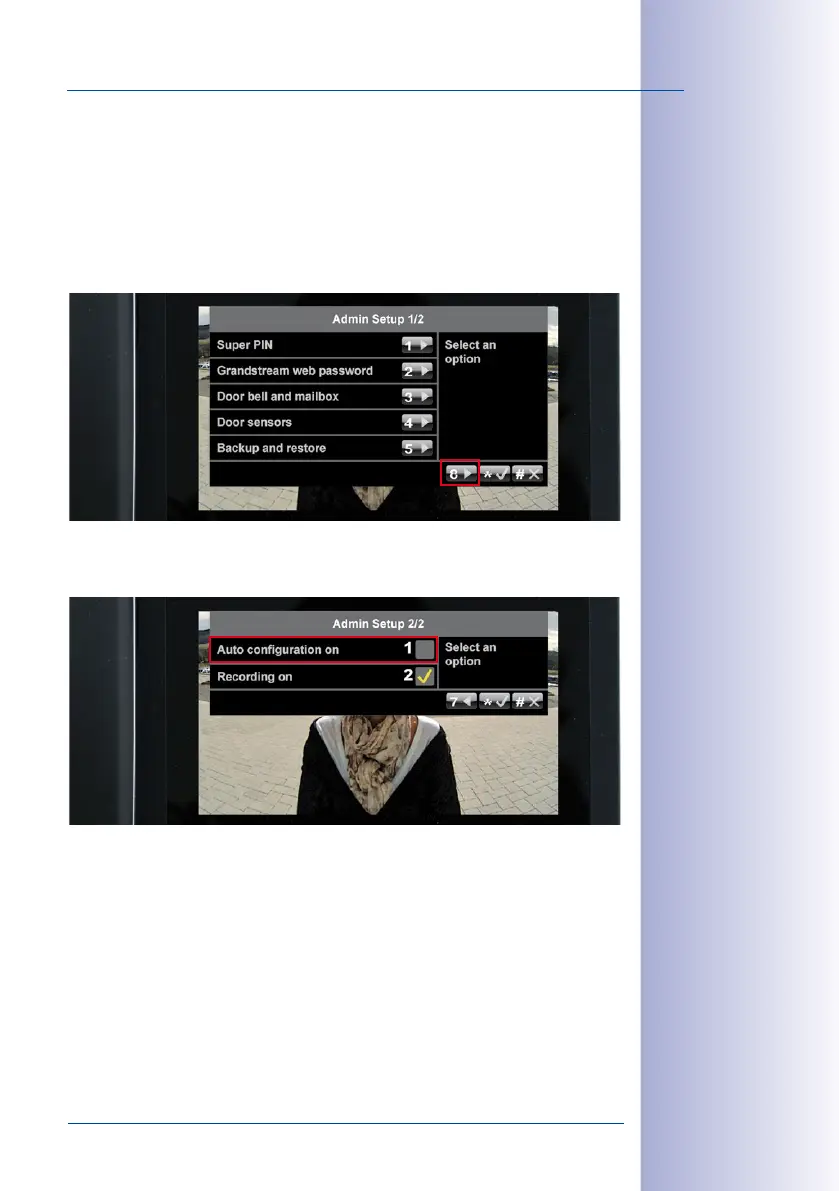
By disabling Auto Configuration, you can prevent access to the door station from the outside.
Otherwise, the Auto Configuration could be activated again by pressing the camera bell
button, allowing anyone to set up a new Super PIN and admin card and open the door.
To prevent this kind of tampering, open the second page (2/2) of the Admin Setup menu
by pressing 8.
Press 1 to remove the yellow check mark next to the Auto Configuration on option.



 To Next Page