25/128
© MOBOTIX AG • Security-Vision-Systems • Made in Germany
www.mobotix.com • sales@mobotix.com
What Can I Do with My Door Station Now?
All the most important door station functions are now available:
• The bell button on the camera module and on the access module (KeypadRFID or
BellRFID, if present) are working.
• All the door station modules, including the MX-DoorMaster and video phones, are
integrated and the basic settings have been configured.
• The live image of the master door camera is automatically displayed when you pick
up the receiver on a Grandstream video phone.
•
Two-way communication between the camera module and remote stations is initiated
by pressing “7“ on the video phone.
• You can open the door conveniently via a remote station, provided an electrical door
opener has been connected.
• The basic settings for voice mailbox has also been configured. If no one responds to
the door bell within 30 seconds (no one picks up the receiver and opens the door),
the visitor is asked to leave a message, which is recorded by the camera module
and can be played back later via the access module or a video phone.
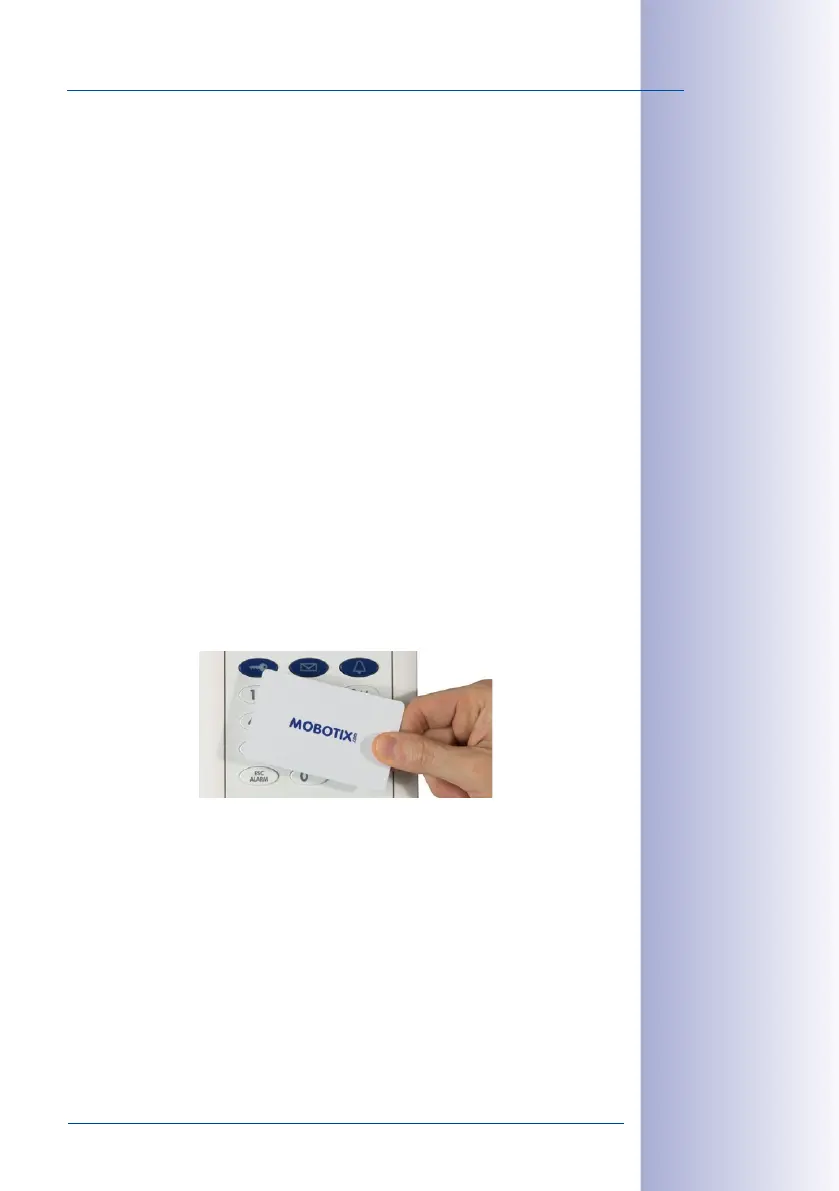
How Should I Hold a Transponder Card Up to the KeypadRFID?
When setting up a transponder card, you should ideally hold the card between the thumb
and index finger of one hand and move it as close as you can to the KeypadRFID until a
beep sounds. Make sure that the card does not touch and inadvertently trigger any of the
buttons.
During daily operation, you can usually gain keyless access by holding your user card up
to the access module while it is still in its protective case or in your wallet.
How Can I Protect My Door Station Against Unauthorized Access?
You can now leave the outdoor station and complete the initial setup by protecting your
system against unauthorized external access (see
Section 2.4, «Step3: Configure the System
Using a Video Phone»
and
Section 2.5, «Step4: Protect the System Using a Video Phone»
).



 To Next Page