56/128
T25 System Manual Part 2: Initial Setup without a Computer
© MOBOTIX AG • Security-Vision-Systems • Made in Germany
www.mobotix.com • sales@mobotix.com
If they are not displayed correctly, modify the settings on the video phone, as described
in
Section 2.4.4, «Setting the Door Status Display»
.
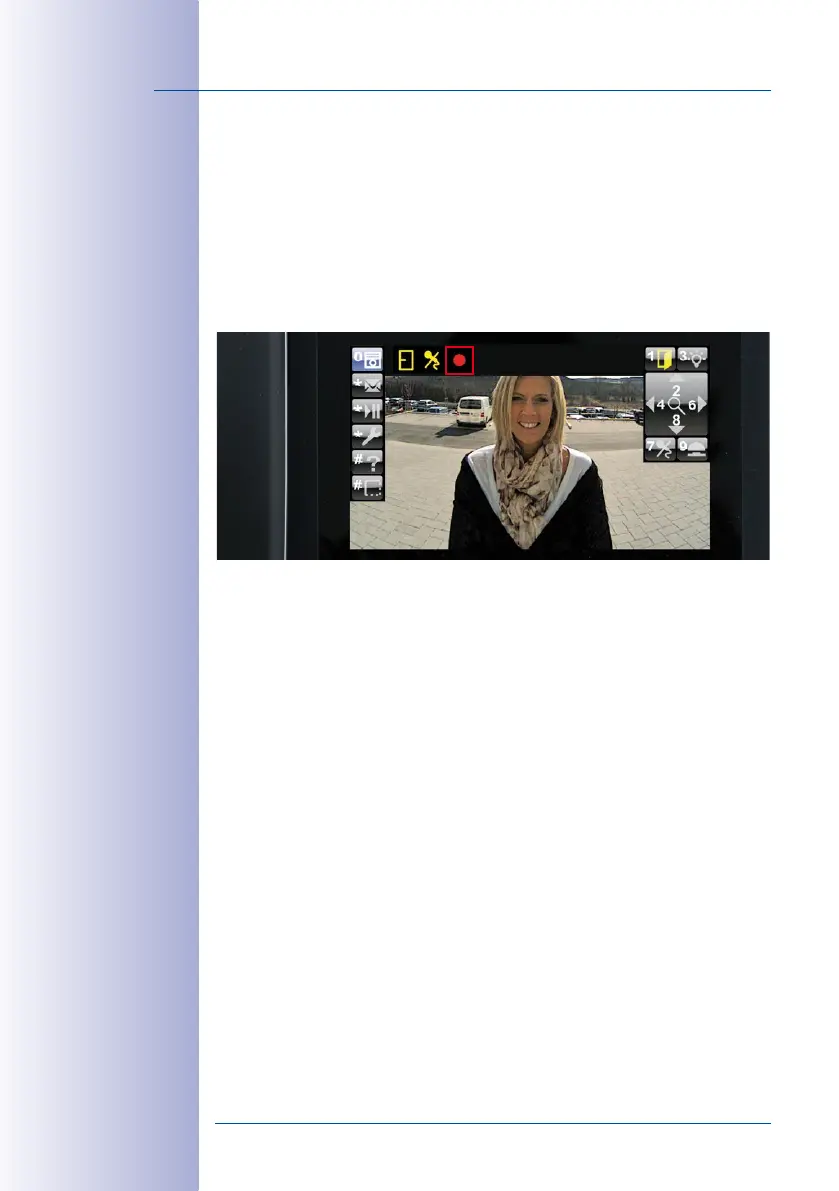
4. Check the Short Recording Function (If Video Recording Is Activated)
Test the manually triggered short recording function by picking up the receiver on a video
phone and pressing 9 when the live image of the door camera appears. The door
camera will now record with sound and will stop recording automatically after two
minutes (factory setting, can be changed via MxEasy). During recording, the red record
-
ing icon is displayed in the status bar.
You can only use 9 to trigger the short recording function if the system’s video recording
function has been previously activated (see
Section 2.4.5
).
If part 2 of the functional test continues to fail despite the measures recommended, please
contact your MOBOTIX partner or the MOBOTIX support team (for more information, visit
www.mobotix.com> Support).
Proceed with
Step4
(see
Section 2.5, «Step4: Protect the System Using a Video Phone»
)
to complete the initial setup.



 To Next Page