93/128
© MOBOTIX AG • Security-Vision-Systems • Made in Germany
www.mobotix.com • sales@mobotix.com
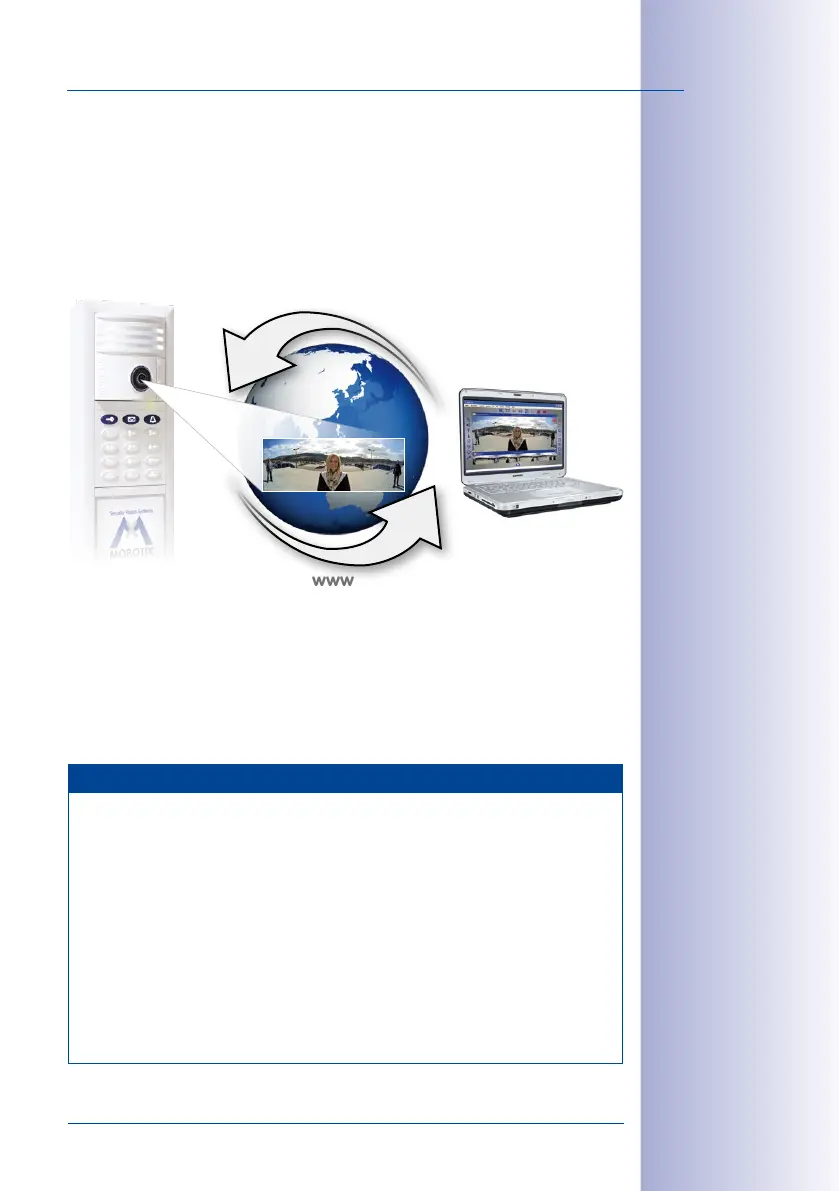
Global Connectivity Between Door Station and MxEasy
The Door Station can be accessed and operated over the Internet by assigning a DynDNS
name. Live two-way communication over the intercom or opening the door is therefore possible
from anywhere in the world where Internet access is available. If the remote station (e.g., a
laptop) is also registered with a DynDNS service, a connection with MxEasy is automatically
established when someone calls at the door. System setup is described in
Section 5.3, «Setting
Up Global Connectivity Between MxEasy and Door Station»
.
Mobile T25 Remote Station: MOBOTIX App for iPad, iPhone and iPod touch
The MOBOTIX App serves as a powerful mobile remote station for all T25 Door Stations
and newer MOBOTIX camera models. The MOBOTIX App is available in the App Store and
can be used both in the local WiFi and while you are out in the mobile network.
Note
After the first successful use, the T25 Door Station with KeypadRFID will have been
given the following access data during Auto Configuration:
• User name: admin
• Password: <Super PIN>
This data is needed if you are using a computer with MxEasy as the remote station or
would like to directly access the software integrated in the T25 camera module via a Web
browser (see www.mobotix.com> Support> Manuals> Camera Software Manual).
For Door Stations without KeypadRFID it is not necessary to enter an individual Super PIN
during Auto Configuration. Unless the password is changed (urgently recommended!)
– e.g., by video phone, see
Section 2.3.3
– the default password assigned at the factory
meinsm continues to apply (user name remains: admin).
When accessing the
Internet (wherever you
are in the world) make
sure the connection
is sufciently secure
(encrypted)
The app is the perfect
mobile T25 remote
station:
• Two-way communication
intercom
• Live camera images
• Alarms
• Event player
• and much more
T25
With Internet
connection
Remote station
e. g., laptop with MxEasy
www
Global IP communication
This access data
protects the
T25-CamCore, door
camera and control
unit for the entire
Door Station against
unauthorized access



 To Next Page