5.3 Set the Temperature Scale
The MT controller can show temperature in Fahrenheit or Celsius. Changes
in this parameter apply to both zones of the controller card.
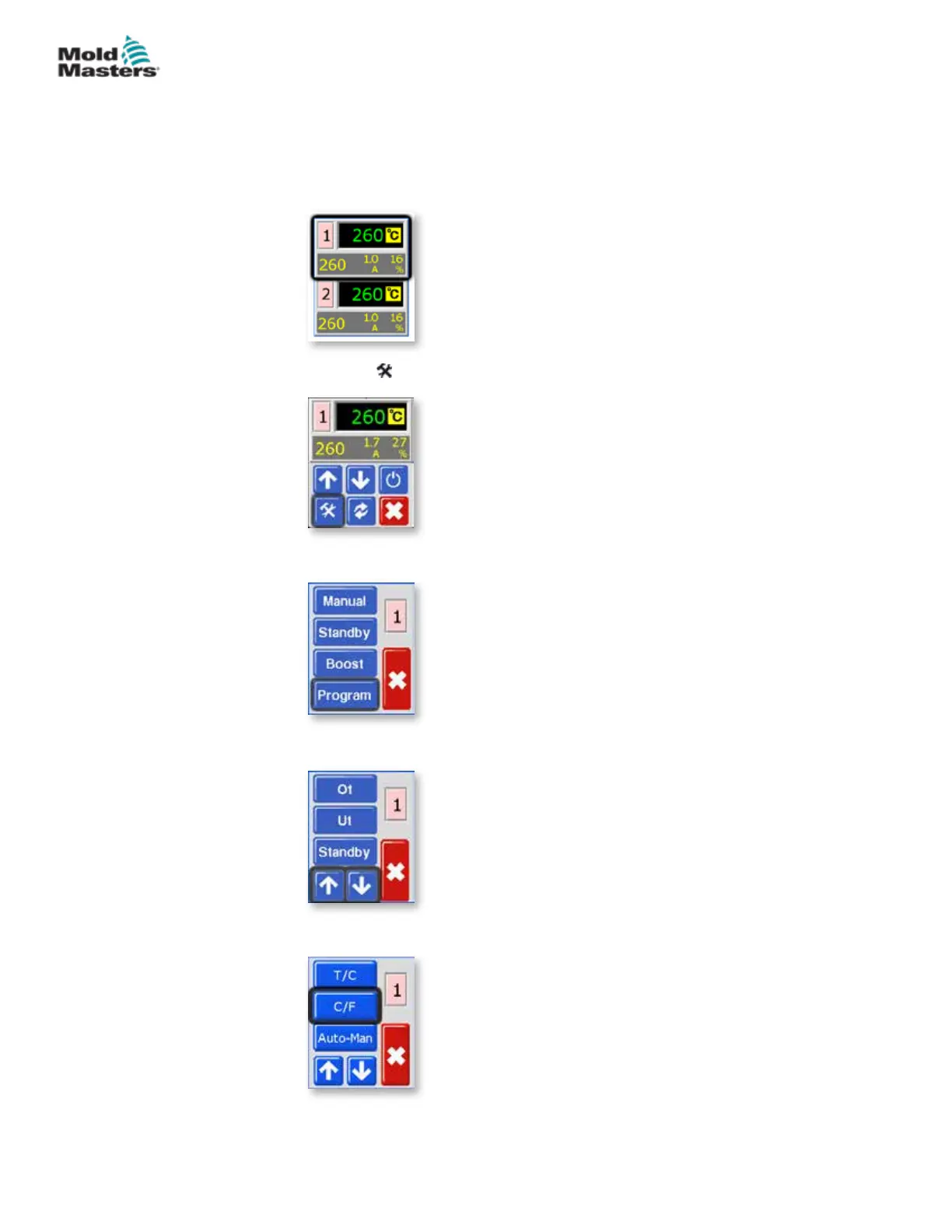
1. From the Temperature Display screen, choose either zone to obtain the
initial menu.
.
2. Choose [
] to obtain the Function menu.
3. Choose [Program] to obtain the Program menu.
4. Choose [] or [] to nd the page containing a C/F option.
5. Choose [C/F] to open the Temperature Scale option.
5-5
© 2020 Mold-Masters (2007) Limited. All Rights Reserved.
SETUP
MT Controller User Manual



 To Next Page