5.11 Set Response to Thermocouple Failure
Choose a response for any zone that detects a failed thermocouple.
Normal (Auto-Man OFF) – No action corrective taken. The zone power sets
down to 0% and it shows a T/C fatal alarm.
Auto Manual (Auto-Man ON)- The zone has sucient data, after 10 minutes
steady running, to switch to Manual mode at a power level that should hold
the previous temperature.
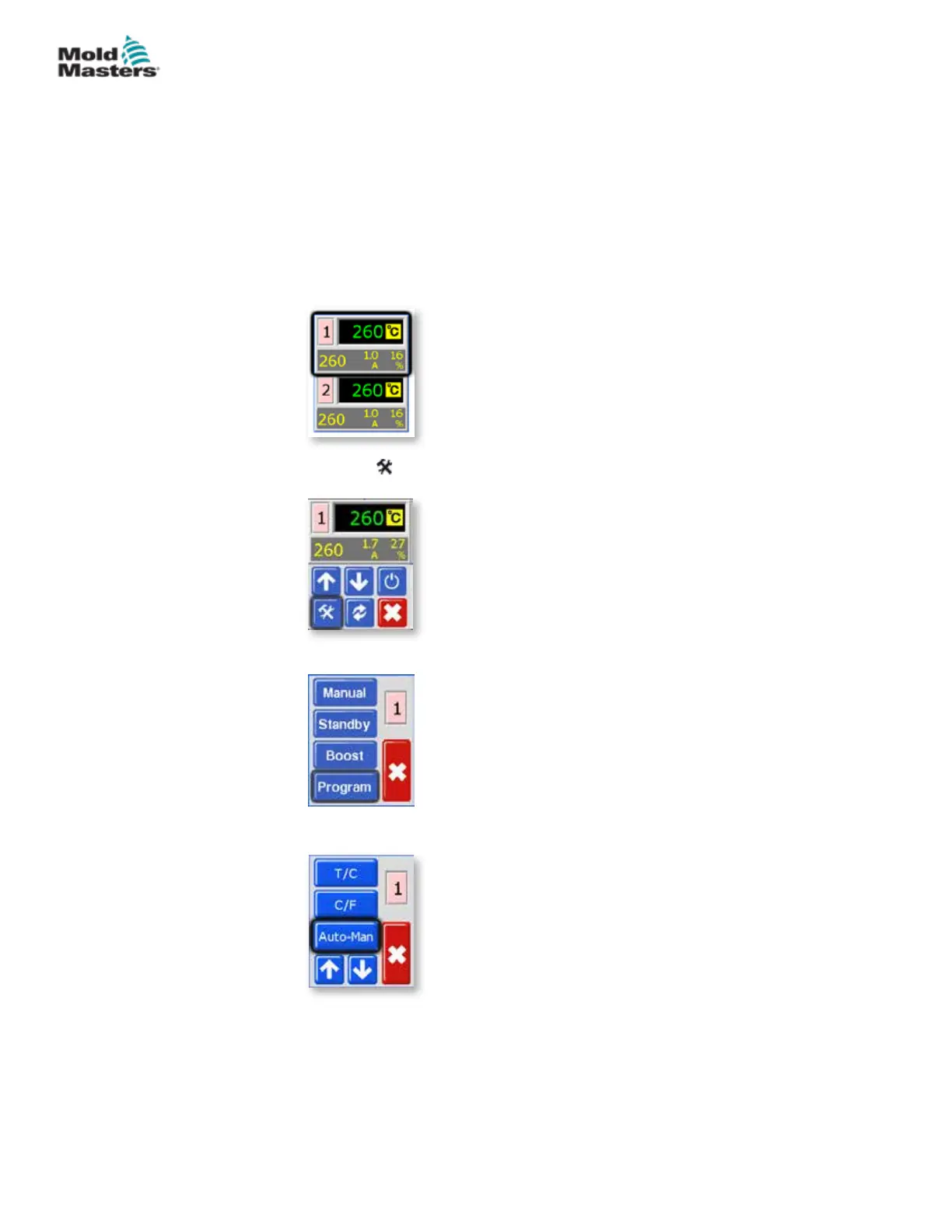
1. From the Temperature Display screen, choose either zone to obtain the
initial menu.
2. Choose [ ] to obtain the Function menu.
3. Choose [Program] to obtain the Program menu.
4. Choose [] or [] to nd the page containing the Auto-Man option.
5-21
© 2020 Mold-Masters (2007) Limited. All Rights Reserved.
SETUP
MT Controller User Manual



 To Next Page