6.8 Standby Mode – Individual Zones
This mode is used when the mold tool is paused. All zone temperatures will
be reduced by a preset amount, to prevent degradation of materials. To set
the temperature reduction, see “Setting Standby Level” on page 5-13.
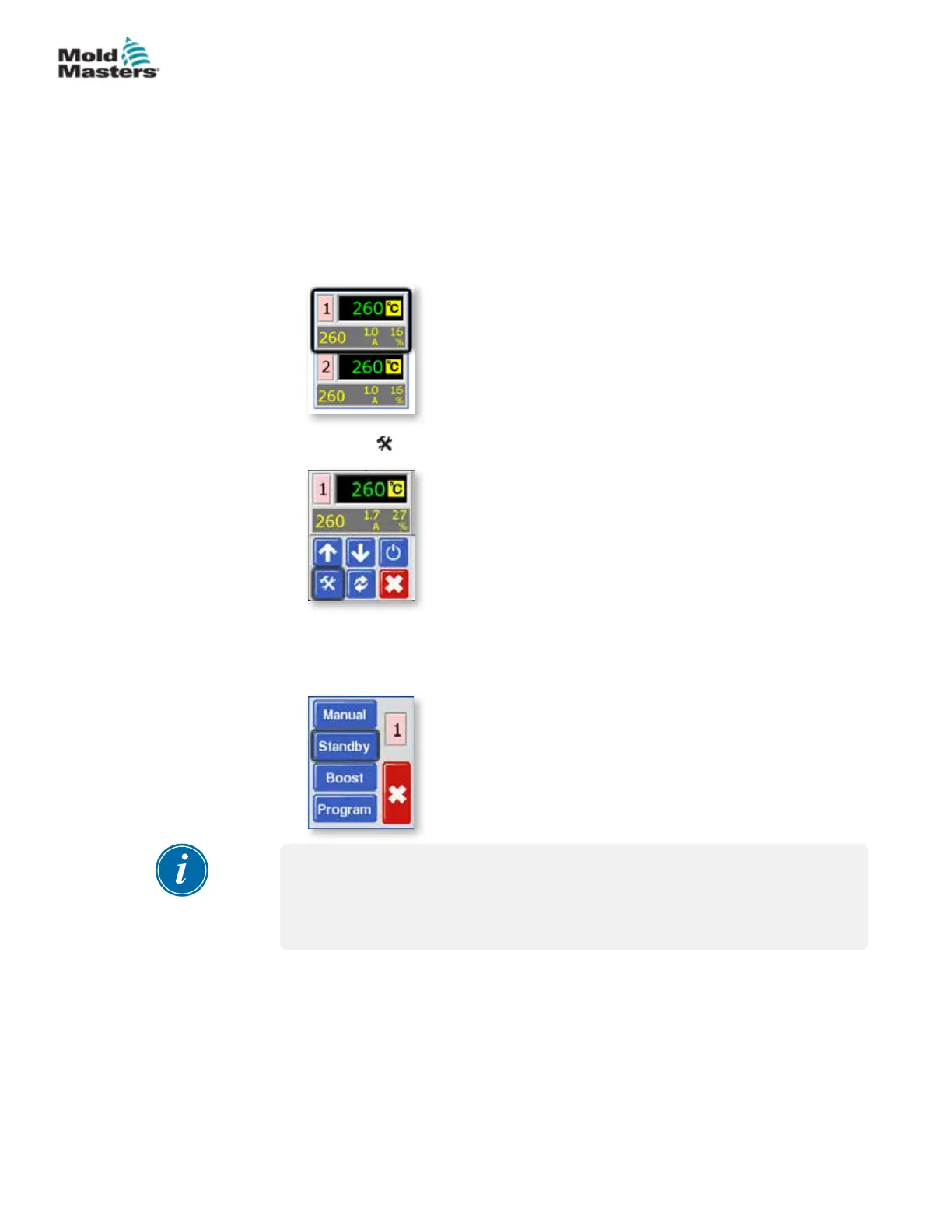
Once Standby mode is activated, both zones will be reduced to Standby
temperature.
1. From the Temperature Display screen, choose either zone to obtain the
initial menu.
2. Choose [ ] to obtain the Function menu.
3. Choose [Program] to obtain the Program menu.
Choose [Standby] to enter Standby mode and reduce zone
temperatures.
NOTE
If the screen in this step shows the Manual, Standby and Boost buttons
greyed out then this function has been inhibited. See page 5-23 for more
information.
6-8
© 2020 Mold-Masters (2007) Limited. All Rights Reserved.
OPERATION
MT Controller User Manual



 To Next Page