6.10 Boost Mode – Individual Zones
Boost mode temporarily raises the zone temperature for a non user-
congurable period of two minutes.
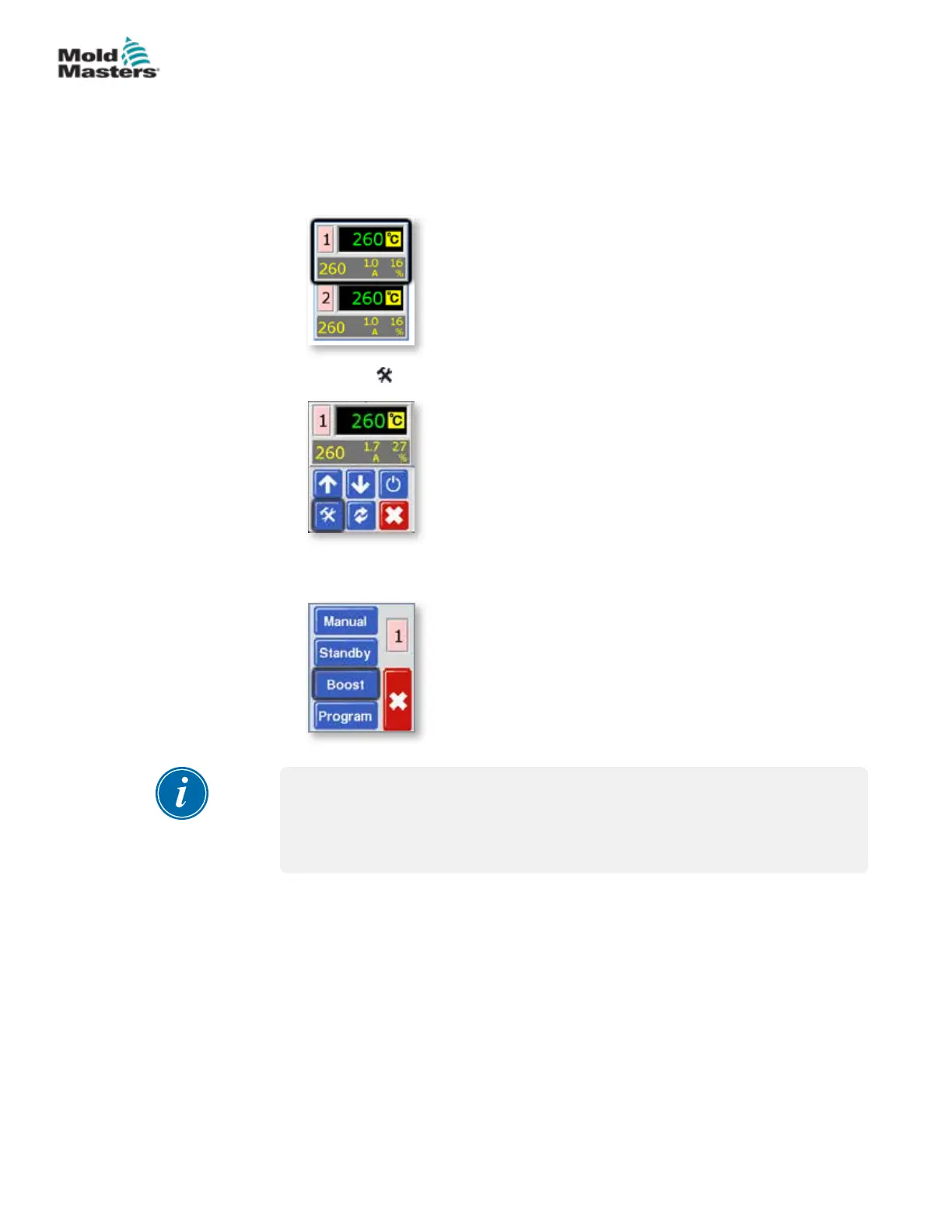
1. From the Temperature Display screen, select either zone to choose the
initial menu.
2. Choose [ ] to obtain the Function menu.
3. Choose [Program] to obtain the Program menu.
Choose [Boost] to enter boost mode for the xed two minute period.
NOTE
If the screen in this step shows the Manual, Standby and Boost buttons
greyed out then this function has been inhibited. See page 5-23 for more
information.
The screen reverts to main display but you can see the boosted
temperature and conrmation message “tup” will ash alternately in the
Actual Temperature window.
6-10
© 2020 Mold-Masters (2007) Limited. All Rights Reserved.
OPERATION
MT Controller User Manual



 To Next Page