5.10 Set Mold Leak Detection
A zone that starts to require a higher power level to maintain a set
temperature may have a fault condition. Plastic melt leaking away from the
nozzle is the most common cause of this issue. The system will require more
power to heat the extra plastic which may be leaking into the mold or runner
system.
The user can use the leak detection function that will cause the unit to trigger
an alarm output and visual signal if extra power usage occurs above a set
level. The unit will make the common outgoing alarm sound, and the visual
signal is indicated in the zone window. The display will be red rather than the
normal yellow color.
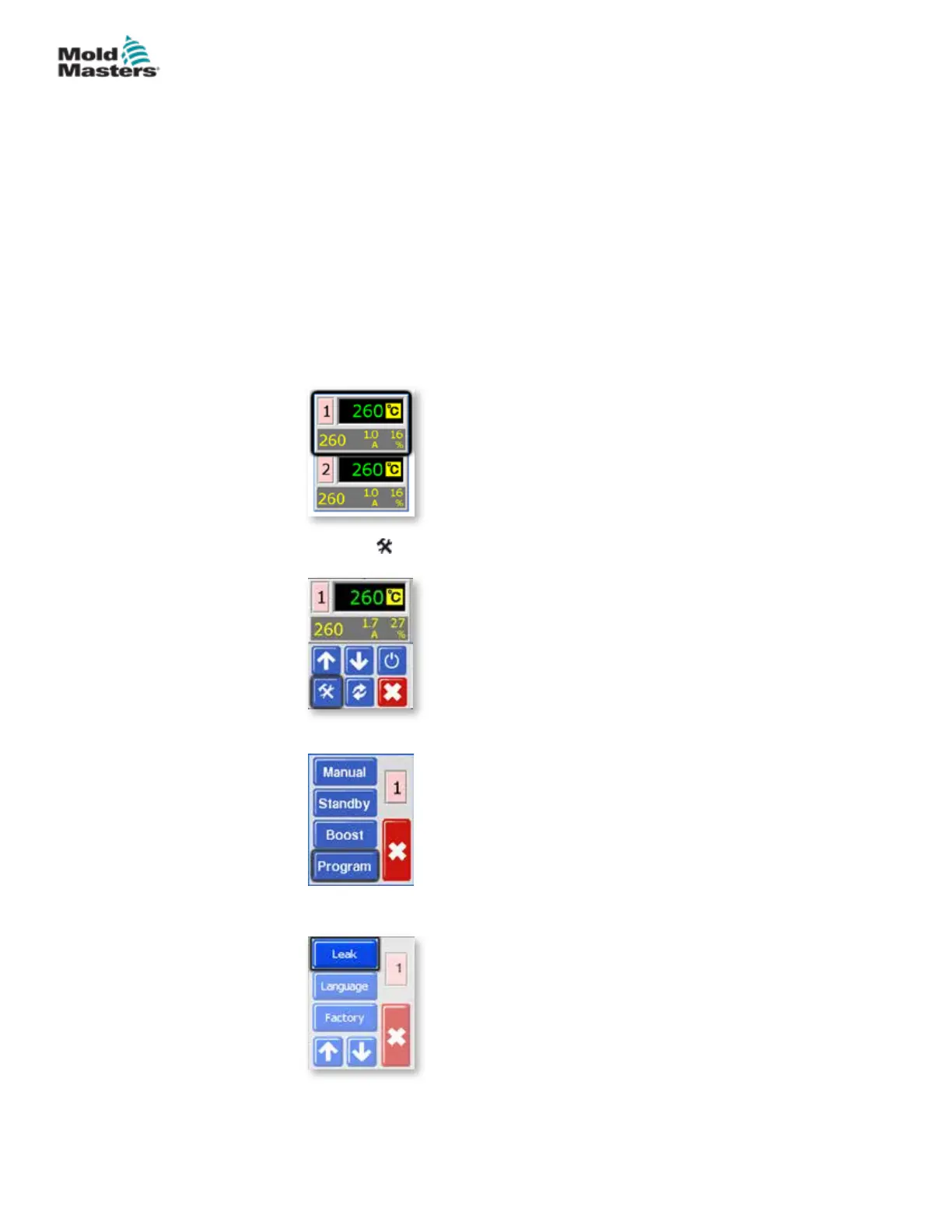
From the Temperature Display screen, choose either zone to obtain the initial
menu.
1. Choose [ ] to obtain the Function menu.
2. Choose [Program] to obtain the Program menu.
3. Choose [] or [] to nd the page containing the Leak option.
5-19
© 2020 Mold-Masters (2007) Limited. All Rights Reserved.
SETUP
MT Controller User Manual



 To Next Page