5.4 Change Zone PID Characteristics
On initial startup, each module CPU reads the zone heater characteristic and
determines an appropriate PID curve for that zone. It is possible for the user
to override this setting and change the zone response time for any zone.
In general, a small nozzle works best on a “Fast” setting, a larger manifold
uses a “Med(ium)” setting and a really large heating platen may require a
“Slow” setting. If you are having problems matching a zone then consult your
local dealer for service advice.
Once the controller has run and the PID curve has been selected, the screen
will display the selected speed with a blue ring. See step ve in the following
procedure to see an example of this blue ring.
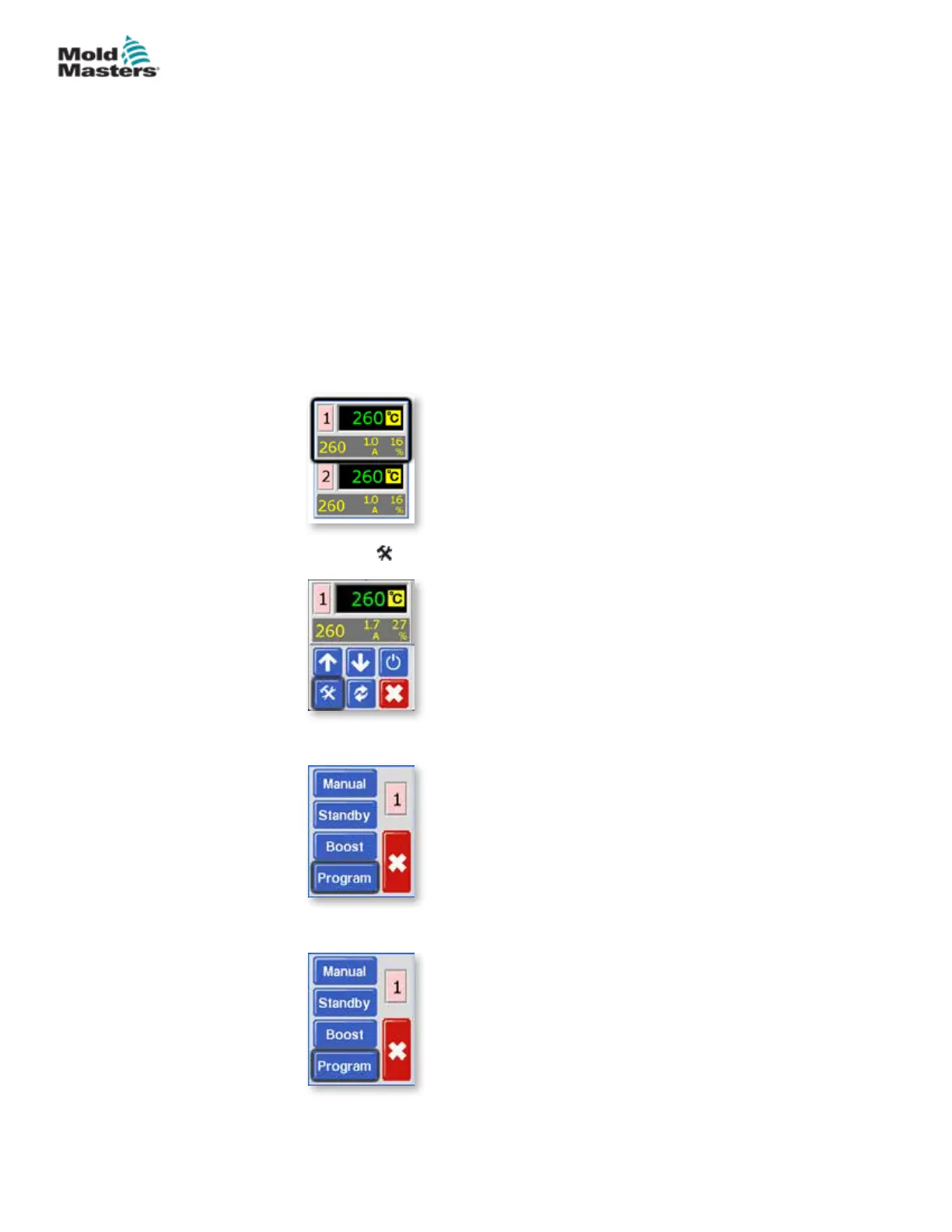
1. From the Temperature Display screen, choose either zone to obtain the
initial menu.
2. Choose [ ] to obtain the Function menu.
3. Choose [Program] to obtain the Program menu.
4. Choose [] or [] to nd the page containing the PID option.
5-7
© 2020 Mold-Masters (2007) Limited. All Rights Reserved.
SETUP
MT Controller User Manual



 To Next Page