7.2 Restore Factory Settings and Recalibration
There are two main functions which are available for restoration and
recalibration. These are available via the Factory option which is password
protected.
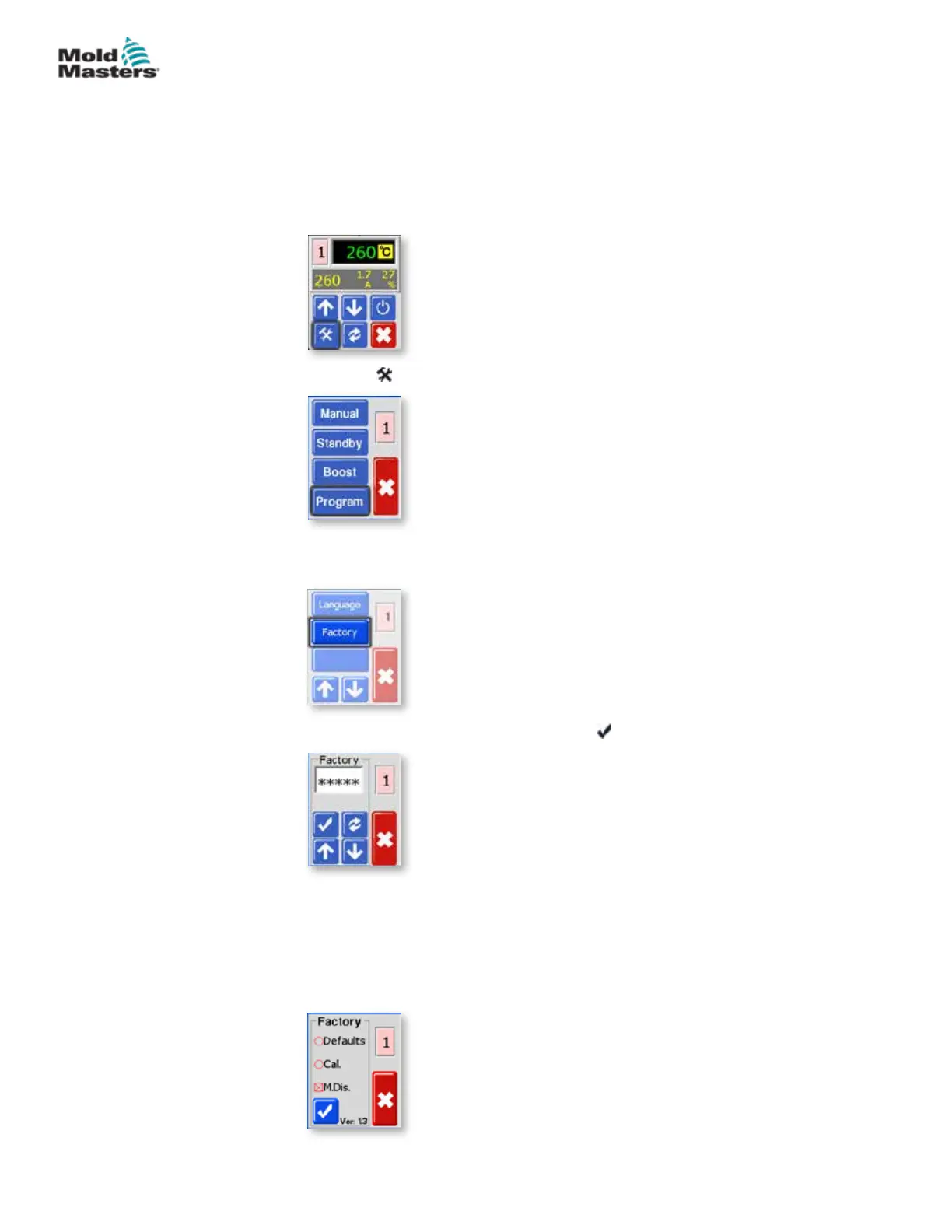
1. From the Temperature Display screen, select either zone to obtain the
initial menu.
2. Choose [ ] to obtain the Function menu.
3. Choose [Program] to obtain the Program menu.
Choose [] or [] to nd the page containing the [Factory] option.
4. Enter the password and then choose [ ] to access the next screen.
The Factory screen gives the following options:
• Defaults – restore the unit to default settings
• CAL – enter a calibration check routine
• M.Dis – enable or disable user options
These are described on the next page.
7-2
© 2020 Mold-Masters (2007) Limited. All Rights Reserved.
MAINTENANCE
MT Controller User Manual



 To Next Page