5.5 Set the Ramp Feature
Normally the controller starts to heat a zone and then it pauses at around
120°C for two minutes to dry out any damp that may be present. See “4.8
How the MT Controller Works” on page 4-6 for more information.
To reach molding temperature more quickly, the user can skip this dwell
period with the “Ramp” feature.
The default setting is Ramp on, which follows the normal delay period.
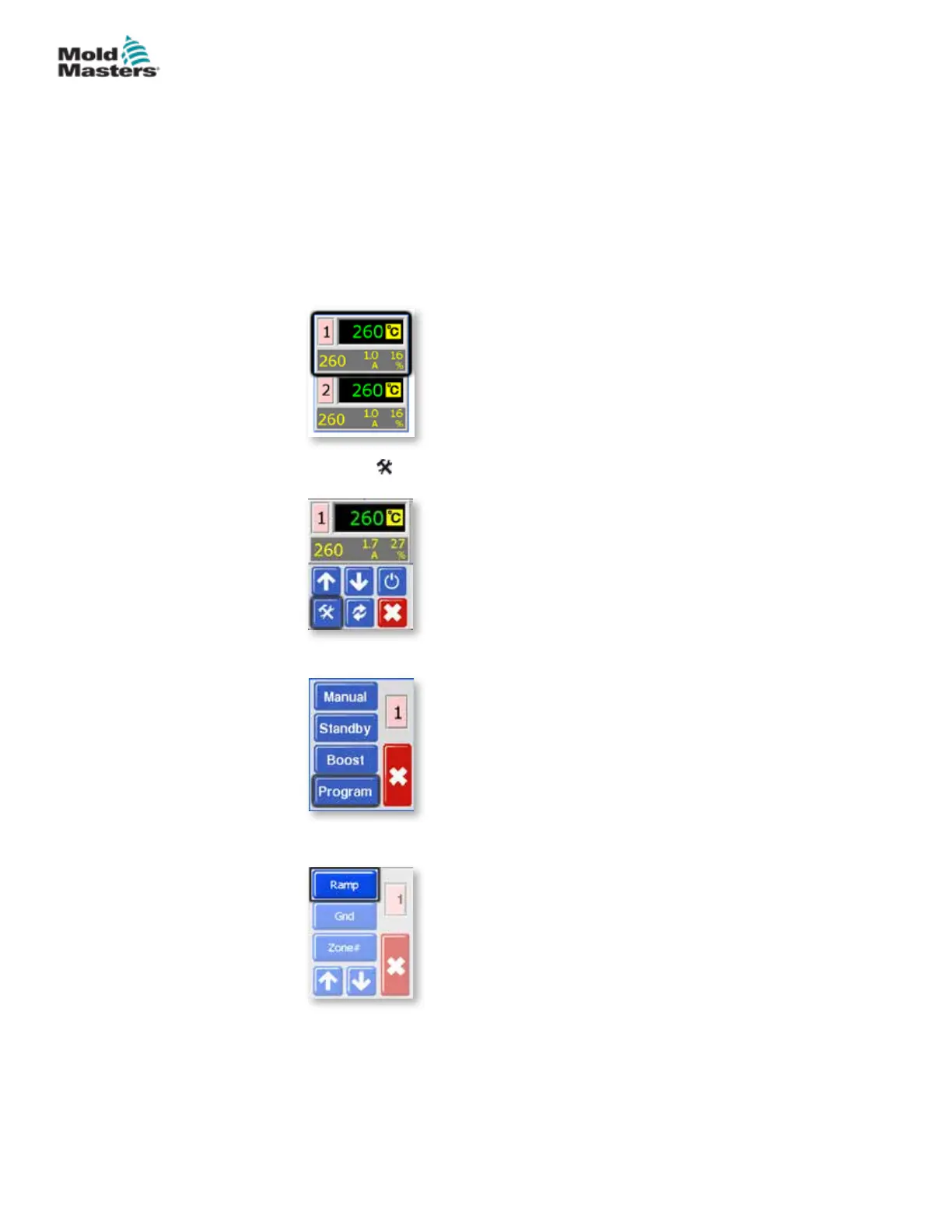
1. From the Temperature Display screen, choose either zone to obtain the
initial menu.
2. Choose [ ] to obtain the Function menu.
3. Choose [Program] to obtain the Program menu.
4. Choose [] or [] to nd the page containing the Ramp option.
5-9
© 2020 Mold-Masters (2007) Limited. All Rights Reserved.
SETUP
MT Controller User Manual



 To Next Page