5.12 Restrict Access to Manual, Standby or
Boost
It is possible to stop a user from selecting the Manual Control, Standby or
Boost functions.
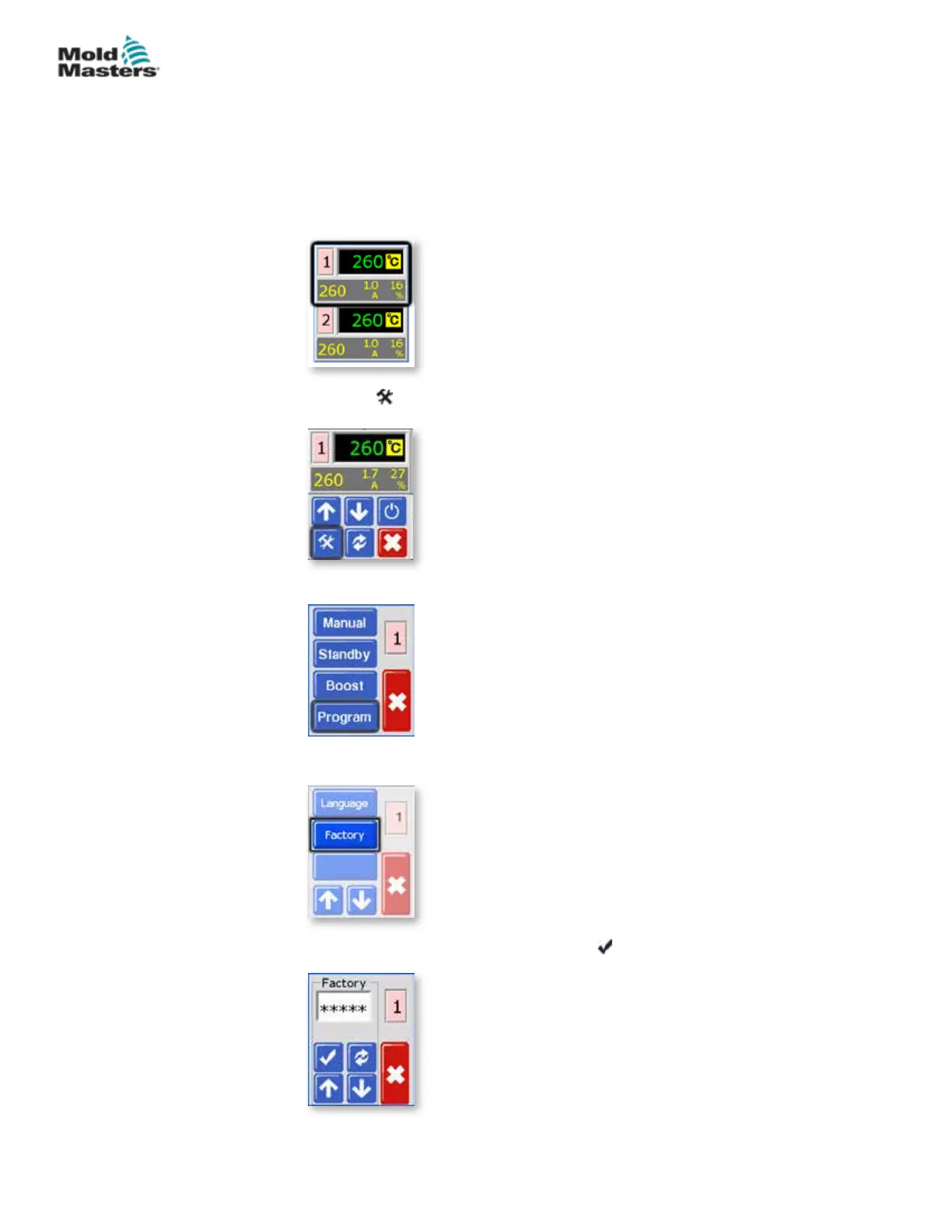
From the Temperature Display Screen, choose either zone to obtain the initial
menu.
1. Choose [ ] to obtain the Function menu.
2. Choose [Program] to obtain the Program menu.
3. Choose [] or [] to nd the page containing a [Factory] option.
4. Enter the password and then choose [ ] to access the next screen.
5-23
© 2020 Mold-Masters (2007) Limited. All Rights Reserved.
SETUP
MT Controller User Manual



 To Next Page