5.8 Monitor Temperature Limits
The controller card monitors the actual temperature of each zone and veries
that the zone is operating within specic limits. Rather than xed points of
temperature, the Over Temperature (Ot) and Under Temperature (Ut) limits
are set as deviation above or below the set point. If these temperatures are
exceeded, the alarm relay on the MT card changes state to raise a disable
injection interlock or alarm.
5.8.1 Warning and Alarm Limits
Although there is only one upper and one lower alarm setting, each gives
a visual warning at halfway point. If an upper alarm is set to 10 degrees,
then a warning will show at 5 degrees. The same holds true for the Under
Temperature alarm level.
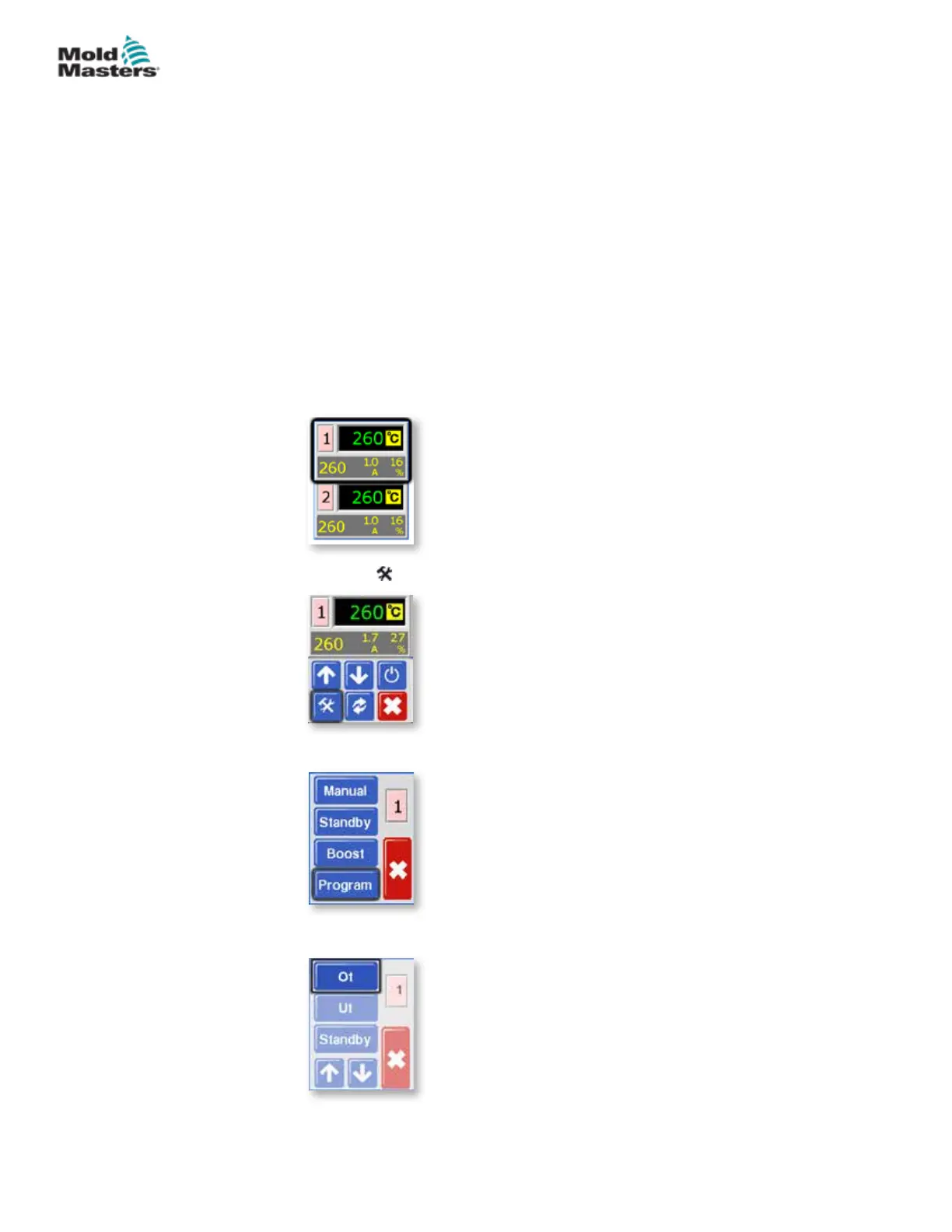
1. From the Temperature Display screen, choose either zone to obtain the
initial menu.
2. Choose [ ] to obtain the Function menu.
3. Choose [Program] to obtain the Program menu.
4. Choose [Ot] to open the value setting option.
5-15
© 2020 Mold-Masters (2007) Limited. All Rights Reserved.
SETUP
MT Controller User Manual



 To Next Page