Section 6 - Operation
WARNING
Ensure that you have fully read “Section 3 - Safety” before operating the
controller.
Operation is concerned with everyday use of the controller for normal
production use, for example, selecting an appropriate run mode for the
machine according to whether the tool is working or waiting.
It may also be necessary to make changes to the heater temperatures and
to use the graphical display of recent performance, which may help such
decisions.
6.1 Run Mode
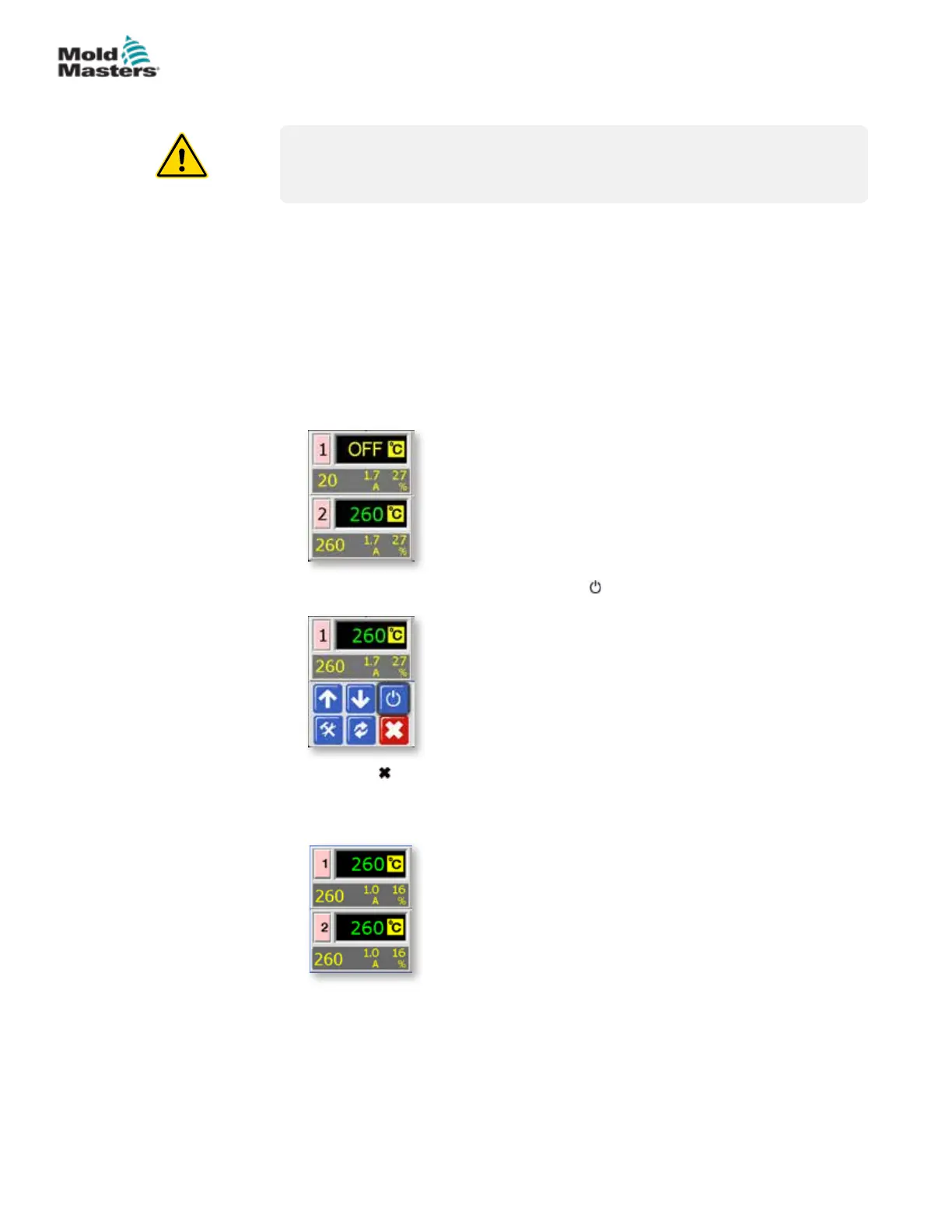
1. Controller here shows one zone turned OFF.
2. Choose that zone, and then choose [ ] to start.
3. Choose [ ] to return to main screen and see zone 1 now in Auto-Run
mode.
Repeat these steps for the other zone if needed.
6-1
© 2020 Mold-Masters (2007) Limited. All Rights Reserved.
OPERATION
MT Controller User Manual



 To Next Page