6.4 Manual Mode
Manual mode (open loop working) can be simply selected as an alternative to
running in Auto mode (closed loop).
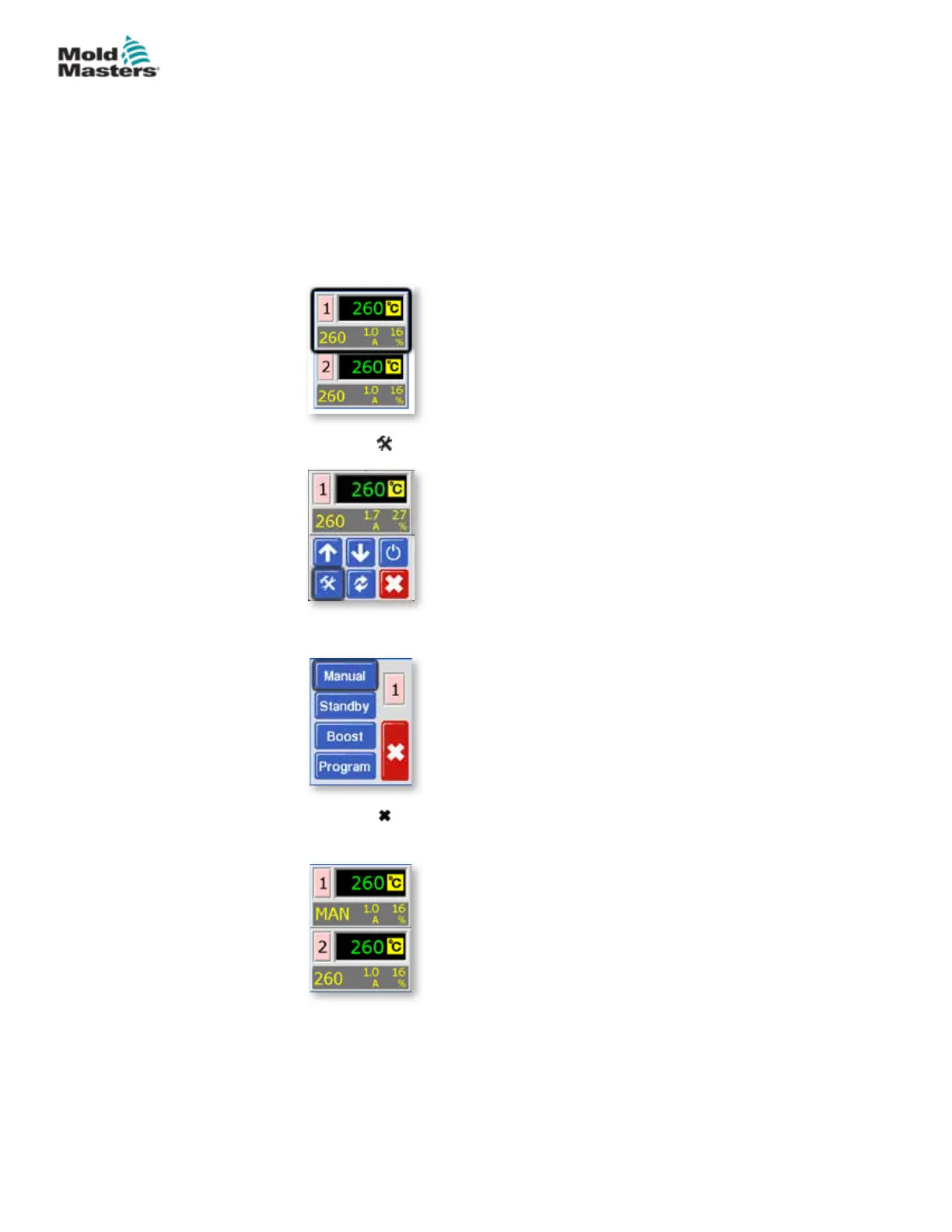
If the screen at step three shows the Manual, Standby and Boost buttons
greyed out then this function has been inhibited. See “5.12 Restrict Access to
Manual, Standby or Boost”.
1. From the Temperature Display screen, choose either zone to obtain the
initial menu.
2. Choose [ ] to obtain the Function menu.
3. Choose [Manual] to enter Manual mode and go to open loop working.
4. Choose [ ] to return to main display and see that zone 1 is now running
in Manual mode.
6-3
© 2020 Mold-Masters (2007) Limited. All Rights Reserved.
OPERATION
MT Controller User Manual



 To Next Page