5.6 Set Boost Value
Before you can use the Boost function, you must rst congure the Boost
value. The Boost settings made here are only for Boost temperature and are
individually set for each zone.
The Boost period is set at two minutes and is not congurable.
When Boost is activated, the controller will raise the zone temperature.
NOTE
If a high Boost temperature is chosen for a zone set to a slow speed, the
zone may not have enough time to reach the set Boost temperature before
the Boost period is nished.
The default or factory Boost setting is 75°C or 135°F. If your controller is set
in Celsius at 200ºC, temperature will raise to 275ºC. If your controller is set in
Fahrenheit at 400ºF, temperature will boost up to 535ºF.
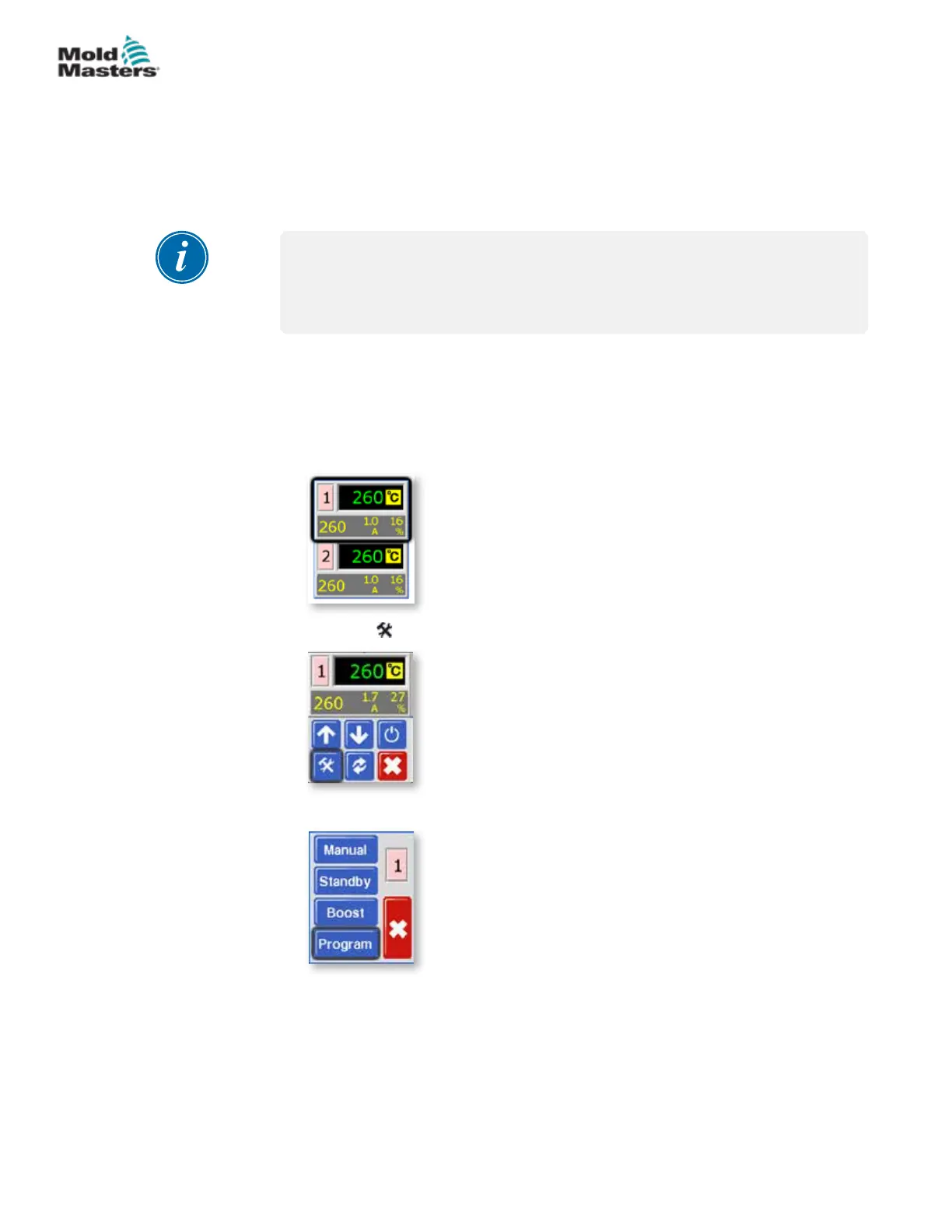
1. From the Temperature Display screen, choose either zone to obtain the
initial menu.
2. Choose [ ] to obtain the Function menu.
3. Choose [Program] to obtain the Program menu.
5-11
© 2020 Mold-Masters (2007) Limited. All Rights Reserved.
SETUP
MT Controller User Manual



 To Next Page