5.13 Extend Alarms for Manual, Standby or Boost
Operation
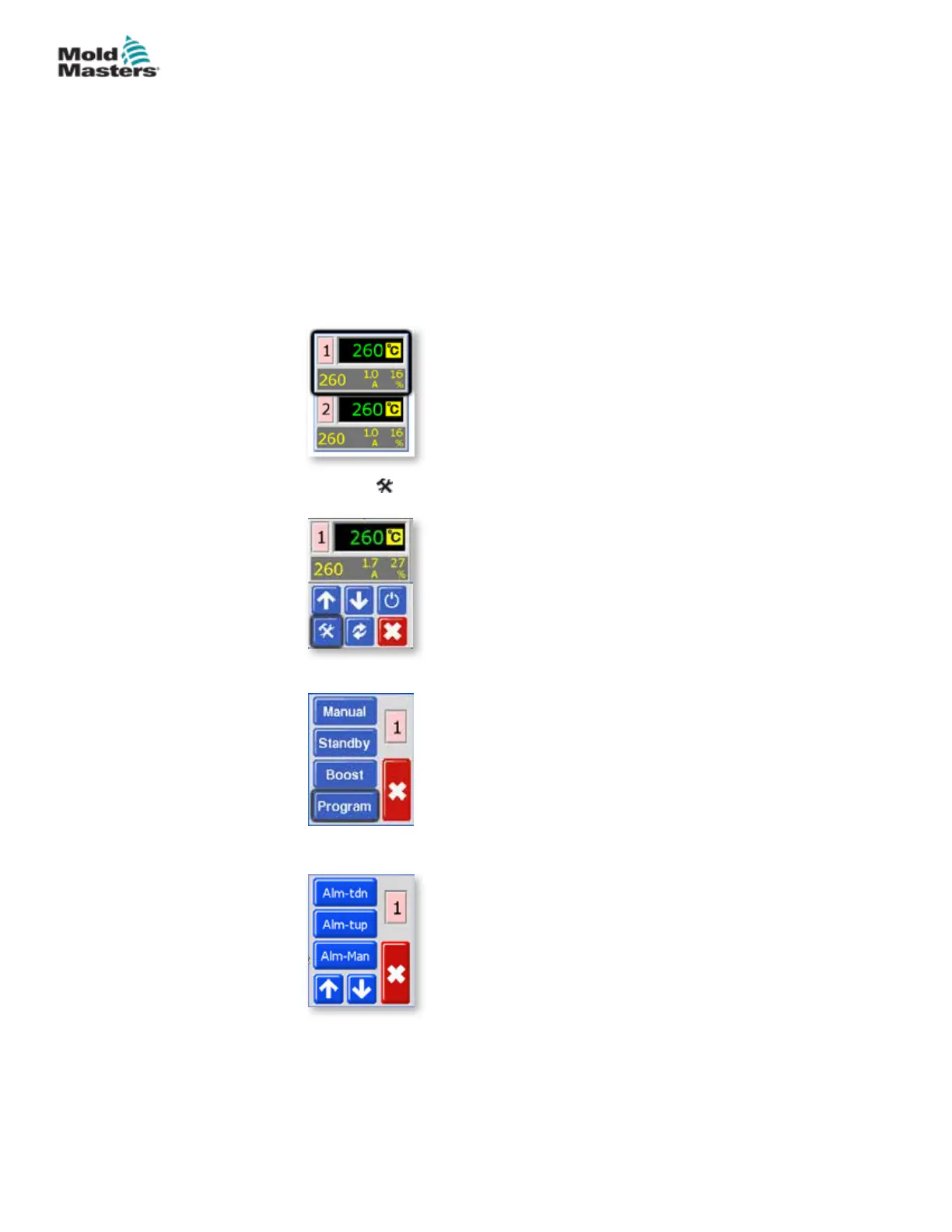
There are three conditions which may be selected to generate external alarm
conditions. These options are available to give an outgoing (closing) signal if
the controller is set to Manual (Alm-Man), Standby (Alm-tdn) or Boost (Alm-
tup).
Their default condition is “O” but they may be changed to “On,” in which
case activating Manual, Standby or Boost may generate an alarm output.
1. From the Temperature Display screen, choose either zone to obtain the
initial menu.
2. Choose [ ] to obtain the Function menu.
3. Choose [Program] to obtain the Program menu.
4. Choose [] or [] to nd the page containing the Alarm option.
5-25
© 2020 Mold-Masters (2007) Limited. All Rights Reserved.
SETUP
MT Controller User Manual



 To Next Page