6
User’s Guide ValueJet 1304
Troubleshooting
AP-75780 - Revision 1.3 107
Chapter 6 Troubleshooting
This chapter describes possible troubles during the use of this product and countermeasures.
If an error not included in any items of this section occurs, contact your local Mutoh dealer.
6.1 When you cannot generate graphics in the way you
want
This section explains how to restore printing results that are blurred or have gaps and how to
adjust print quality.
6.1.1 Perform Head cleaning
If the nozzle check result indicates that the checked points are blurred or missing, clean the
print head.
Step 1: Switch ON the printer and load the roll media. Refer to:Setting roll media on page42
Step 2: Confirm that the printer functions normally.
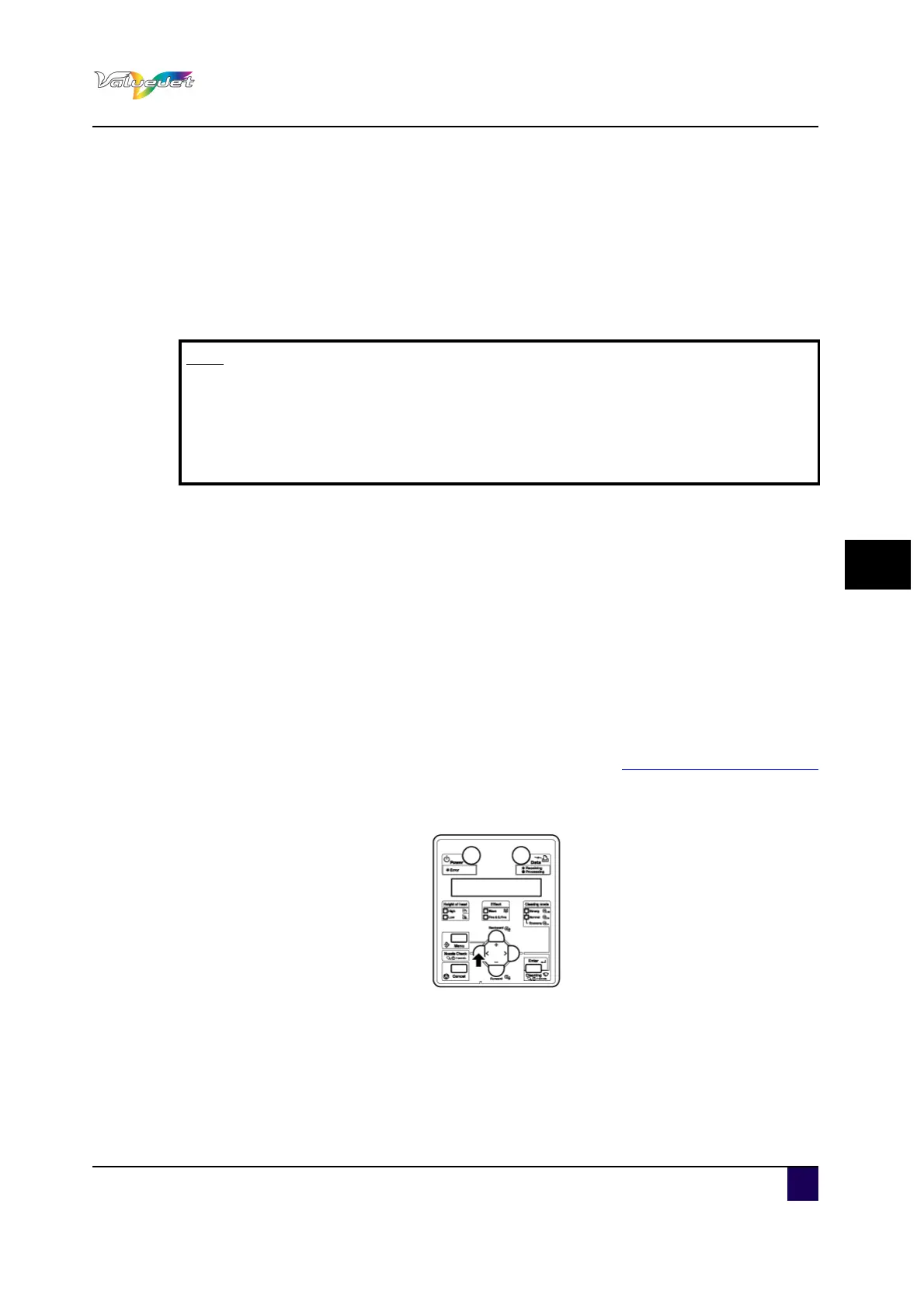
Step 3: Press Nozzle Check for at least 2 seconds.
Perform the nozzle check printing.
Note
If you want to receive product warranty, prepare the warranty certificate.
If the warranty certificate is not presented, the repair will not be covered by the
warranty even if within the warranty period.
If you have signed a maintenance service contract, prepare that or a similar
document.















 To Next Page