2
User’s Guide ValueJet 1304
Product overview
AP-75780 - Revision 1.3 17
Chapter 2 Product overview
This chapter explains the features of the printer along with the names and functions of each
part.
2.1 Names of parts and functions
This section explains the names and functions of each part.
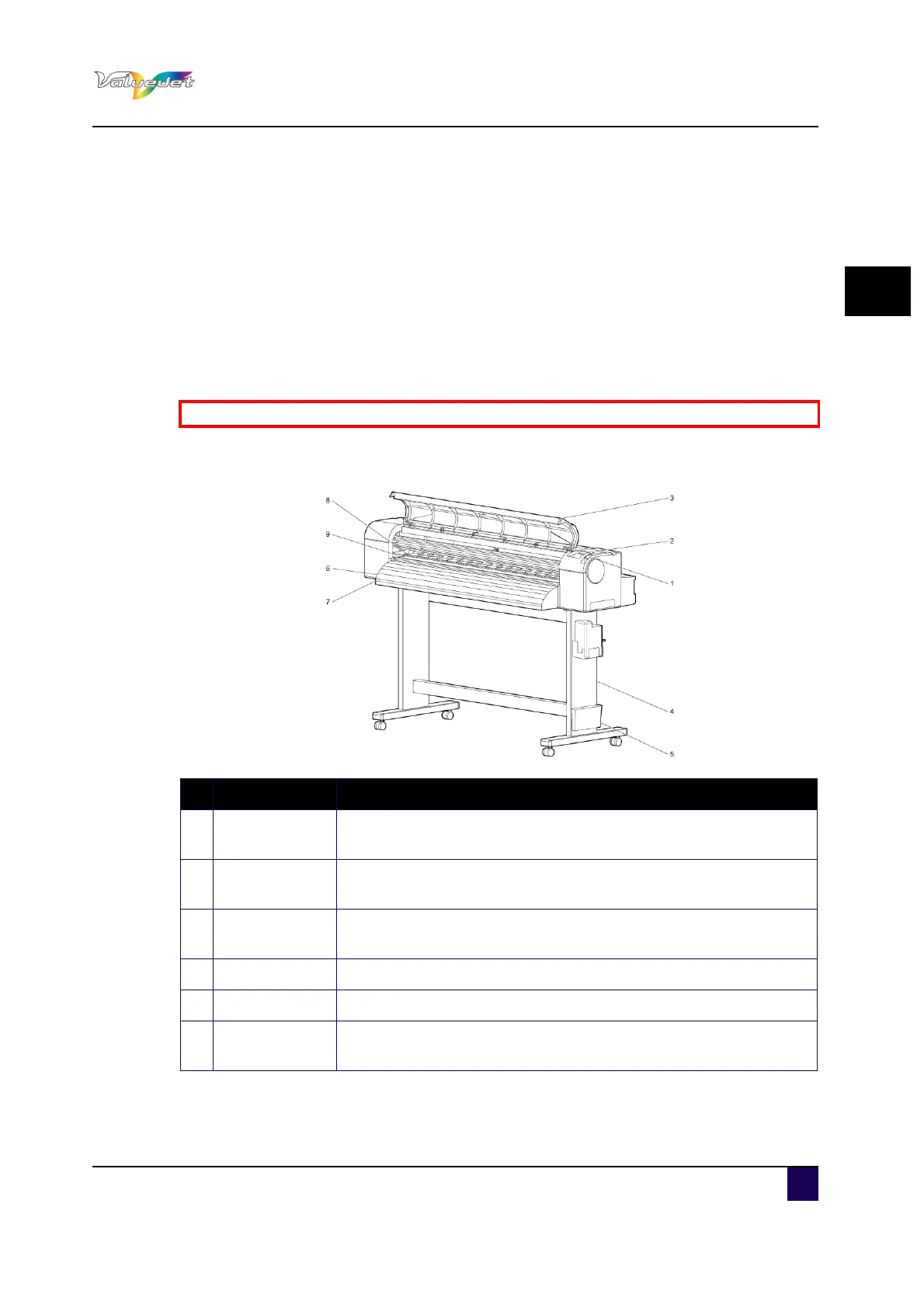
2.1.1 Front section
Be sure to read and understand the safety warnings before handling the printer.
N° Description Function
1
Media loading
lever
Used to release or fix the media
2 Operation panel
Operation condition setting, printer display and various function
settings are performed.
3 Front cover
Used to prevent that a user comes in contact with the driving
mechanism during the print operations. It is normally closed
4 Stand To install the printer on a level floor.
5 Book holder To store important documentation such as the User’s Guide
6 Media guide
Used to feed media smoothly when the media is set or printed. The
printer has also an incorporated heater (after heater) to dry ink.















 To Next Page