User’s Guide ValueJet 1304
Handling the printer
40 AP-75780 - Revision 1.3
4.2 Handling and installing media
4.2.1 Installing roll media
This section explains how to load roll media.
Use the exclusive scroller included with this printer for loading roll media.
Follow the procedure below to load roll media.
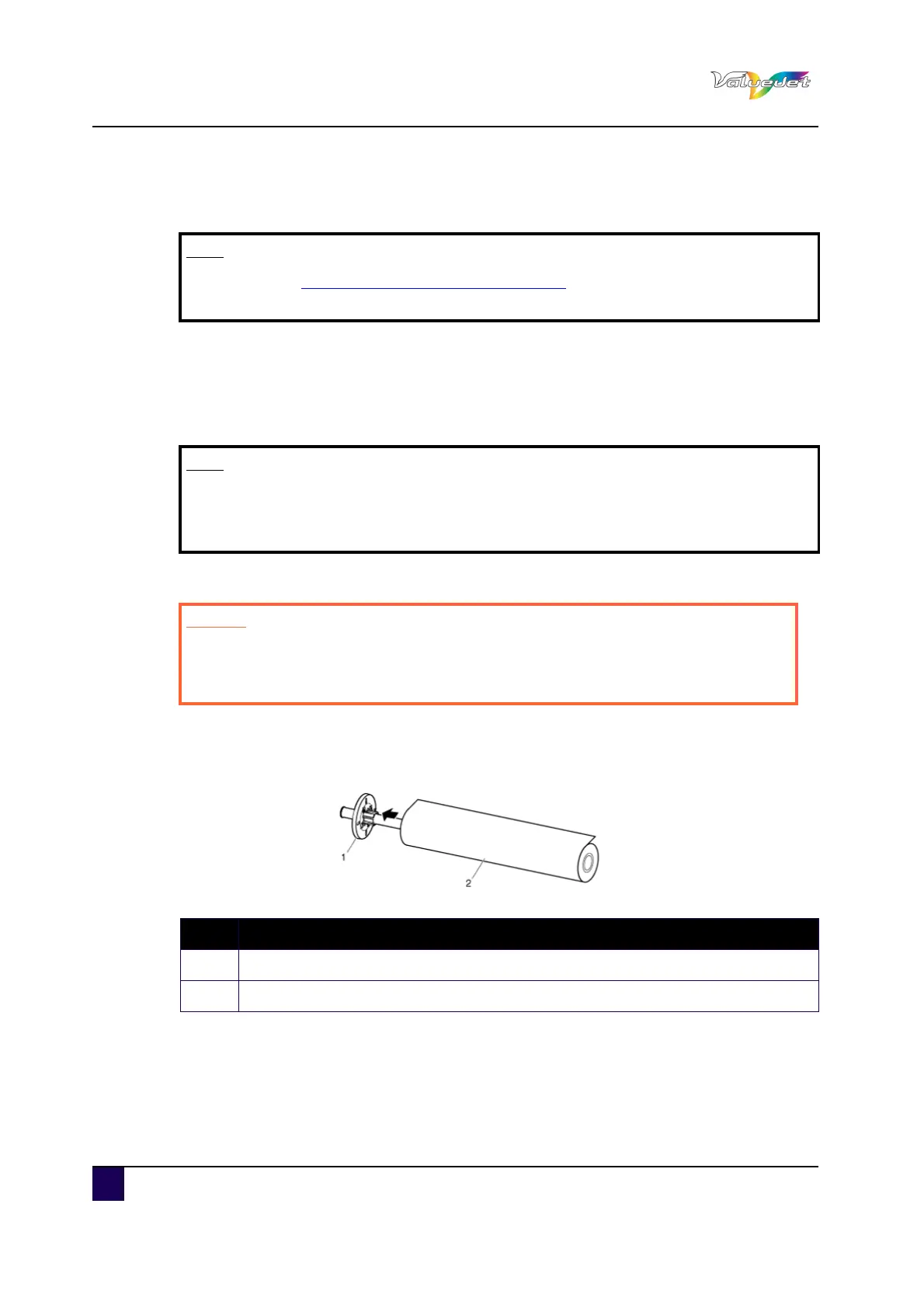
Step 1: Load roll media to the scroller so that it is rolled in an anti clockwise direction when
viewed from the fixed flange.
Step 2: Push the roll media until its core hits the right edge of the fixed flange.
Note
Refer to “General info on usable media on page37” for details on media handling.
It is recommended to use tested and compatible media for this printer.
Note
The following roll media can be set on the scroller included with this printer.
Media tube diameter: three inches, outside diameter of media: 150 mm or less,
weight: 19 kg or less
Caution
Load roll media on an even surface such as a desk.
If you load roll media with the scroller standing vertical, there is a possibility
that the scroller might get damaged.
N° Description
1 Fixed flange
2 Roll media















 To Next Page