User’s Guide ValueJet 1304
Troubleshooting
108 AP-75780 - Revision 1.3
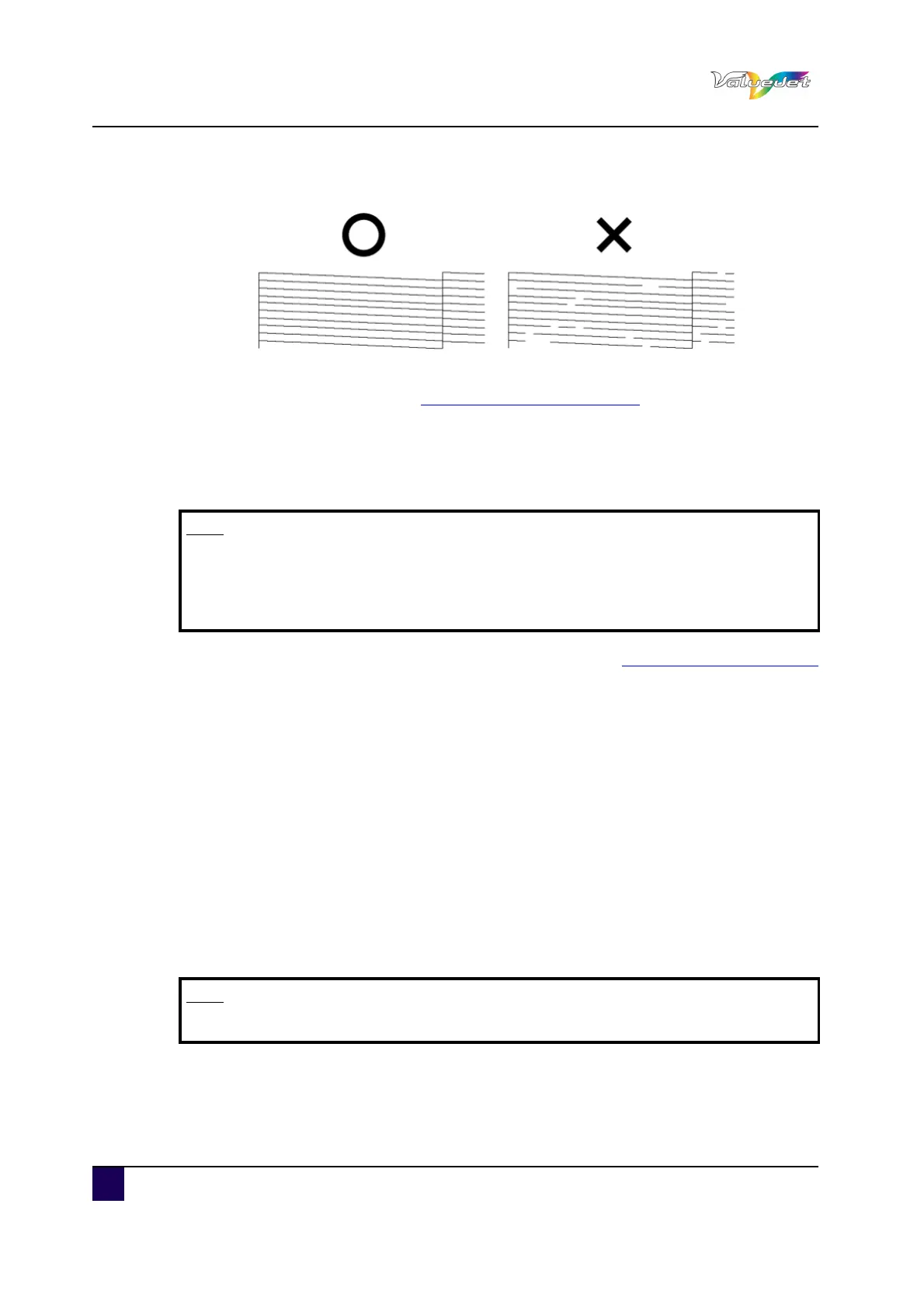
Step 4: Check the print sample and confirm that the checked points are blurred or missing.
Step 5: If the nozzle check result indicates that the checked points are blurred or missing,
clean the head. Refer to: Open the front cover. on page98
6.1.2 Adjust the print head
Follow the procedure below to adjust print quality.
Step 1: Switch ON the printer and load the roll media. Refer to:Setting roll media on page42
Step 2: Confirm that the printer functions normally.
Step 3: Display the Printing mode menu.
Press Menu.
"Menu 1: Setup>" is displayed.
The operation panel shifts to the Setup menu display.
Press >.
"Set1: MediaType" is displayed.
Press Enter.
"Media: Type 1" is displayed.
Press + or – to select the media type to use.
Press Enter.
"**>1: Print Mode" is displayed
Press Enter.
"Mode: Graphics 2 – > " is displayed.
The display shifts to the Printing mode menu.
Note
This printer was adjusted at factory shipment so that it obtains the optimum
print quality.
Adjust the quality if the print quality changes after the installation environment
or the media is changed.
Note
The selected media (Type 1 to 30) is displayed in "**".















 To Next Page