User’s Guide ValueJet 1304
Periodical maintenance
AP-75780 - Revision 1.3 103
5
Press Enter.
"CR Mainte.: Start" is displayed.
The display enters the CR Maintenance menu.
Step 3: Press Enter.
Maintenance starts.
The print head moves to centre.
"CR Maintenance: End" is displayed.
Step 4: Open the front cover.
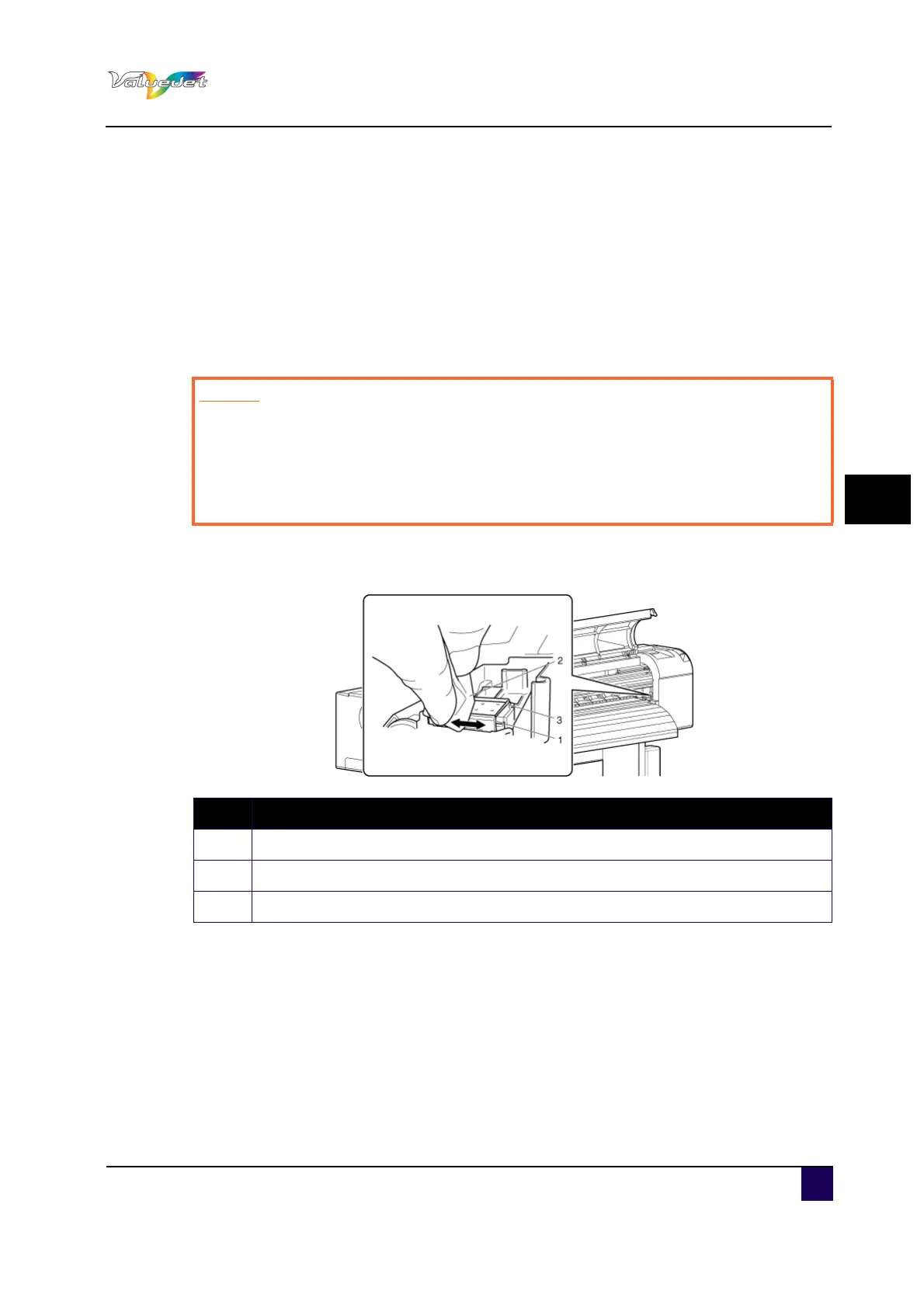
Step 5: Use the poly-knit wiper to remove the ink and dust on the cleaning wiper.
Cleaning wiper front side: wipe horizontally
Caution
While cleaning the cleaning wiper
Do not touch the cleaning wiper and head cap unit.
Head cleaning may not be performed correctly because of oil from your hands.
Make sure to wipe the print head with a dry poly-knit wiper.
A wet poly-knit wiper may cause the print head to clog.
N° Description
1 Cleaning wiper
2 Poly-knit wiper
3 Head cap unit















 To Next Page