User’s Guide ValueJet 1304
Handling the printer
42 AP-75780 - Revision 1.3
4.2.2 Setting roll media
This section explains how to set roll media.
Step 1: Switch ON the unit.
The printer starts the initializing operation.
“Media End” is displayed.
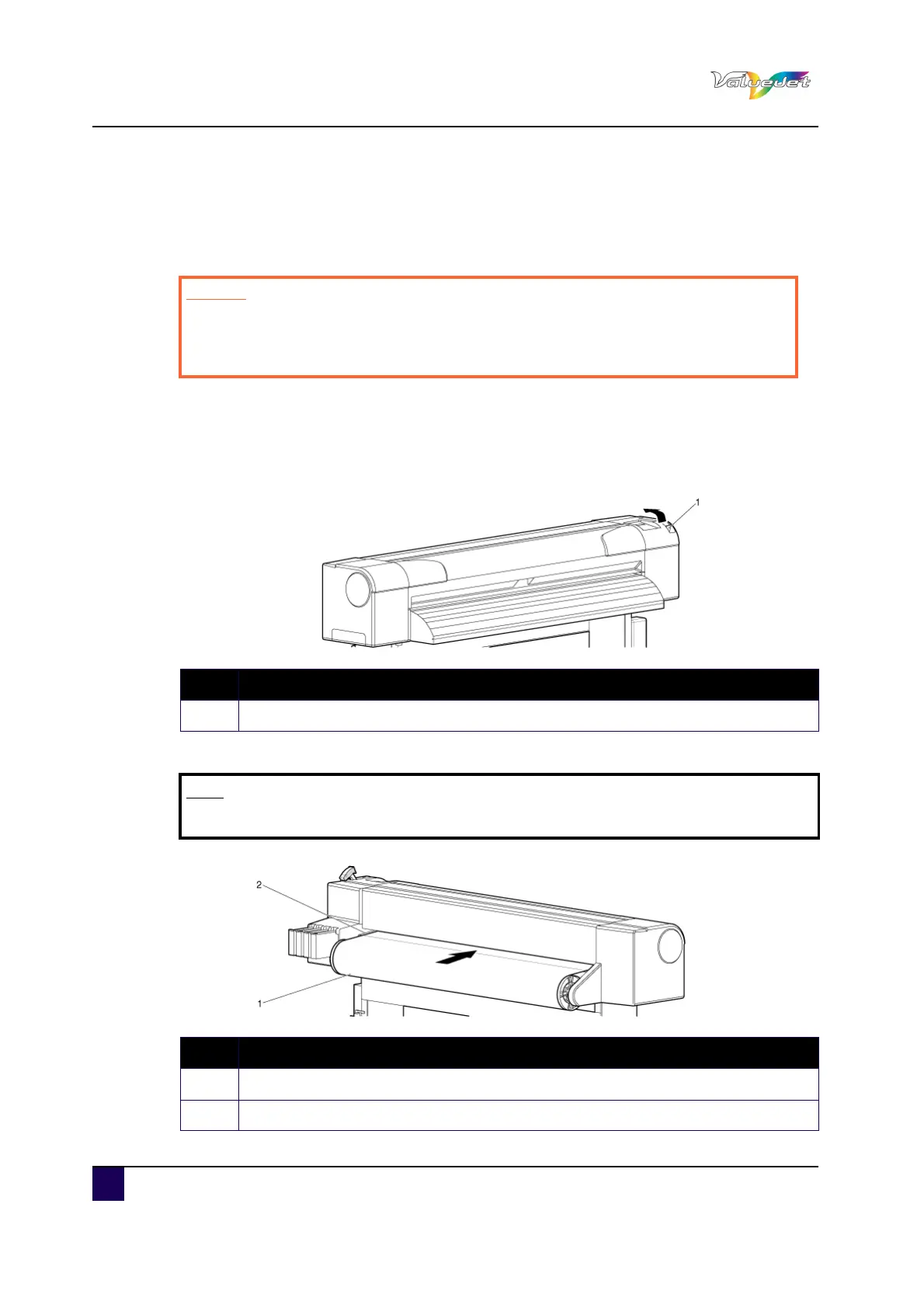
Step 2: Push the media loading lever to the back.
"Lever Up" is displayed.
Step 3: Feed the roll media into the media feed slot.
Caution
Do not operate the media loading lever during initial operation.
The print head portion could touch the pressurizing roller portion, and
cause a malfunction
N° Description
1 Media loading lever
Note
If the roll media end gets loose, roll up the media again and load it.
N° Description
1 Roll media
2 Media feed slot















 To Next Page