User’s Guide ValueJet 1304
Handling the printer
38 AP-75780 - Revision 1.3
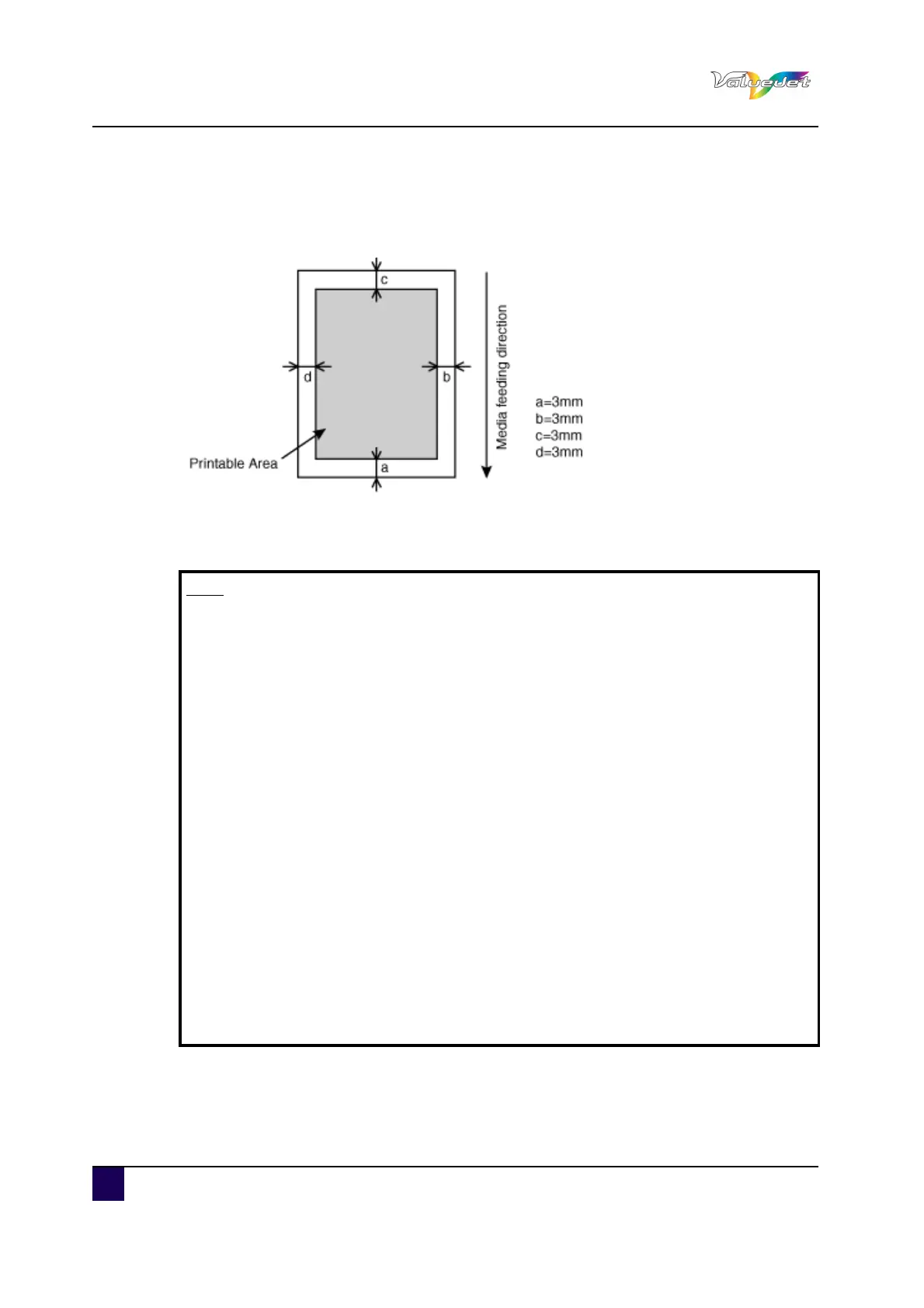
4.1.2 Printing area
The printable area of the ValueJet 1304 is as follows:
4.1.3 Notes on handling media
Note
Use compatible media under an appropriate environment.
The appropriate temperature and humidity ranges for printing are:
Temperature: 22°C to 30°C with a change rate of 2°C per hour
Humidity: 40% to 60% with a change rate of 5% per hour.
Do not use folded or torn media.
The size of media changes according to temperature and humidity variations in
the print environment. Therefore, place the media minimum 30 minutes in the
print environment before use, to let it acclimatize to the print environment.
Printing on media without having it acclimatized to the printing environment
might cause media jams and bad print quality, caused by media expansion or
contraction.
Media has a printable side and a non-printable side. Printing on the non-print
side can cause blurs and blots.
Always handle media with dry and clean hands to avoid bad print quality.
When the printer will be unused for more than 24 hours, remove the media to
prevent media floating, media jams and degradation of the print quality.
Avoid using media in cold places and dry places, especially when printing
formal documents.
Always store the media in its original packing material.
Do not throw away the individual box and bag. Use them to store media.















 To Next Page