User’s Guide ValueJet 1304
Installing the unit
34 AP-75780 - Revision 1.3
3.5 Transfer and transportation
3.5.1 Transferring the printer
When using the dedicated stand, transfer the printer according to the procedure below.
Pre-transfer steps
Step 1: Dispose of waste fluid
Refer to Disposal of waste fluids on page32
.
Step 2: Make sure that the printer is switched OFF.
Step 3: Check that the butterfly bolts (2) attaching the stand and the printer are not loosen.
Step 4: Check that the printer head is in the rightmost position
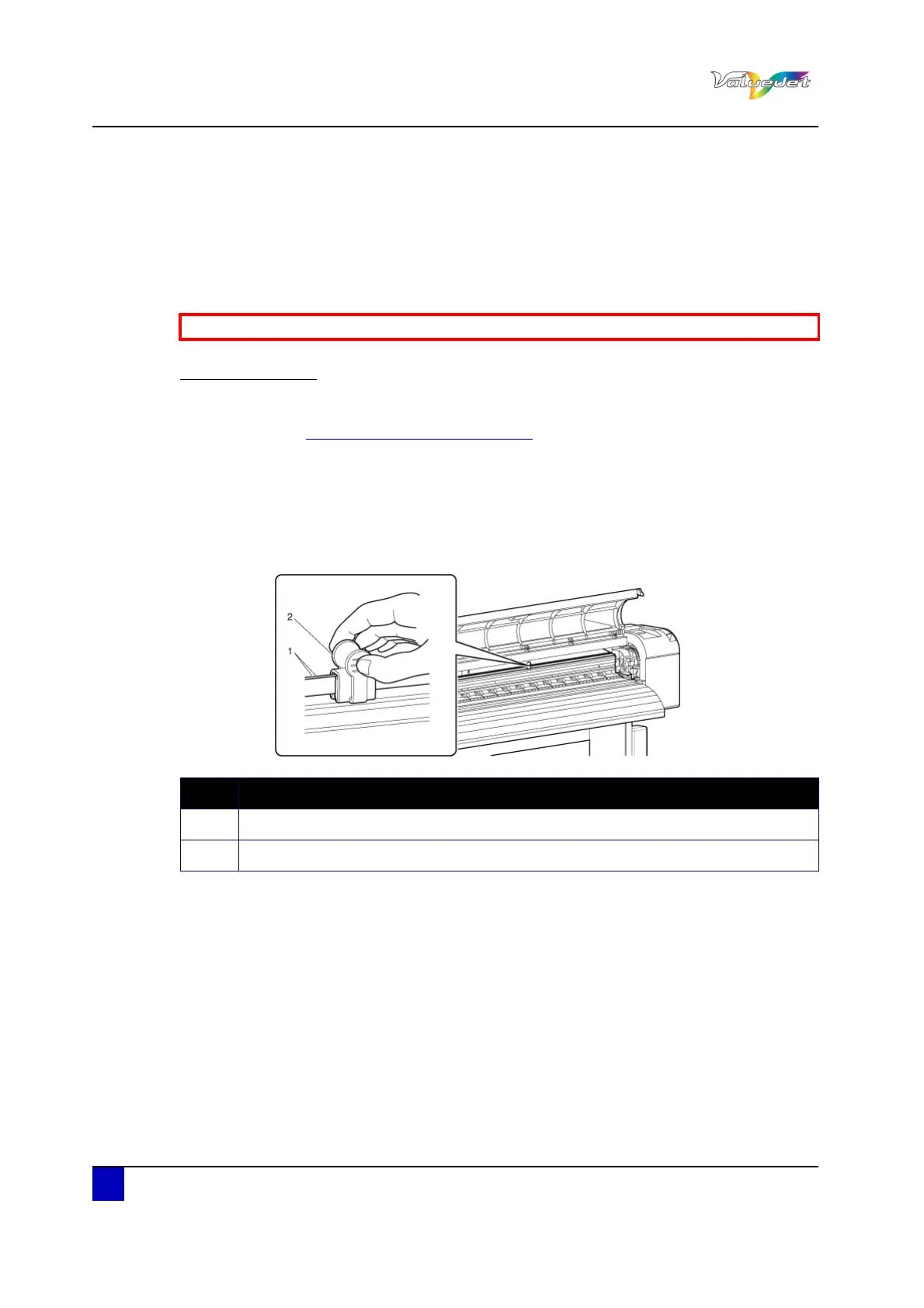
Step 5: Bind the CR belt in the centre section of the printer by fastening the CR belt clip
around it.
Step 6: Remove the scroller.
Step 7: Remove all the cables, such as the power cable.
Be sure to read and understand the safety warnings before handling the printer.
N° Description
1 CR belt
2 CR belt clip















 To Next Page