User’s Guide ValueJet 1304
Troubleshooting
AP-75780 - Revision 1.3 111
6
6.2 When media is jammed
When the set media is jammed, follow the procedure below to remove it.
Step 1: Switch OFF the power of the printer. Refer to:Switching the power OFF on page28
Step 2: Open the front cover.
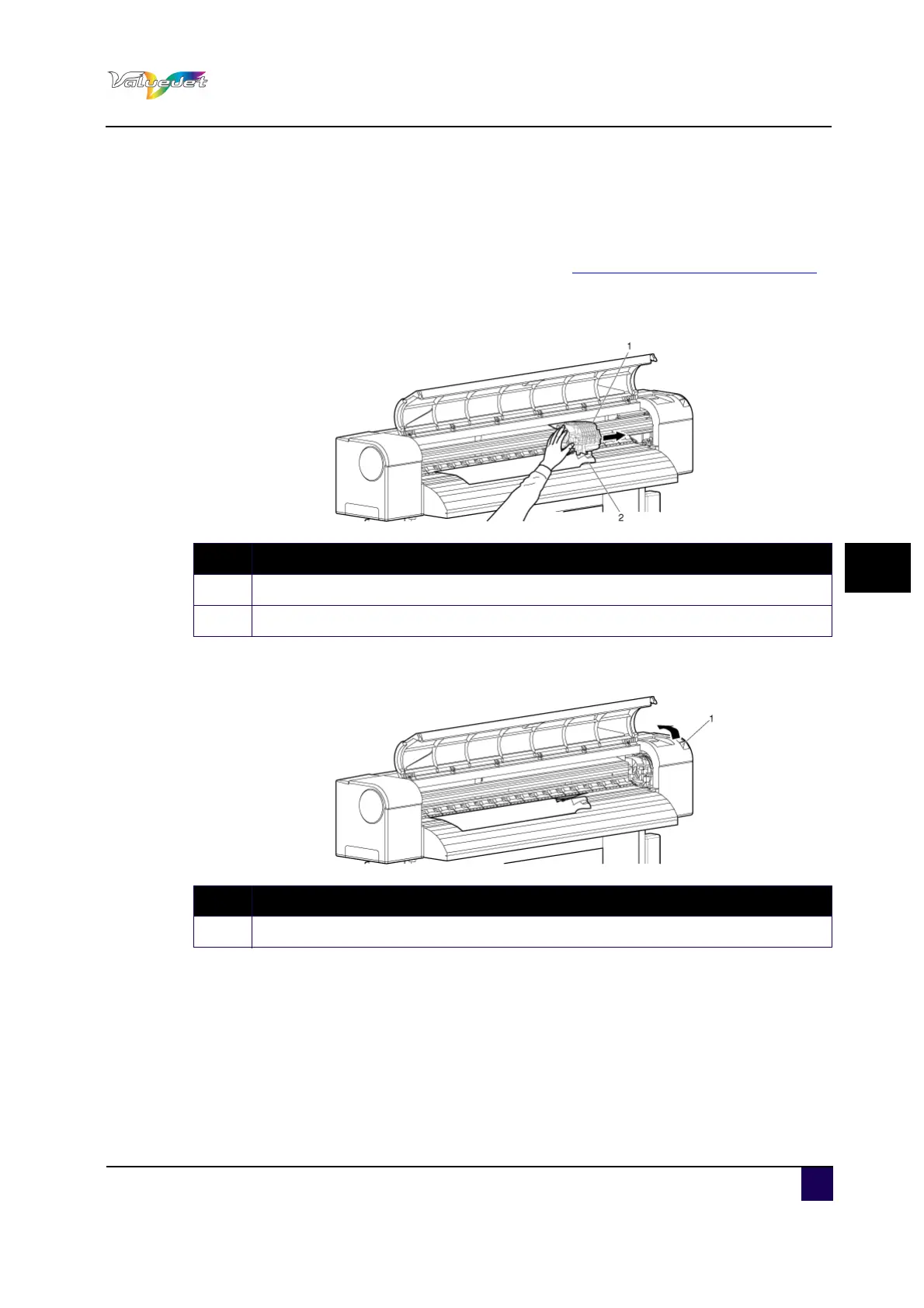
Step 3: Move the print head section from the top of the media to the right.
Step 4: Push the media loading lever to the back.
N° Description
1 Print head section
2 Roll media
N° Description
1 Media loading lever















 To Next Page