User’s Guide ValueJet 1304
Installing the unit
28 AP-75780 - Revision 1.3
3.2.2 Switching the power OFF
Step 1: Verify the following regarding the operational condition of the product.
Printing or other operations are not in progress.
The operation panel display is Normal.
The Low lamp lights up in green.
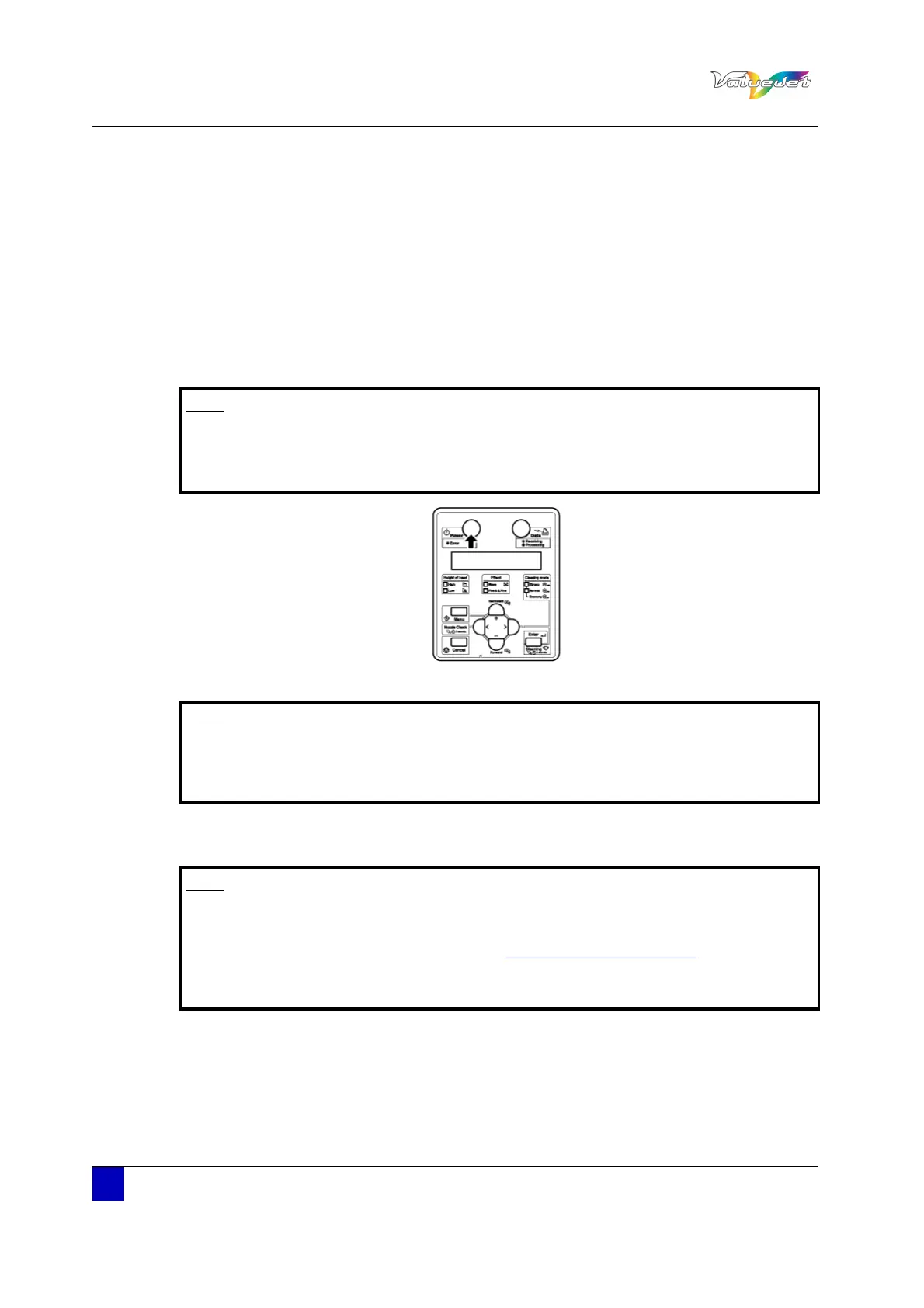
Step 2: Press Power to switch OFF the printer.
The Power lamp switches OFF.
"Power OFF" is displayed.
All the lamps and the LCD monitor are switched OFF.
The printer automatically switches the power OFF.
Note
If the [POWER] key is pressed or the power indication light lights up green, the
power is ON.
Press the key once again and switch OFF the power.
Note
If the head height is set to High, "Change Head Gap Low" is displayed and the
procedure to switch the power OFF stops.
To restart the procedure, return the head height to Low.
Note
If there is a problem during the power OFF operation, a message is displayed
and the printer may stop operating.
In case the operation stops, refer to “Troubleshooting on page107
”.
After switching OFF the printer, wait for 10 seconds or longer to switch it ON
again.















 To Next Page